
Which MlflowClient method transitions a registered model version from Staging to Production?
Select an answer to reveal the explanation.
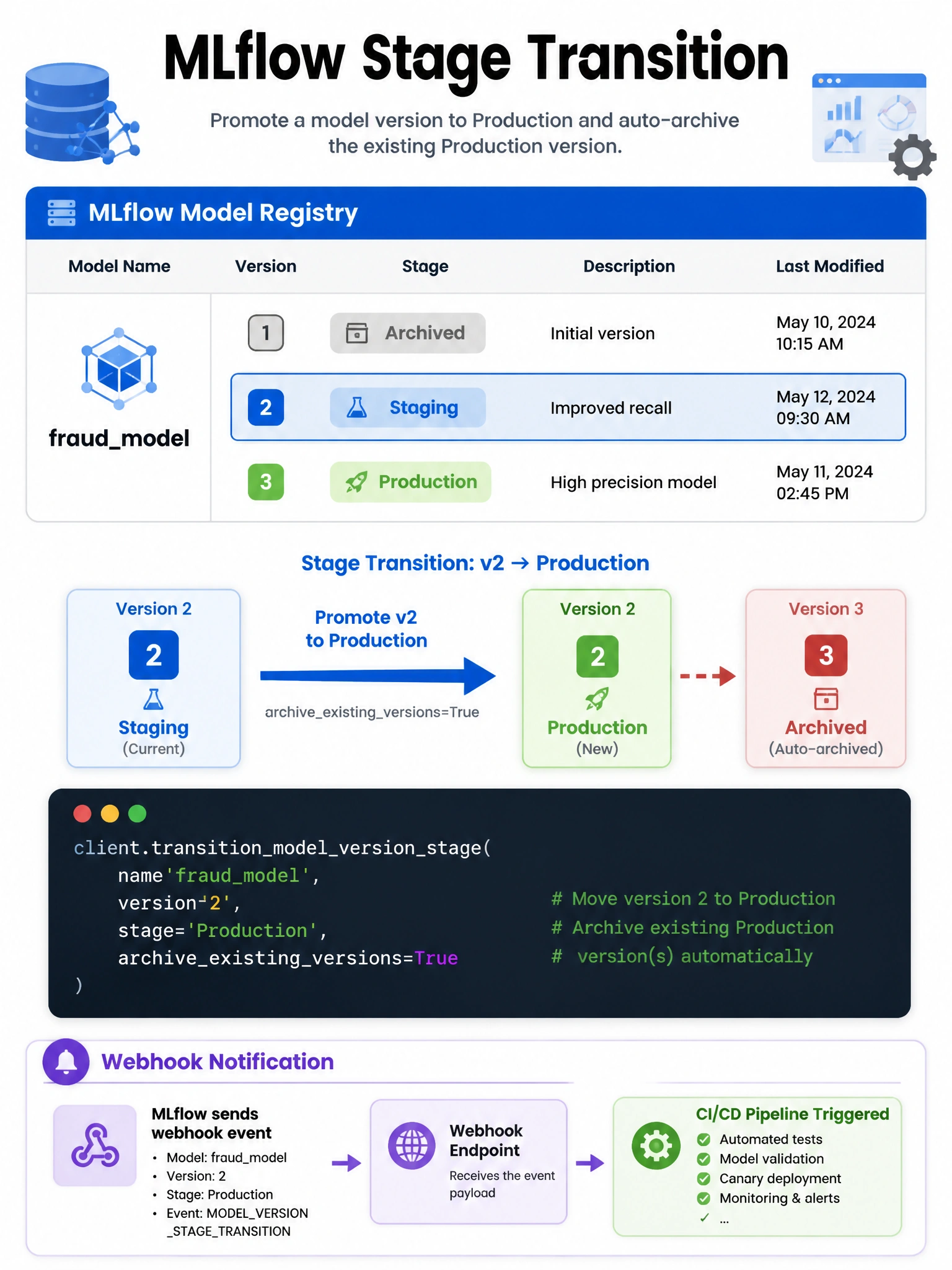
Short Explanation and Infographic
The MLflow client method for changing stages is transition_model_version_stage — a mouthful, but the exact API name you need to move a model through its lifecycle programmatically.
Full explanation below image
Full Explanation
MlflowClient().transition_model_version_stage(name='fraud_model', version='3', stage='Production', archive_existing_versions=True) is the correct API call. Parameters: name — registered model name, version — version number (string), stage — target stage ('None', 'Staging', 'Production', 'Archived'), archive_existing_versions (bool) — if True, automatically archives all other model versions currently in the target stage. This is crucial for maintaining a single Production version. The method triggers stage transition webhooks (if configured) for CI/CD pipeline integration. For Unity Catalog registered models, use MlflowClient().set_registered_model_alias() instead — UC models use aliases (like 'champion', 'challenger') rather than stages. client.promote_model_version, client.update_model_version (for stage), and client.set_model_version_tag (for metadata tags, not stage) are not correct methods for stage transitions.