
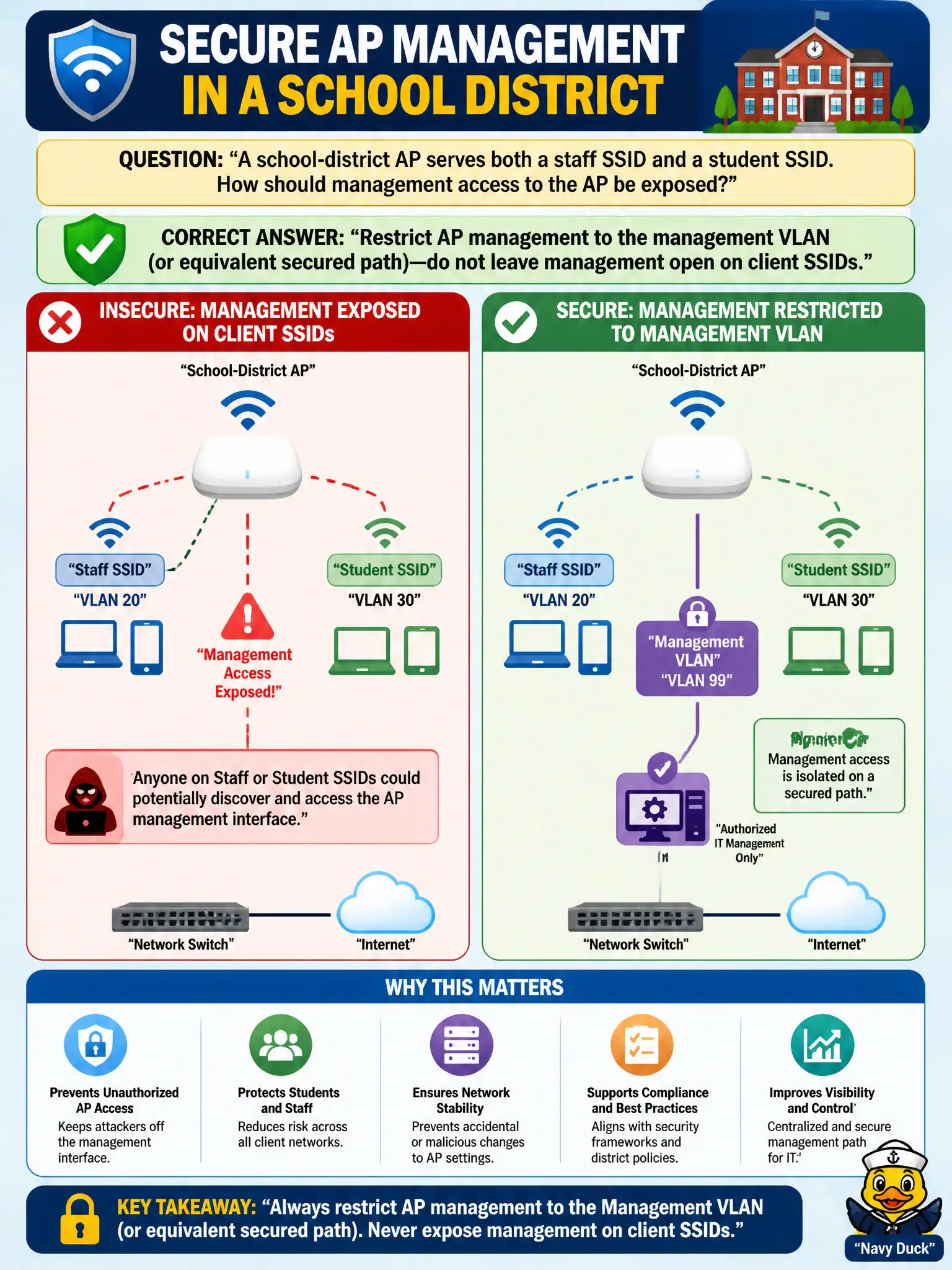
A school-district AP serves both a staff SSID and a student SSID. How should management access to the AP be exposed?
Select an answer to reveal the explanation.
Short Explanation
Client SSIDs are the front porch; management belongs on the locked side door. Keep admin reachability on the management VLAN so students are not one wrong URL away from your AP settings.
Full Explanation
A school-district AP that serves both staff and student SSIDs should restrict AP management to the management VLAN or an equivalent secured path—not leave management open on client SSIDs. Separating management reachability prevents students or guests from accessing admin HTTPS/SSH interfaces from classroom or open networks. Municipal and education best practice keeps the control plane off user SSIDs.
Enabling full admin HTTPS on the open student SSID for easier classroom troubleshooting exposes critical controls to the wrong population. Bridging the management GUI onto every SSID including guest so anyone can reboot the AP maximizes risk. Disabling all authentication on management interfaces to reduce tickets removes the last barrier after exposure.
Exam caveat: management plane isolation is distinct from client SSID design—keep admin off student/guest networks. Operational check: from a student SSID client, verify the AP management address is unreachable; from the management VLAN jump host, verify HTTPS/SSH still works; document the restriction in the district build standard. Retest management isolation after every major SSID or VLAN change so student networks do not regain admin reachability.