
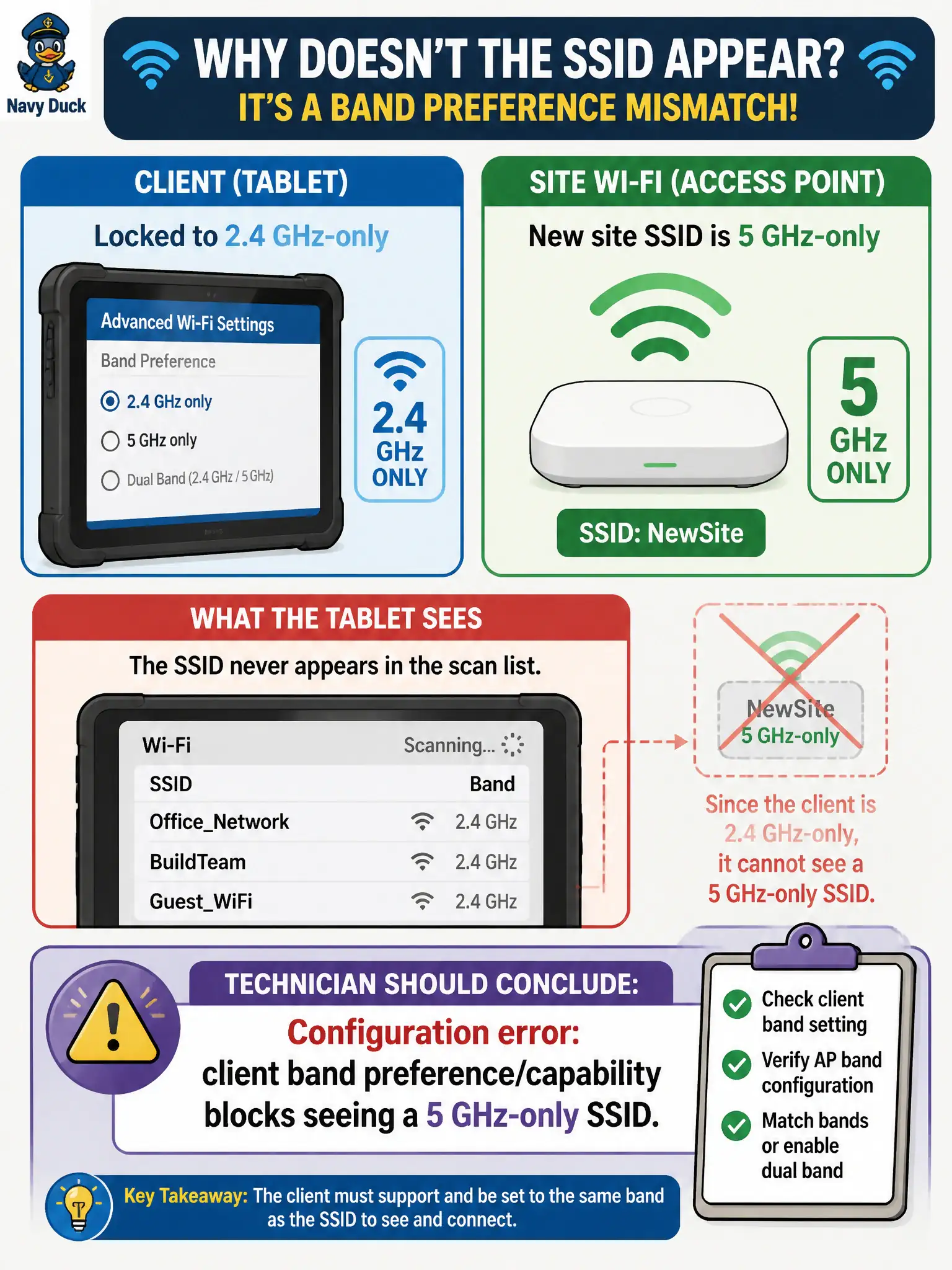
A building-inspector tablet is locked to 2.4 GHz-only in its advanced Wi-Fi settings, but the new site SSID is 5 GHz-only. The SSID never appears in the scan list. What should the technician conclude?
Select an answer to reveal the explanation.
Short Explanation
Client stuck on 2.4-only will not see a 5 GHz-only SSID—no matter how perfect the password is. Fix the band setting (or use a dual-band device) before chasing ghosts.
Full Explanation
A building-inspector tablet locked to 2.4 GHz-only in advanced Wi-Fi settings that never sees a new site SSID that is 5 GHz-only reflects a configuration error: client band preference/capability blocks seeing a 5 GHz-only SSID. Scan lists only include bands the client is willing and able to use. Password correctness is irrelevant until the BSS is visible on a usable band.
Saying the passphrase is wrong even though the network is never listed fails because authentication has not started without discovery. Claiming TKIP is mandatory for all 5 GHz-only municipal SSIDs fails by concept and by modern cipher policy. Airplane mode must be on because 2.4 GHz-only devices always enable it automatically fails: band lock is not airplane mode, and the distractor invents a false automatic coupling.
Exam caveat: band mismatch presents as “SSID missing,” which candidates often misread as passphrase or RF outage.
Operational check: clear the 2.4 GHz-only lock or use a dual-band device; confirm the 5 GHz-only SSID appears; then validate security settings; update the inspector image so advanced band locks match site designs. Update field device baselines so advanced band locks cannot silently strand inspectors on 2.4 GHz-only when new sites publish 5 GHz-only SSIDs per modern municipal designs.