
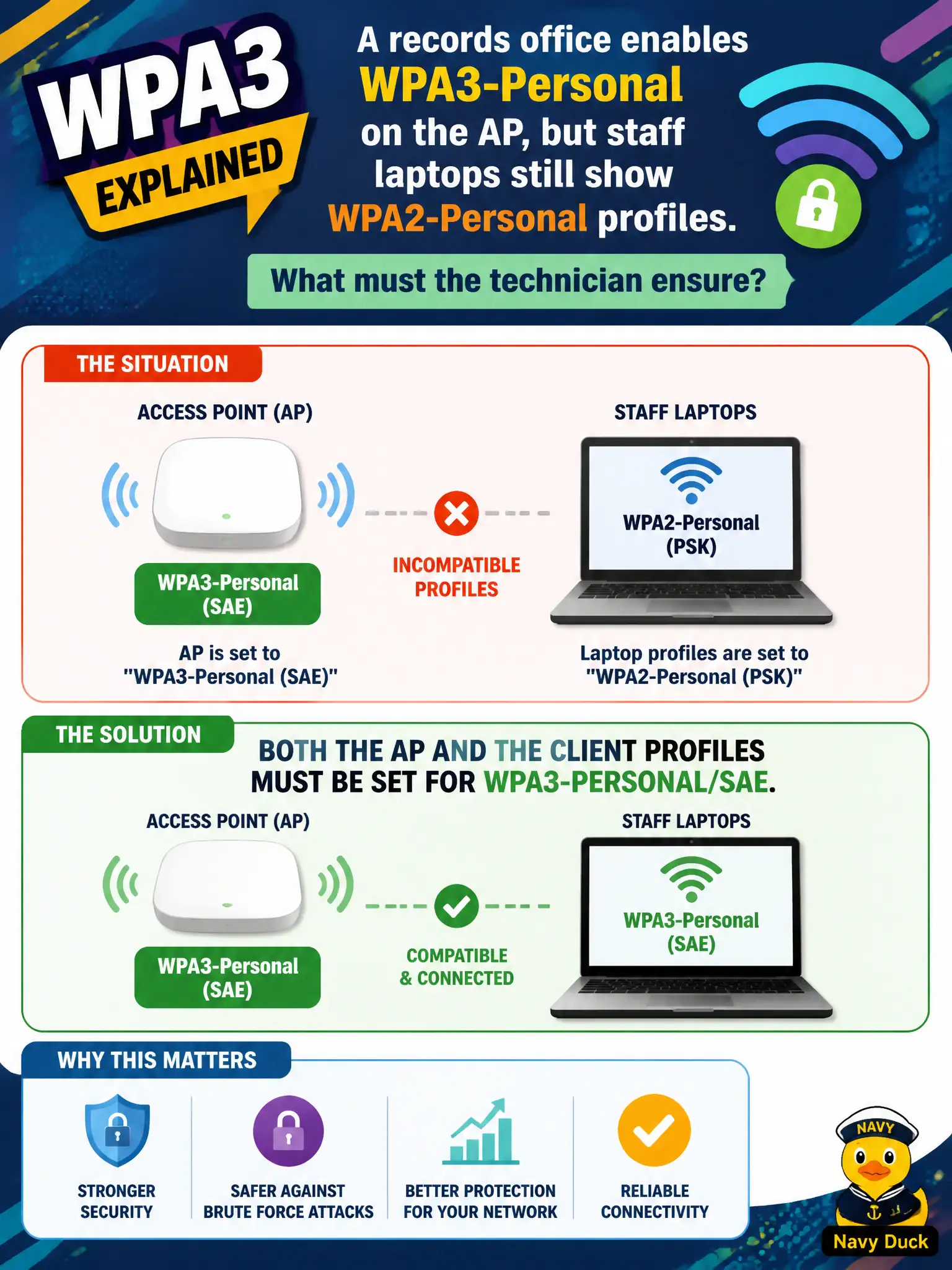
A records office enables WPA3-Personal on the AP, but staff laptops still show WPA2-Personal profiles. What must the technician ensure?
Select an answer to reveal the explanation.
Short Explanation
Locks have to match on both sides of the door. Set WPA3-Personal/SAE on the AP and update each laptop profile the same way—one side alone will not finish the handshake.
Full Explanation
When a records office enables WPA3-Personal on the AP but staff laptops still show WPA2-Personal profiles, the technician must ensure both the AP and the client profiles are set for WPA3-Personal/SAE. Successful WPA3-Personal association is end-to-end: AP-only changes leave clients negotiating older Personal modes, and client-only changes cannot complete SAE against an AP still advertising legacy suites. Civic cutovers fail when only one side moves.
Claiming only the AP needs WPA3 because clients auto-upgrade any saved PSK profile in place overstates client behavior—profiles usually need explicit WPA3/SAE settings. Claiming only clients need WPA3 while the AP stays on WPA-Personal TKIP as a translator invents a compatibility gateway that is not how SAE works. Claiming WPA3-Personal requires hiding the SSID before clients negotiate SAE invents a cloaking prerequisite.
Exam caveat: WPA3-Personal/SAE requires matching configuration on AP and clients—not AP-only magic, TKIP translators, or hidden SSIDs.
Operational check: update records-office laptop wireless profiles to WPA3-Personal/SAE, confirm the AP advertises WPA3-Personal, validate association and data connectivity, and retire leftover WPA2-Personal profiles after the migration window.