
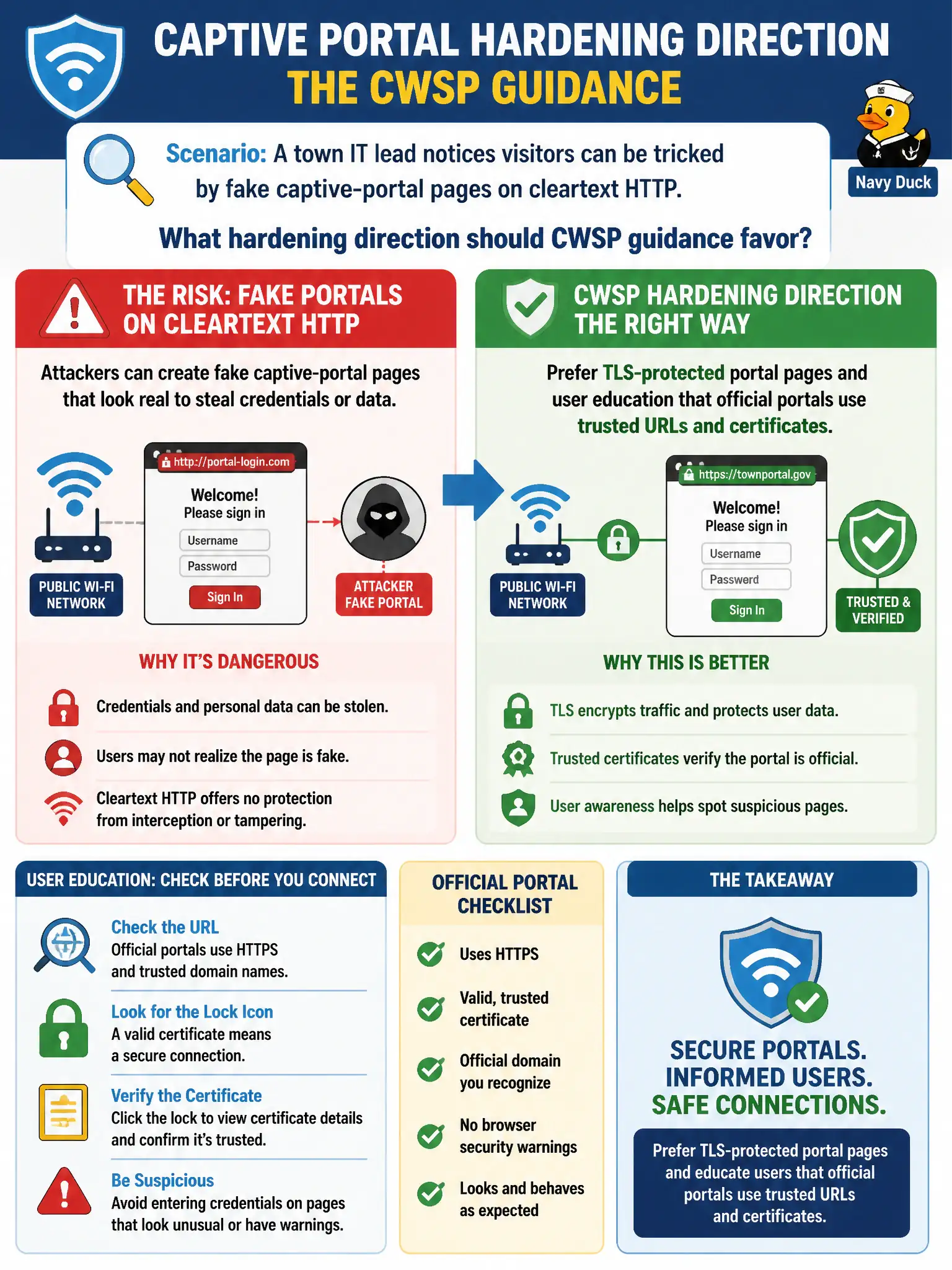
A town IT lead notices visitors can be tricked by fake captive-portal pages on cleartext HTTP. What hardening direction should CWSP guidance favor?
Select an answer to reveal the explanation.
Short Explanation
A cleartext portal is a cardboard badge anyone can photocopy. Put the real AUP page behind TLS and teach people what the city’s genuine portal looks like. Telnet banners and WEP beacons are not a modern guest onboarding plan.
Full Explanation
In municipal WLAN deployments, especially those serving visitors, the use of captive portals over cleartext HTTP can expose users to phishing risks through fake portal pages. The recommended hardening approach is to prefer TLS-protected captive portal pages combined with user education that official portals use trusted URLs and certificates. TLS ensures that the portal page is encrypted and authenticated, preventing attackers from intercepting or spoofing the page content. This mechanism relies on digital certificates issued by trusted certificate authorities, which browsers verify before establishing a secure connection. User education complements this by helping visitors recognize legitimate portals and avoid phishing attempts. Moving the portal to Telnet banners is impractical because modern devices and browsers do not support Telnet for captive portal interaction, and it lacks encryption and user-friendly interfaces. Advertising the portal only via WEP beacons misunderstands WEP’s role; WEP is an outdated encryption protocol for data confidentiality, not a mechanism to prove SSID authenticity or portal legitimacy. Disabling DNS to prevent phishing portals from resolving names is ineffective since attackers can still use IP addresses or fake DNS responses, and it would severely disrupt normal network operations. The scope limit is that TLS protection requires proper certificate management and may not be feasible in all environments, but it remains the best practice where possible. To verify operational effectiveness, ensure that captive portal pages load over HTTPS with valid certificates and that users are trained to verify URLs and security indicators before entering credentials.