
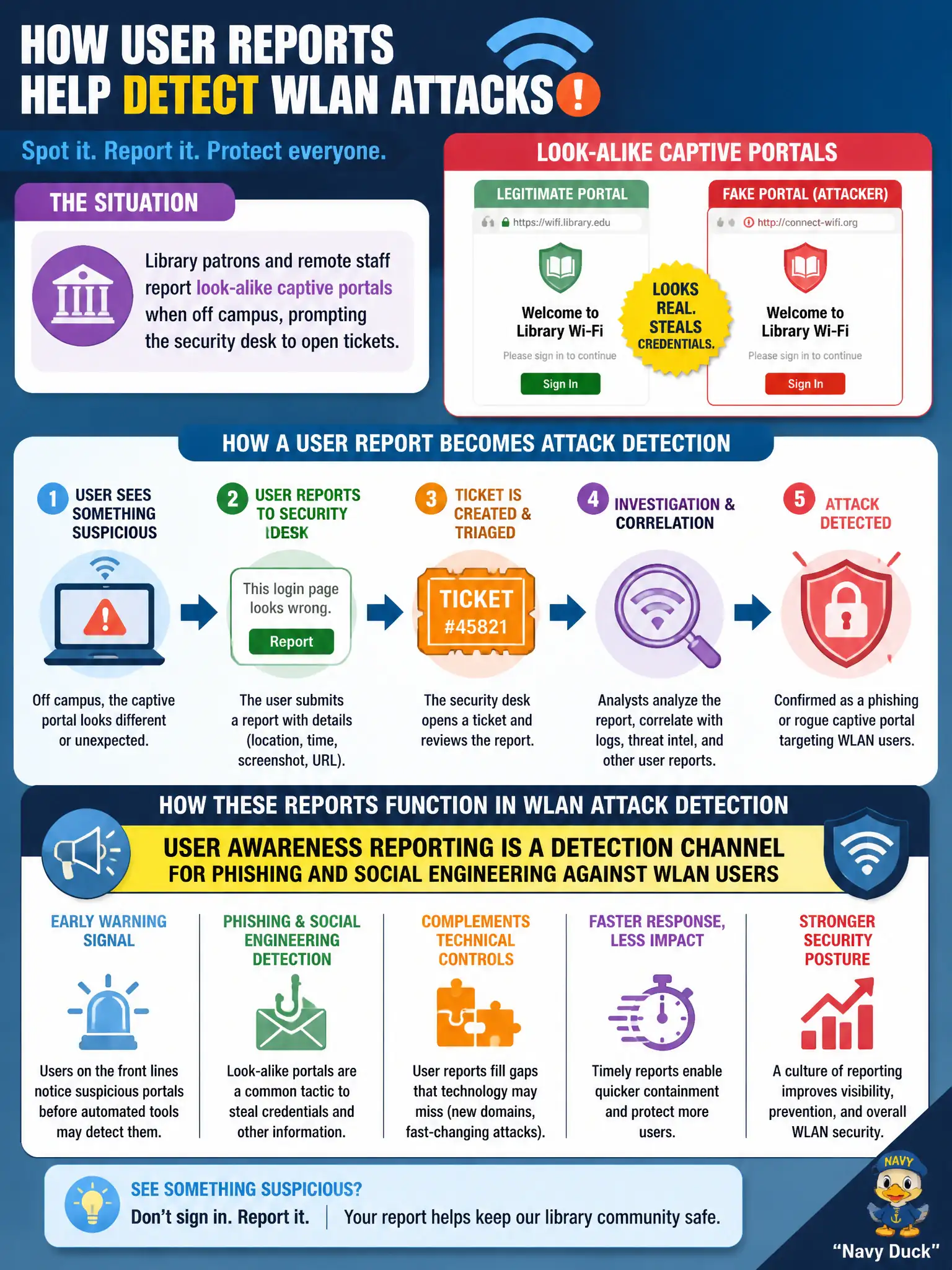
Library patrons and remote staff report look-alike captive portals when off campus, prompting the security desk to open tickets. How do these reports function in WLAN attack detection?
Select an answer to reveal the explanation.
Short Explanation
When people say “that login page looked weird,” that is a sensor with a mouth—awareness reports catch phishing WIPS radios might never see off campus. Take the tickets seriously and investigate. Tossing them because “only WIPS counts” misses the human channel.
Full Explanation
When library patrons and remote staff report look-alike captive portals while off campus, prompting the security desk to open tickets, those reports function as a detection channel for phishing and social engineering against WLAN users. Human reporting often surfaces evil-twin and fake-portal campaigns that sensors off campus cannot see. Claiming only overlay WIPS sensors can ever detect phishing so tickets should be discarded ignores off-network user exposure. Treating captive-portal look-alikes as always proof of healthy Passpoint operation is unsafe. Ignoring off-campus reports because CWSP scope supposedly excludes human reporting misunderstands detection-in-depth; awareness reporting is a recognized channel. Public libraries and remote civic staff are frequent targets of Wi-Fi login phishing when traveling. Exam caveat: user reports complement—not replace—technical sensors; triage them with the same seriousness as phishing mailbox submissions. Operational check: publish a simple "report suspicious Wi-Fi login" path, train library and remote staff on look-alike portals, open tickets with BSSID/SSID/screenshots when available, and feed confirmed campaigns into awareness content and block lists.