
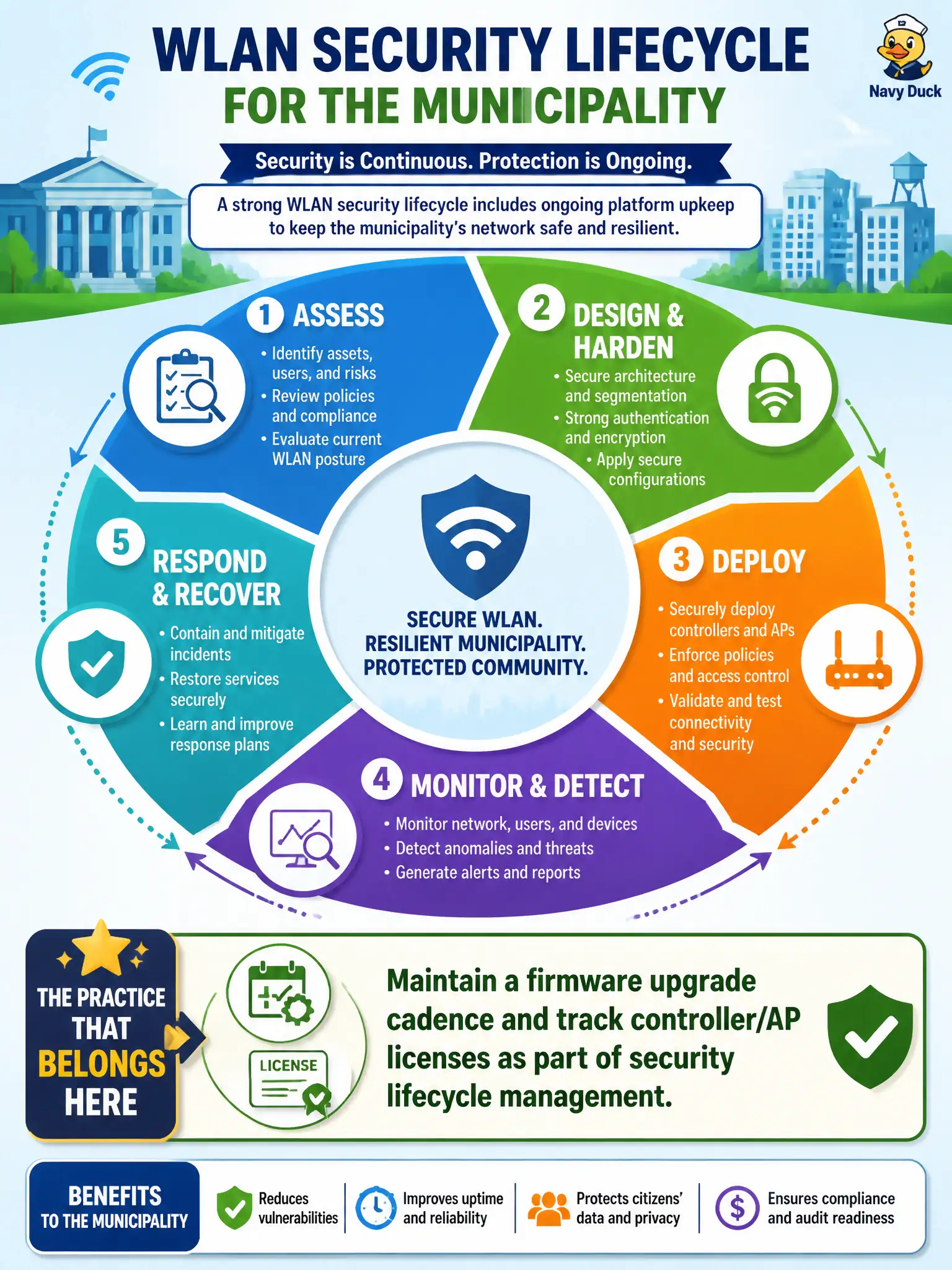
WLAN security lifecycle for the municipality must include ongoing platform upkeep. Which practice belongs?
Select an answer to reveal the explanation.
Short Explanation
Wi-Fi gear ages in software, not just in the ceiling mounts. Scheduled firmware and license tracking are part of staying secure—not optional chores. Waiting for a breach to patch is the expensive tutorial.
Full Explanation
WLAN security lifecycle for a municipality must include ongoing platform upkeep: maintain a firmware upgrade cadence and track controller/AP licenses as part of security lifecycle management. Unpatched APs and expired entitlements quietly disable monitoring features, bug fixes, and supportability even when RF coverage still looks fine on a heatmap. Civic networks that only fund the initial install discover lifecycle debt during the first incident.
Never patching APs after initial install to avoid change risk freezes known vulnerabilities in place. Ignoring license expiry because RF coverage does not depend on software entitlements confuses signal with security tooling. Deferring all firmware work until after a public breach is confirmed maximizes preventable exposure.
Exam caveat: cadence should balance risk and change windows—emergency for critical CVEs, scheduled for routine trains—not chaotic weekly churn without testing. Operational check: inventory AP/controller versions and license expiry dates, schedule the next maintenance train, and confirm monitoring features remain entitled after renewal. In municipal WLAN programs, write the control into standards and verify it during change review so the next project inherits the same bar rather than rediscovering the failure mode under outage pressure.