
A transit-hub laptop joins reliably on 5 GHz but fails intermittently on 2.4 GHz for the same municipal SSID name. How should the CWNE structure the capture?
Select an answer to reveal the explanation.
Short Explanation
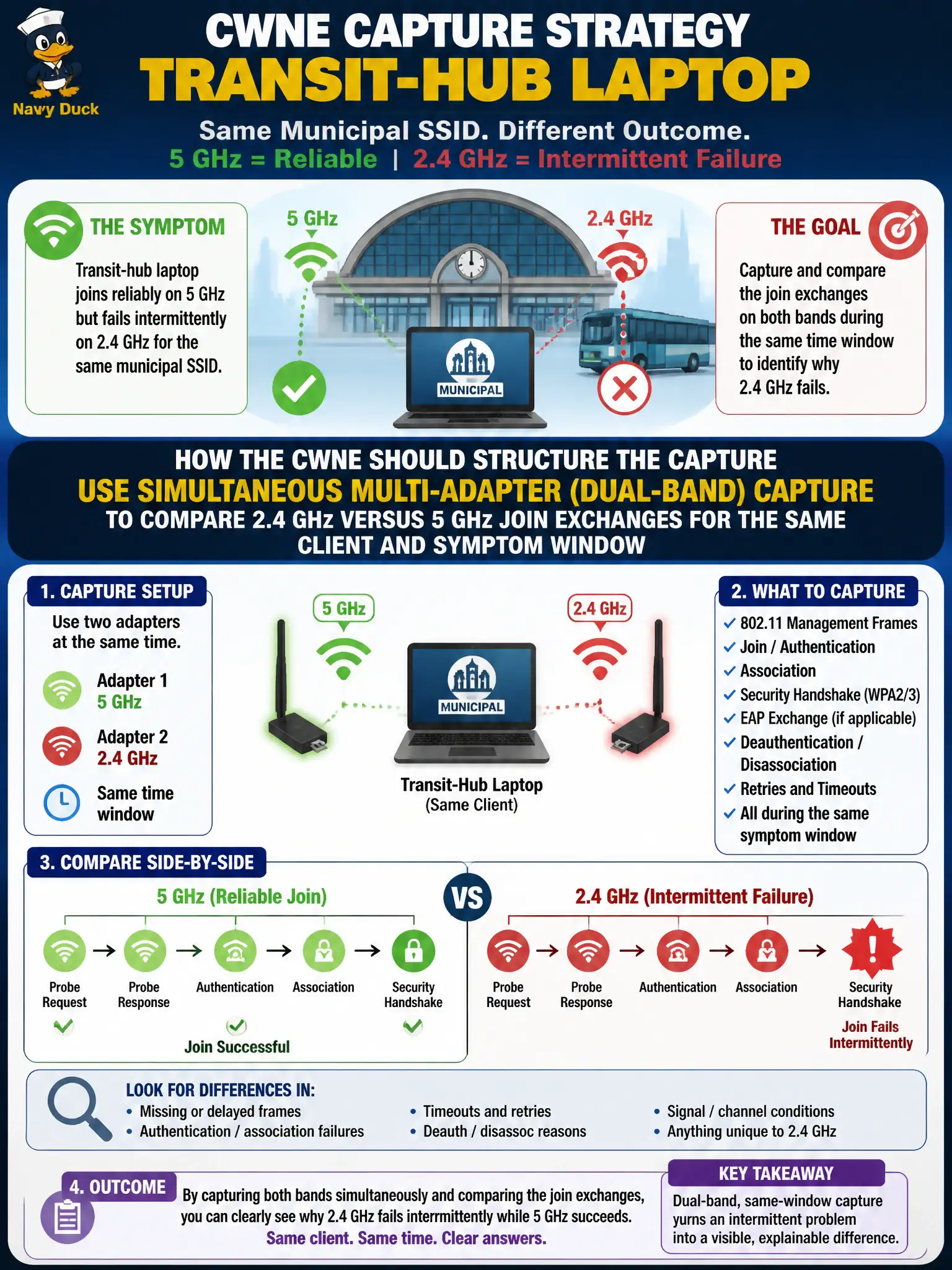
Same SSID, two personalities—give each band its own microphone at the same time. Dual-adapter capture lets you watch 2.4 and 5 GHz join attempts side by side instead of guessing from a hopping blur.
Full Explanation
Band-specific join failures need simultaneous visibility on both bands. When a transit-hub laptop joins reliably on 5 GHz but fails intermittently on 2.4 GHz for the same municipal SSID name, the CWNE should use simultaneous multi-adapter (dual-band) capture to compare 2.4 GHz versus 5 GHz join exchanges for the same client and symptom window. Time-aligned dual captures expose where the 2.4 GHz attempt diverges—probe, auth, assoc, EAP, or airtime contention—without losing the successful 5 GHz reference.
Capturing only wired RADIUS logs fails by concept: band-specific 802.11 differences often appear on the air before or without a RADIUS transaction difference. Disabling 5 GHz citywide overnight fails by concept: that is a destructive network change that does not create a controlled dual-band comparison and harms production service. Relying on a single scanning adapter hopping bands every few minutes without time alignment fails by concept: hop gaps miss the intermittent failure window and prevent frame-accurate comparison.
Exam caveat: Intermittent, band-specific municipal symptoms are classic multi-adapter capture scenarios; hopping single radios are insufficient for CWNE-grade join forensics.
Operational check: Place two capable sniffers on the transit-hub 2.4 and 5 GHz channels, synchronize time, reproduce the laptop join, and diff the failing 2.4 GHz exchange against the successful 5 GHz join for the same attempt window.