
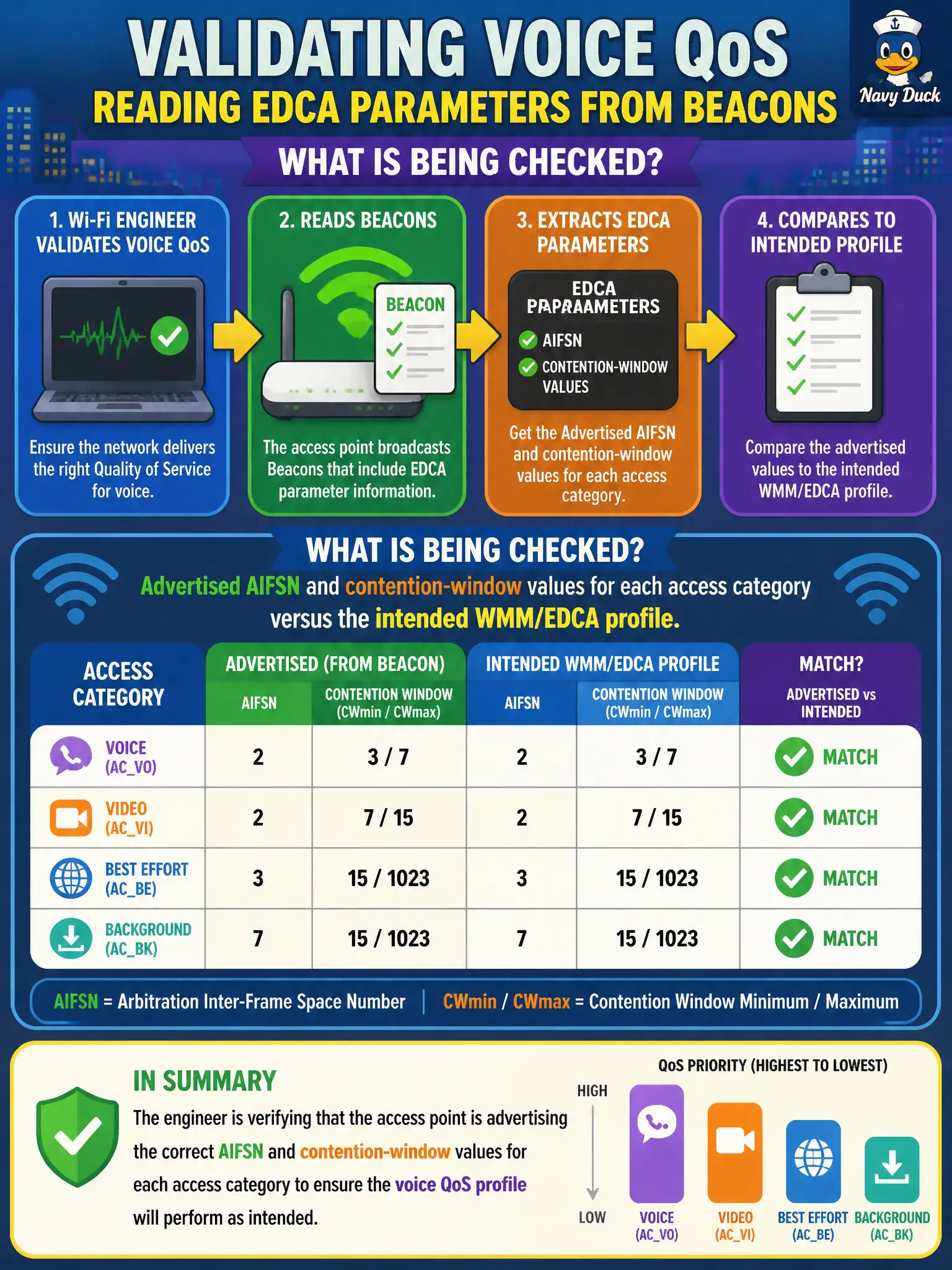
A city Wi-Fi engineer validates the voice QoS profile by reading EDCA parameters from Beacons. What is being checked?
Select an answer to reveal the explanation.
Short Explanation
Beacons publish the EDCA rulebook—how long each access category waits (AIFSN) and how wide the backoff dice can roll (CW). Reading those numbers is how you confirm the city’s voice QoS profile actually hit the air.
Full Explanation
A city Wi-Fi engineer validating the voice QoS profile by reading EDCA parameters from Beacons is checking advertised AIFSN and contention-window values for each access category versus the intended WMM/EDCA profile. Beacons publish how aggressively each AC accesses the medium. Expert validation compares air advertisements to the designed voice profile, not just GUI intent.
Checking only TIM bitmap length because AIFSN never appears in Beacons misses EDCA Parameter Set IEs. Relying on country code alone and claiming CW min/max are set exclusively by DHCP option 43 relocates EDCA to DHCP incorrectly. Checking whether RTS threshold equals Beacon Interval for all access categories confuses unrelated knobs with EDCA.
Exam caveat: Beacon EDCA IEs are the contractual air QoS parameters clients hear. Operational check: decode the EDCA Parameter Set from the voice SSID Beacons, verify AC_VO AIFSN/CWmin/CWmax match the municipal voice standard, and correct the profile if the air values drift after upgrades. After any voice-profile change, re-read Beacons from two APs on the SSID to ensure EDCA values are consistent campus-wide, not only on the lab AP. Record AIFSN and CW values in the voice design workbook next to the Beacon decode so auditors can compare intent versus air without opening a pcap.