
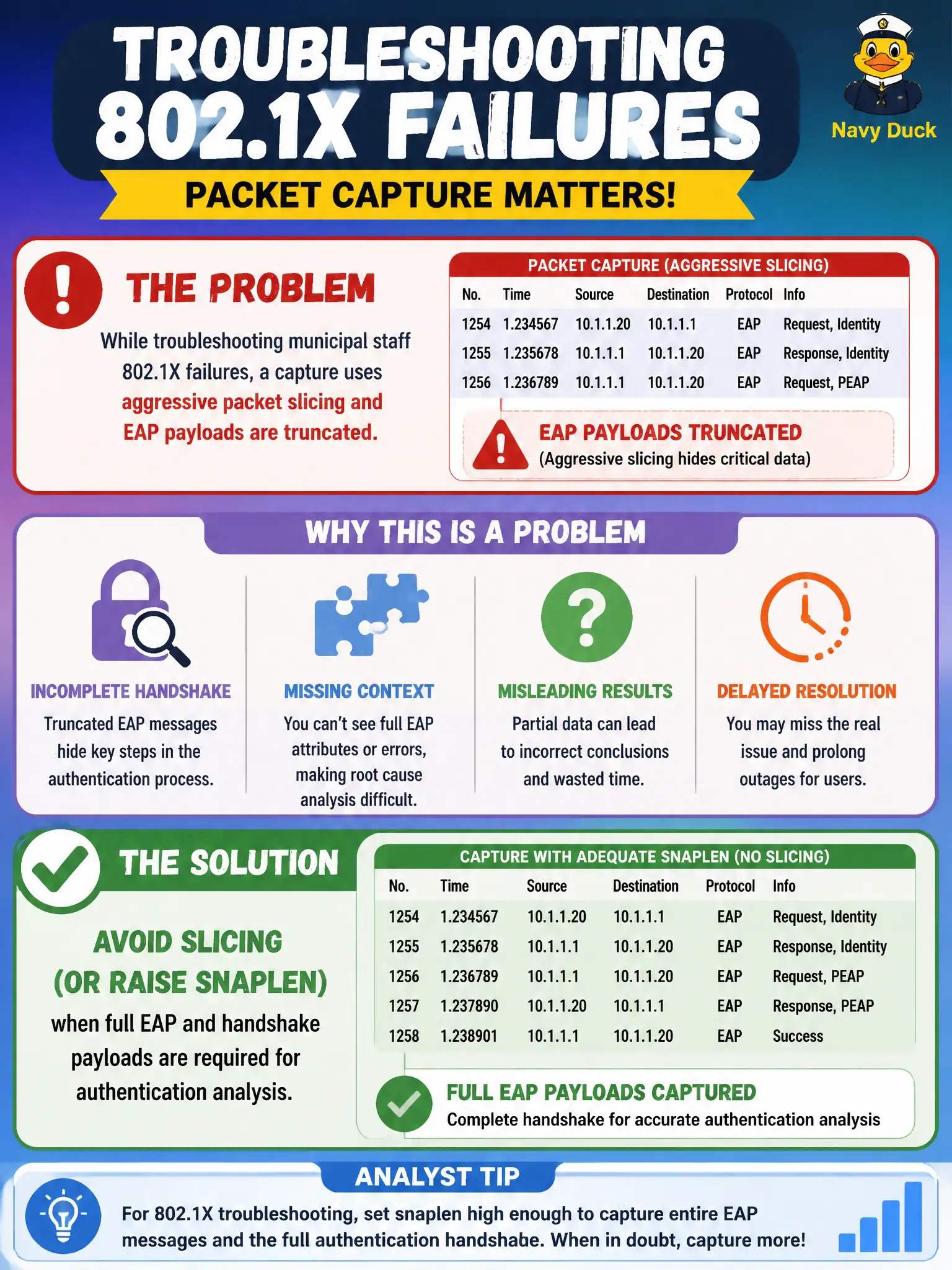
While troubleshooting municipal staff 802.1X failures, a capture uses aggressive packet slicing and EAP payloads are truncated. What should the analyst change?
Select an answer to reveal the explanation.
Short Explanation
Slicing is great until you cut off the EAP story mid-sentence — auth troubleshooting needs the whole payload. Tiny snaplens and ping-only tests won't show why 802.1X failed.
Full Explanation
While troubleshooting municipal staff 802.1X failures, aggressive packet slicing that truncates EAP payloads must be stopped: raise snaplen or disable slicing when full EAP and handshake payloads are required. Identity, EAP method, and TLS-related fields often sit beyond tiny slice lengths. Expert authentication analysis preserves payload depth on purpose-built captures.
Always slicing to 64 bytes because “EAP identity always fits in the radiotap header” is false and destroys evidence. Replacing EAP captures with ICMP pings to RADIUS only proves IP reachability, not EAP exchange correctness. Enabling slicing specifically to preserve TLS certificate fields inside EAP-TLS is backwards—slicing removes those fields.
Exam caveat: authentication captures need full EAP; performance captures may slice—know which civic ticket you are on. Operational check: recapture an 802.1X failure with snaplen large enough for complete EAP/TLS messages, confirm identity and method fields are visible, then continue RADIUS-path analysis. Note snaplen in the capture metadata field of the ticket so reviewers know the municipal 802.1X pcap is analysis-grade, not a sliced performance sample. Re-run the failed join immediately after raising snaplen so the truncated and full captures can be compared side by side in the municipal lab notes.