
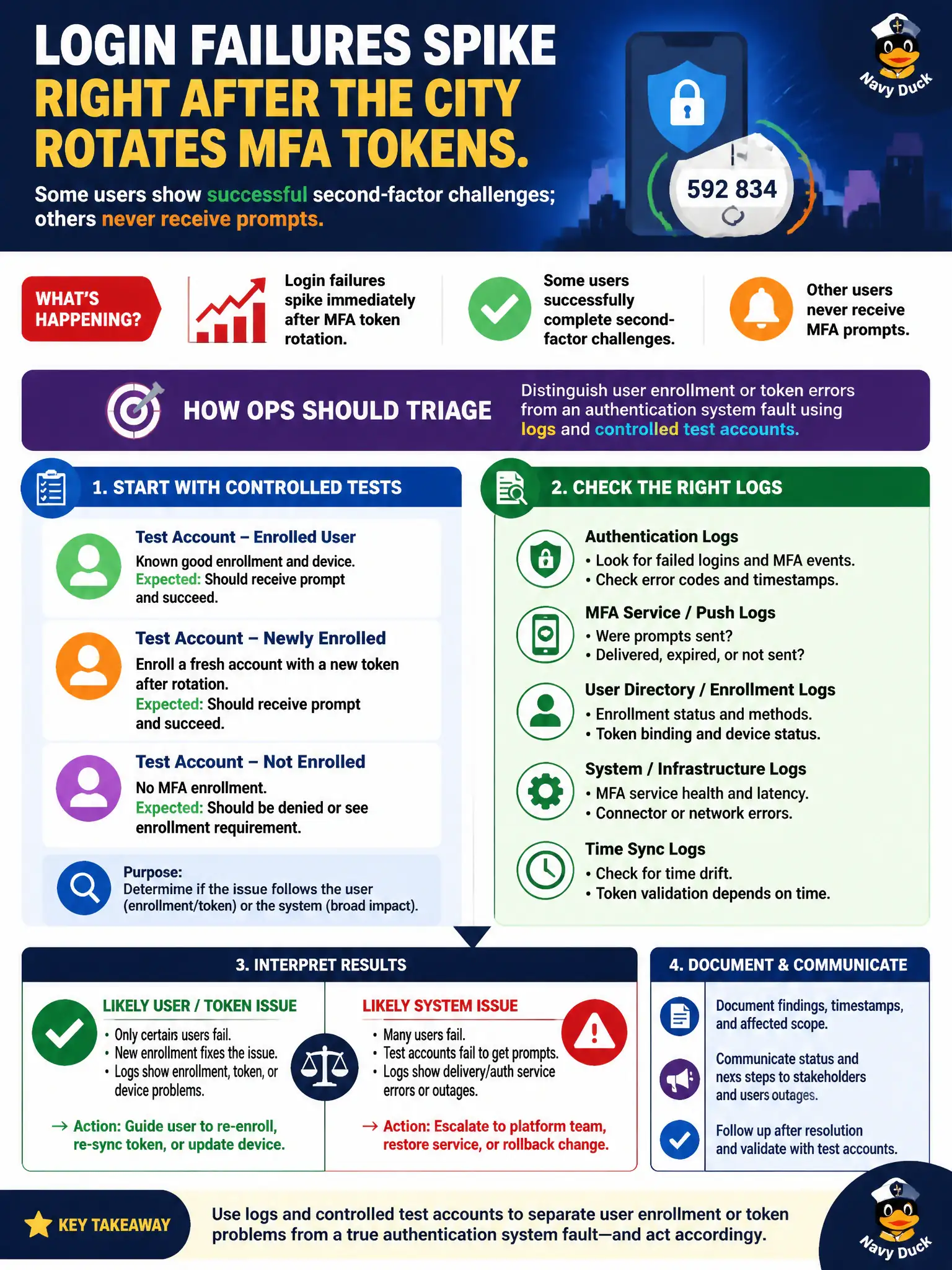
Login failures spike right after the city rotates MFA tokens. Some users show successful second-factor challenges; others never receive prompts. How should ops triage?
Select an answer to reveal the explanation.
Short Explanation
After an MFA rotation, some folks just need a re-enroll while a true IdP outage looks different in the logs. Use clean test accounts and auth logs to separate user mistakes from a broken auth system.
Full Explanation
Login failures spiking right after the city rotates MFA tokens, with some users showing successful second-factor challenges while others never receive prompts, should be triaged by distinguishing user enrollment or token errors from an authentication system fault using logs and controlled test accounts. Split symptoms prevent over-broad municipal identity changes. Immediately disabling all MFA and leaving it off permanently increases takeover risk. Wiping every user profile in the directory to force clean enrollments is destructive overkill as a first step. Opening every inbound port on the IdP security group for testing expands attack surface without addressing enrollment. Exam caveat: use known-good test accounts to separate systemic IdP failure from per-user seed/device problems after MFA rotations. Operational check: authenticate with a lab account, inspect IdP logs for prompt versus enrollment errors, re-enroll affected users, confirm push/OTP delivery paths, restore normal failure rates, and document MFA rotation runbooks for city staff. In municipal cloud operations, record the chosen control and the rejected alternatives in the change or incident ticket so future on-call staff understand which failure modes were avoided for city services. Re-validate after the next maintenance window that the same decision still holds under current provider limits, identity bindings, and application versions used by the civic platform team.