
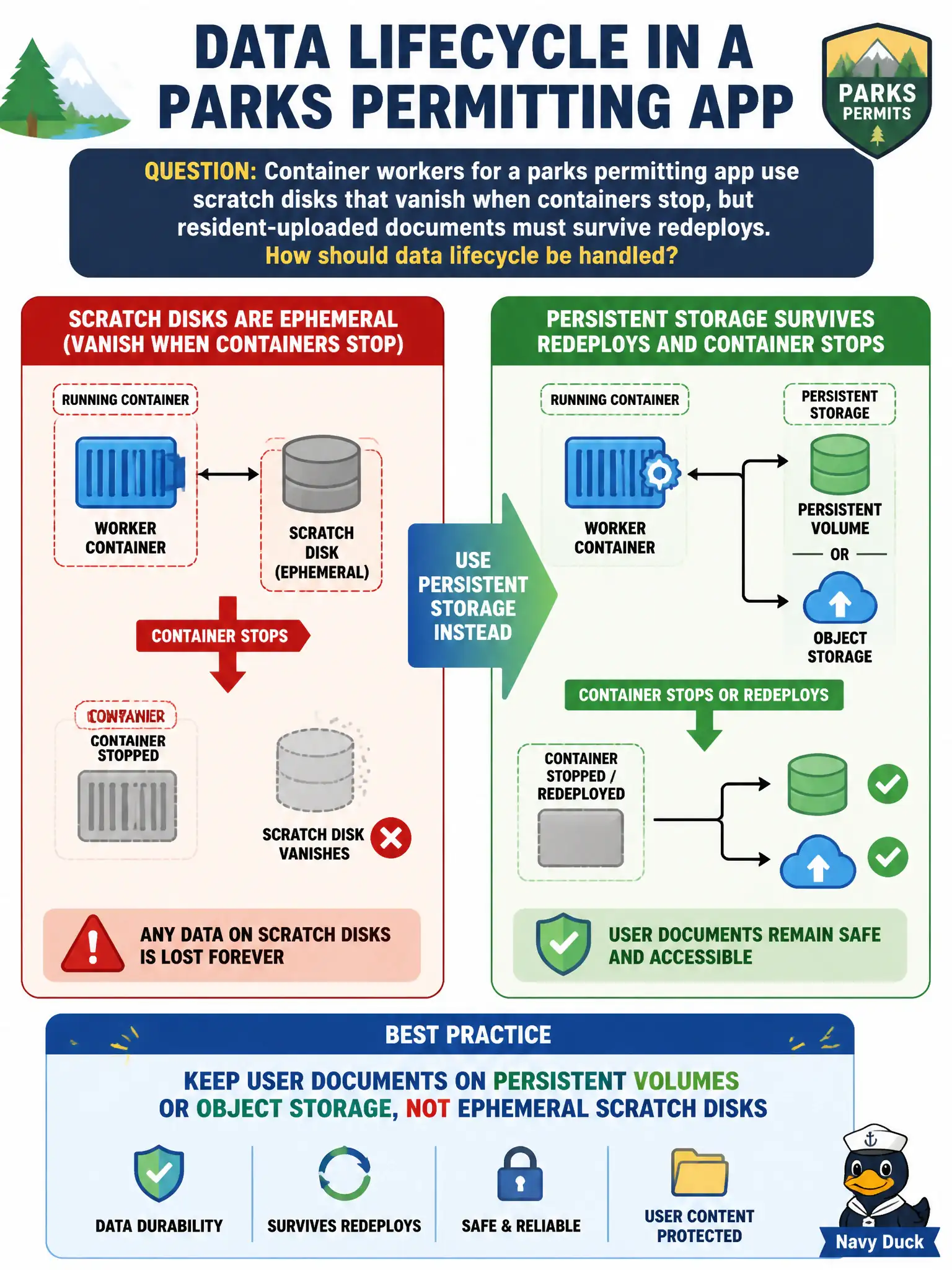
Container workers for a parks permitting app use scratch disks that vanish when containers stop, but resident-uploaded documents must survive redeploys. How should data lifecycle be handled?
Select an answer to reveal the explanation.
Short Explanation
Scratch disks are like whiteboard notes that get erased when the meeting ends. Resident documents belong in a filing cabinet—persistent storage—not on the whiteboard.
Full Explanation
Ephemeral storage tied to container or instance lifetime is unsuitable for durable user data because it is discarded on stop, crash, or redeploy. Parks permitting documents uploaded by residents must live on persistent volumes or object storage so redeploys of container workers do not erase civic records. Separating ephemeral scratch space from durable data stores is a fundamental cloud data-lifecycle design rule.
Storing user documents only on container scratch space for lowest latency optimizes the wrong attribute and guarantees data loss on recycle. Treating all data as ephemeral and accepting document loss on every restart violates retention and citizen expectations. Disabling container restarts so scratch disks never need persistence fights orchestrator health management and still fails on node loss.
Exam caveat: emptyDir/scratch/temporary disks ≠ persistent volumes or object buckets. Stateless app tiers can be ephemeral; stateful user content cannot. Backup still applies to persistent stores.
Operational check: inspect pod/volume mounts for the permitting app, move document paths to PVC or object storage, verify a worker delete/redeploy leaves files intact, and include the durable store in backup and IAM policies. Document the data-flow in the parks architecture packet.