
A biotech company SOC analyst has a suspicious external IP address from a firewall alert and searches web proxy logs in CQL using only the normalized destination IP field, returning zero results. Why might proxy logs miss that filter?
Select an answer to reveal the explanation.
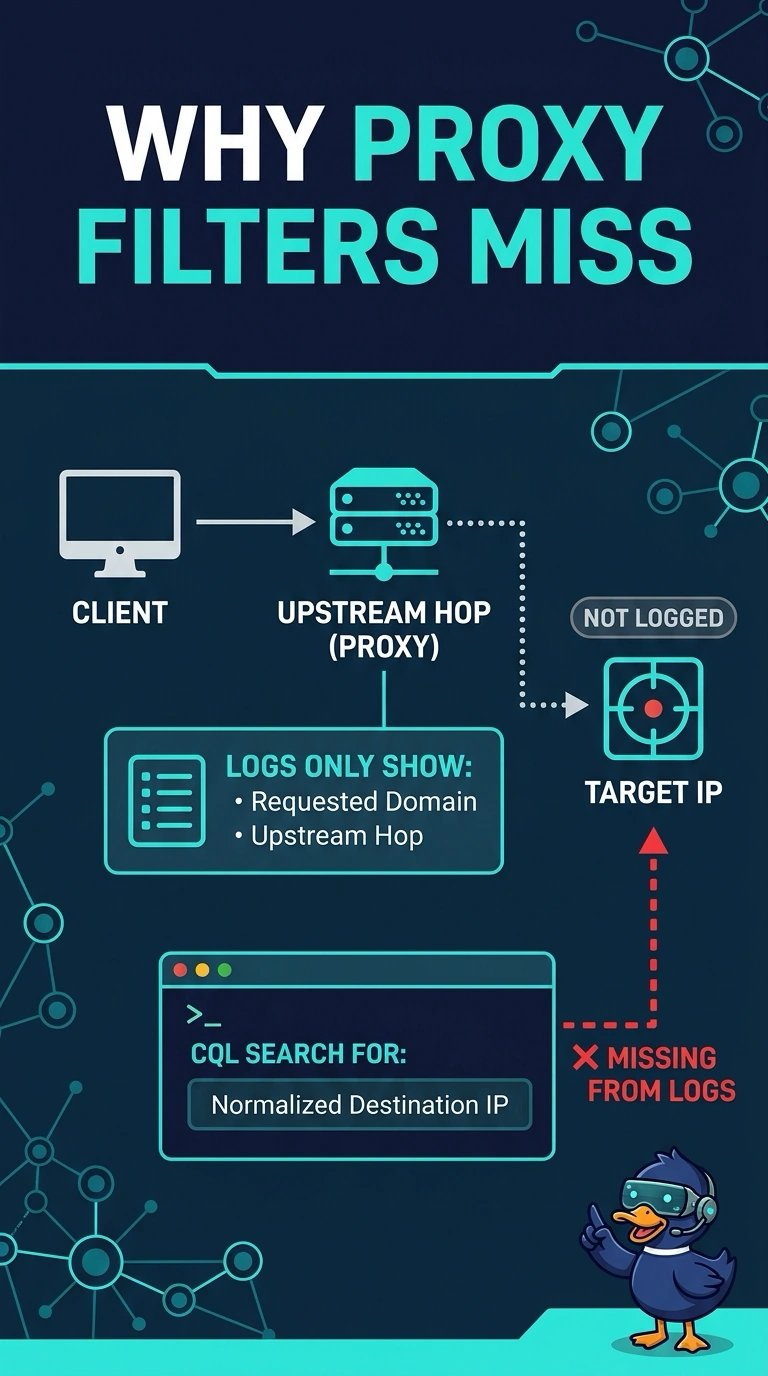
Short Explanation
Searching proxy logs for a raw IP address is like looking up a friend in a phone book by their house number instead of their name—you might come up empty even when they are listed. The trap is assuming every network log source records the exact same destination IP field as a firewall.
Full Explanation
Different network sensors observe traffic at different layers, which is why Web proxies may log the requested domain or upstream hop rather than the target IP. When a client sends an HTTP or HTTPS request through a web proxy, the proxy often resolves the destination hostname itself or forwards traffic to an upstream gateway, so the normalized destination IP field in the proxy record may be empty or reflect the proxy hop rather than the final server IP seen by the perimeter firewall. Assuming Web proxy logs are always excluded from CQL searches unless queried in a separate SIEM is incorrect because Falcon Next-Gen SIEM ingests and queries both firewall and proxy telemetry together. Claiming Proxy logs record only inbound connections and never log outbound destination addresses is backwards, as web proxies primarily mediate outbound client requests. Likewise, CQL automatically drops all web proxy events whenever a firewall alert is open in a case is false; CQL query results depend on your query filters, repository scope, and time window, not case status. As a caveat, even when a proxy logs a destination IP, CDN or shared hosting IPs can map to many domains. As an operational check, inspect sample parsed proxy events alongside DNS logs to pivot on the resolved domain name.
Prefer to study offline? Printable PDF study book + test engine ($7.50, unofficial). These questions stay free here.