
A manufacturing cloud team notices that several newly tagged production storage buckets stopped generating posture findings in Falcon Cloud Security, even though the cloud account remains registered and healthy. Which registration configuration should the team inspect first?
Select an answer to reveal the explanation.
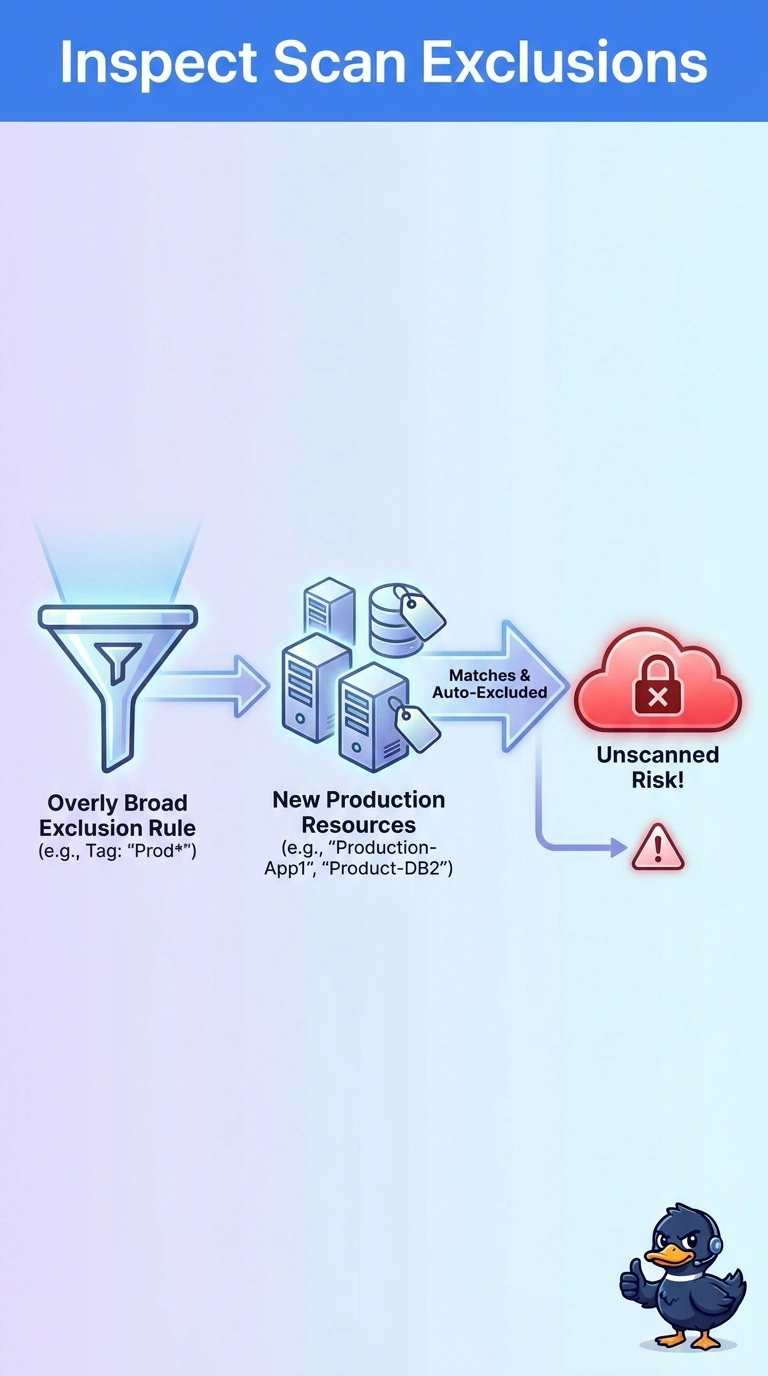
Short Explanation
When a healthy account suddenly stops reporting findings on specific resources, you can look for a filter hiding them from view. The trap is blaming sensors or registries when an overly broad scan exclusion quietly omits your tagged buckets.
Full Explanation
Overly broad scan exclusions matching the new production resource tags in the account identify a registration setting that can selectively omit matching resources from posture evaluation even while the parent account remains healthy. Scan exclusions are intended for ephemeral or intentionally exempted assets, so a tag-based rule that unintentionally matches production tags suppresses expected findings. Missing runtime Falcon sensors inside the managed cloud object storage service is not the cause: managed cloud storage is evaluated agentlessly through control-plane posture scans rather than host sensors. Expired container registry credentials configured for pre-runtime image scans affect container image assessment, not cloud storage posture monitoring. Unapproved Kubernetes admission rules blocking cluster pod scheduling requests govern Kubernetes deployments, not cloud account storage visibility. As an exam caveat, distinguish a resource-level exclusion from an account-wide health problem: a healthy registered account can still omit resources whose tags match an exclusion. For a practical check, review the account’s scan exclusion rules against the exact tags on the missing buckets, then narrow any exclusion that matches production resources.
Prefer to study offline? Printable PDF study book + test engine ($7.50, unofficial). These questions stay free here.