
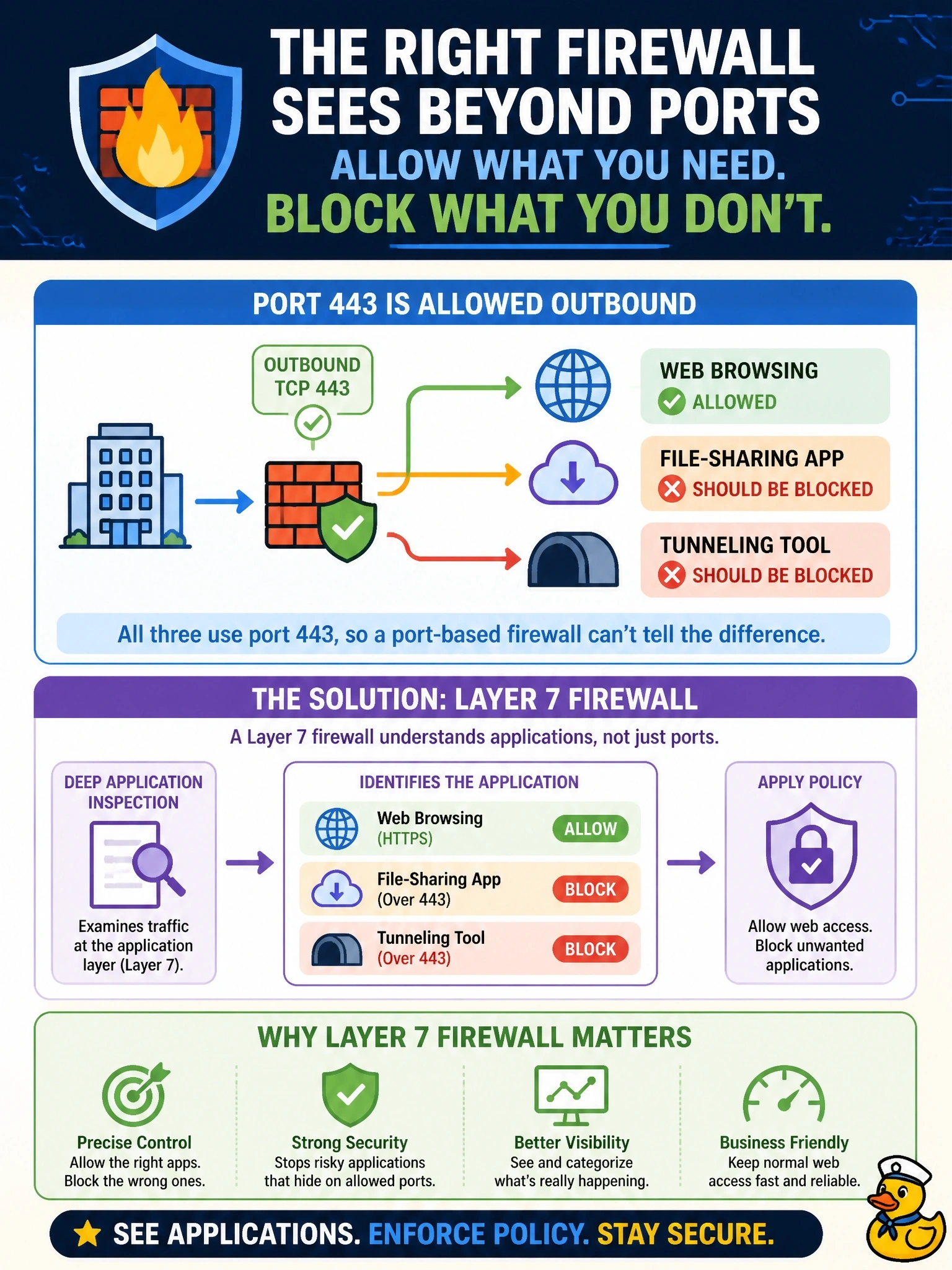
A perimeter firewall allows outbound TCP 443 for web browsing, but an unapproved file-sharing application and a tunneling tool both use port 443 and slip through. Staff must keep normal web access while those two applications are blocked. Which firewall capability is required?
Select an answer to reveal the explanation.
Short Explanation
A Layer 4 firewall reads the envelope, meaning addresses and ports, and both apps put the same 443 on the envelope. A Layer 7 firewall opens the letter and sees which application is actually talking. Block port 443 outright and you've just broken the web for everyone.
Full Explanation
A Layer 7, or application-aware, firewall inspects traffic beyond addresses and ports to identify the actual application or protocol in use, using signatures, protocol decoding and behavior. It can therefore allow ordinary web browsing over TCP 443 while blocking a specific file-sharing application or tunneling tool that also uses 443, which is exactly the distinction the requirement demands. Blocking outbound TCP 443 to every destination at Layer 4 would stop the unapproved applications, but it would also stop nearly all legitimate web browsing, violating the requirement to keep normal access. A stateful Layer 4 firewall tracks connection state so that return traffic is permitted only for established sessions, which is an improvement over stateless filtering, but it still decides only by addresses, ports and session state and cannot tell one application on 443 from another. Network address translation hides internal addresses behind a shared public address; it changes how traffic appears externally but applies no policy about which applications are allowed. Exam caveat: identifying applications inside encrypted sessions may require TLS inspection, which raises privacy and certificate-management considerations. Operational check: create rules that allow web browsing and deny the two applications by application identity, then test each from a workstation and confirm the firewall logs show the application name with the matching allow or deny.