
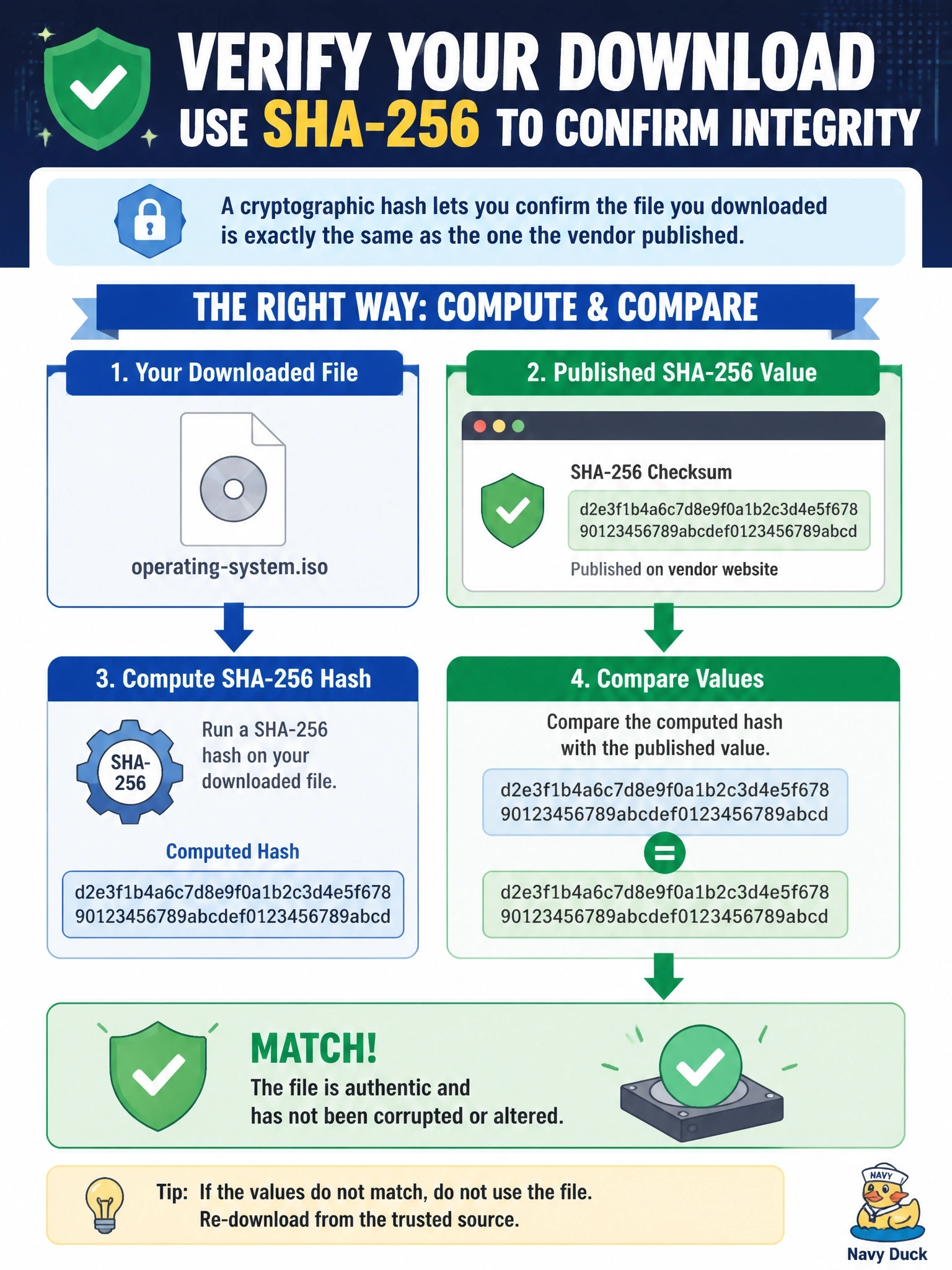
An administrator downloads an operating system ISO and wants to confirm the file was not corrupted or altered in transit. The vendor publishes a SHA-256 value for the file on its website. What should the administrator do?
Select an answer to reveal the explanation.
Short Explanation
A hash is a fingerprint for a file. Change a single bit and the fingerprint changes completely. So you take the file's fingerprint yourself and compare it to the one the vendor posted; if they match, you're good.
Full Explanation
Hashing algorithms such as SHA-256 produce a fixed-length digest that changes unpredictably if even one bit of the input changes. By computing the hash of the downloaded ISO and comparing it to the value the vendor publishes, the administrator confirms that the file is identical to the one the vendor hashed, which detects both accidental corruption and deliberate tampering in transit. The comparison is most trustworthy when the published hash is obtained over a secure channel or is itself signed by the vendor. Decrypting with the vendor's public key is not how ISO integrity checks work; the file is not encrypted, and public-key operations apply to signatures, which would require a separate signature file. File size and modified date are weak indicators; an attacker can alter content while keeping the same size, and timestamps change during download and are easily manipulated. Antivirus scanning looks for known malicious patterns, but it cannot confirm that the file matches the vendor's original, and benign corruption would go unnoticed. Exam caveat: hashing provides integrity, not confidentiality or origin; combining a hash with a digital signature adds proof of origin. Operational check: use a trusted local tool to compute the hash, compare every character with the vendor's published value, and verify the vendor's signature on the checksum file when one is provided.