
A school lab PC shows no link light. Nobody has checked the patch cord, the wall jack, or the switch port yet. Where should troubleshooting start?
Select an answer to reveal the explanation.
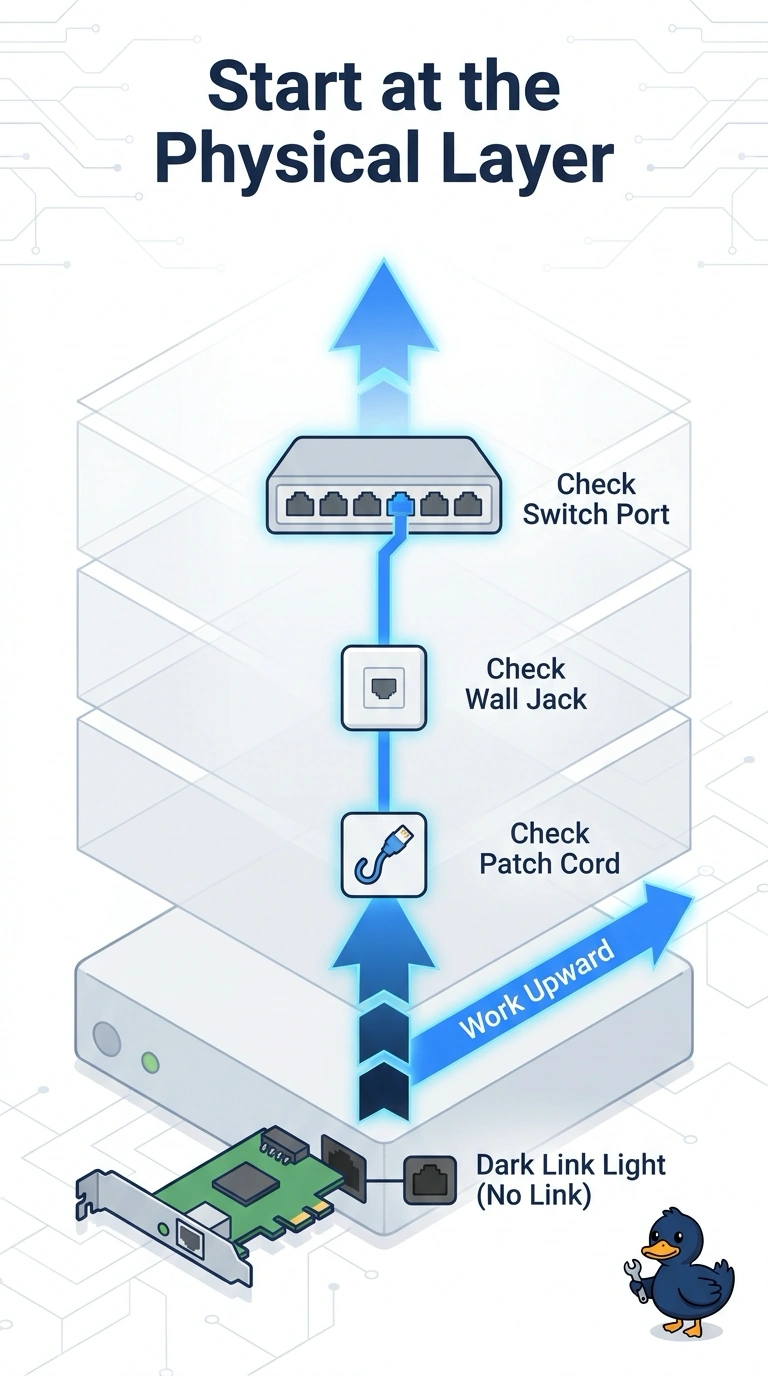
Short Explanation
A lamp that will not light is a bulb and a cord problem before it is a software problem. You start at the physical layer and work bottom-up, because the link light is off and the patch, the jack, and the switch port are still unchecked. Reinstalling the lab app, editing DNS, or rewriting the core routing policy skips the dark port in front of you.
Full Explanation
A link light is a physical-layer indication that the interface sees a partner on the media. When it is off, the bottom-up approach starts there: the patch cord, the wall jack, the horizontal run, the switch port, and whether that port is enabled. There is no point in debugging names or routes for a PC that has not established a link. Reinstalling the lab application changes software on a machine that cannot put a frame on the wire. The application may have its own faults later, and it cannot be the first test while the link light is dark and nobody has touched the cord. Changing DNS servers alters which resolvers the PC will query after it has an address and a path. With no link, those queries have nowhere to go, and a different server address will not turn the light on. Replacing the core routing policy is a network-wide change aimed at forwarding decisions. A single lab PC with no link light has not implicated the core, and the policy change does not create electrical or optical link on that port. Exam caveat: bottom-up is the fit when the symptom is a dead link. If the link light were on and only one application failed, starting at the top would make more sense. Operational check: try a known-good patch cord, watch the link light on the PC and on the switch, and only after the light is on test an address, a gateway, and a name.