
A factory switch port shut itself off after a port-security violation. Nobody had configured the port as administratively shut down. Which state is the port in, and what restores service?
Select an answer to reveal the explanation.
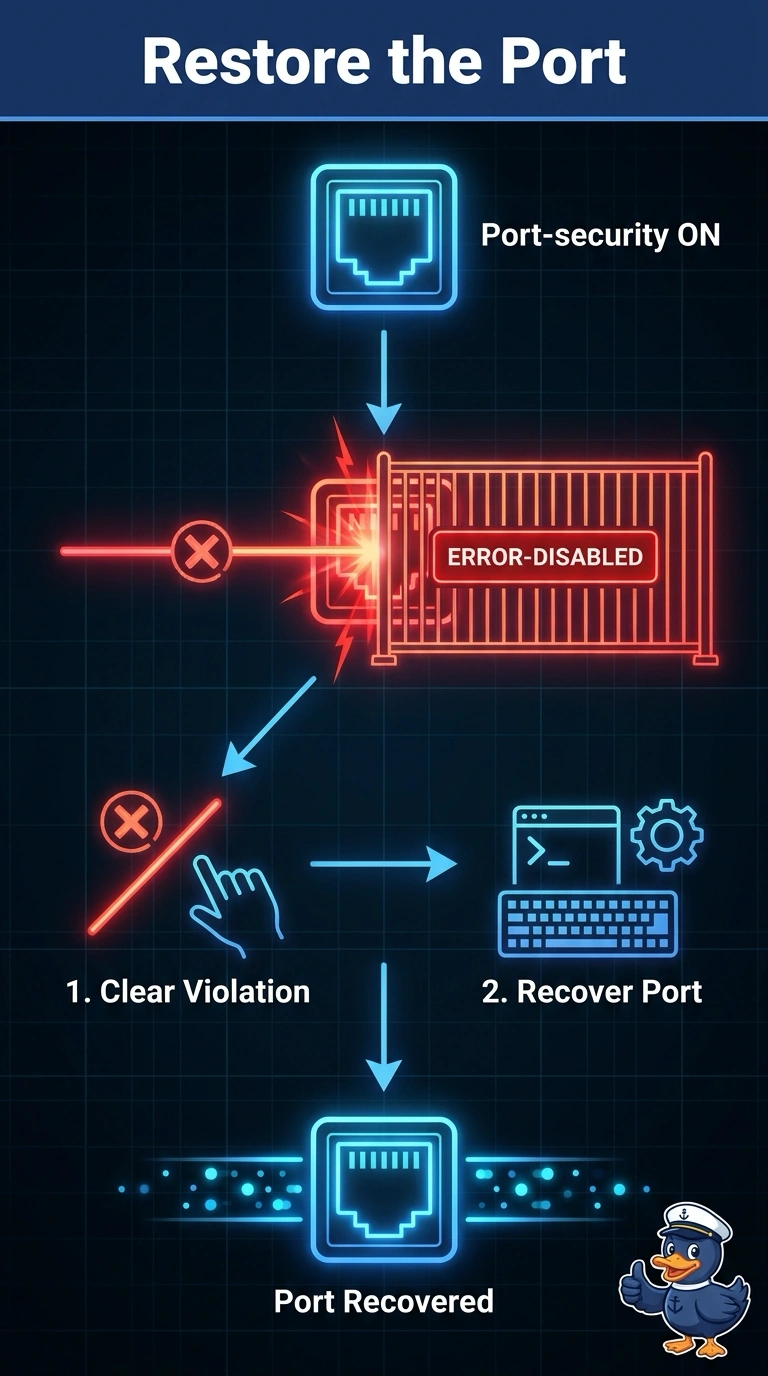
Short Explanation
Port security is like a door that locks itself when the wrong badge shows up. You did not shut the factory port by hand, yet it went down after a violation, so it is error-disabled and must be recovered after the violation is cleared. Unplugging the device alone does not recover the port.
Full Explanation
When port security disables a port, the switch places it in an error-disabled state. The link goes down even though nobody entered a shutdown command. The port remains down until the violation is cleared and the port is recovered. Administratively down means an operator disabled the port with a shutdown command; because nobody did that here, that state does not fit. A port suspended inside a port channel has members that no longer agree with one another, which is a different condition from a port-security violation. The port also does not necessarily return by itself the moment the violating device is unplugged: removing the device clears the cause, but the error-disabled port still needs recovery. Exam caveat: some platforms can recover an error-disabled port after a configured timer, so automatic recovery is possible when that feature is configured, but it is not guaranteed merely by unplugging the device. Practical check: inspect the violation reason, remove the violating device, recover the port, and verify that the link returns only for an allowed MAC address. Remove the device before recovery so the port is not immediately disabled again.