
A clinic wall jack should accept one computer. A second laptop, plugged in through a small switch on that jack, must not get on the network. There is no RADIUS server. Which control fits?
Select an answer to reveal the explanation.
Short Explanation
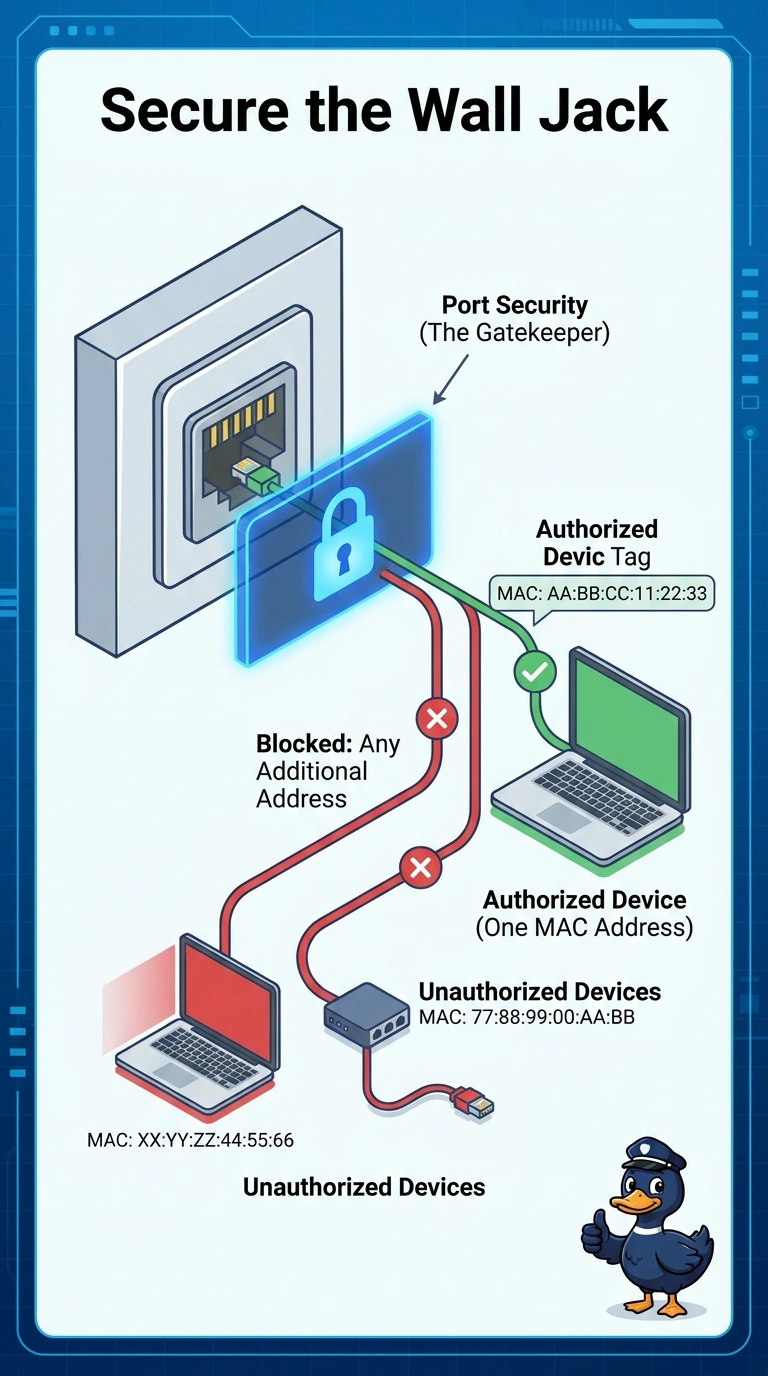
The jack should recognize one guest and refuse a second, even if somebody hides that second guest behind a tiny unmanaged switch. Port security counts MAC addresses and can shut or restrict the port when a second one appears. Closing the jack entirely also locks out the computer you meant to allow, and a web filter never counts MAC addresses.
Full Explanation
Port security on an access port limits how many MAC addresses the port may learn and what happens when the limit is exceeded. A maximum of one matches the clinic's rule that only one computer may use the jack, and a second MAC behind a small switch exceeds that limit and can be blocked. No RADIUS server is required for this control. Shutting the port administratively removes the link for every device, including the approved computer, so it fails the requirement that the jack accept that computer. A URL filter allows or blocks web addresses. It does not count MAC addresses on a switch port. 802.1X holds the port unauthorized until an authentication server, typically RADIUS, accepts the endpoint. The clinic has no RADIUS server, so 802.1X is not the control that fits this constraint. Exam caveat: MAC addresses can be spoofed, so port security is a limit on how many devices attach, not proof of the user's identity. Operational check: set the maximum to one, connect the approved PC, then connect a second device and confirm the port restricts or disables as you configured.