
A campus badge printer must keep the same address every day and must still learn its DNS server and default gateway from DHCP. Which configuration does both?
Select an answer to reveal the explanation.
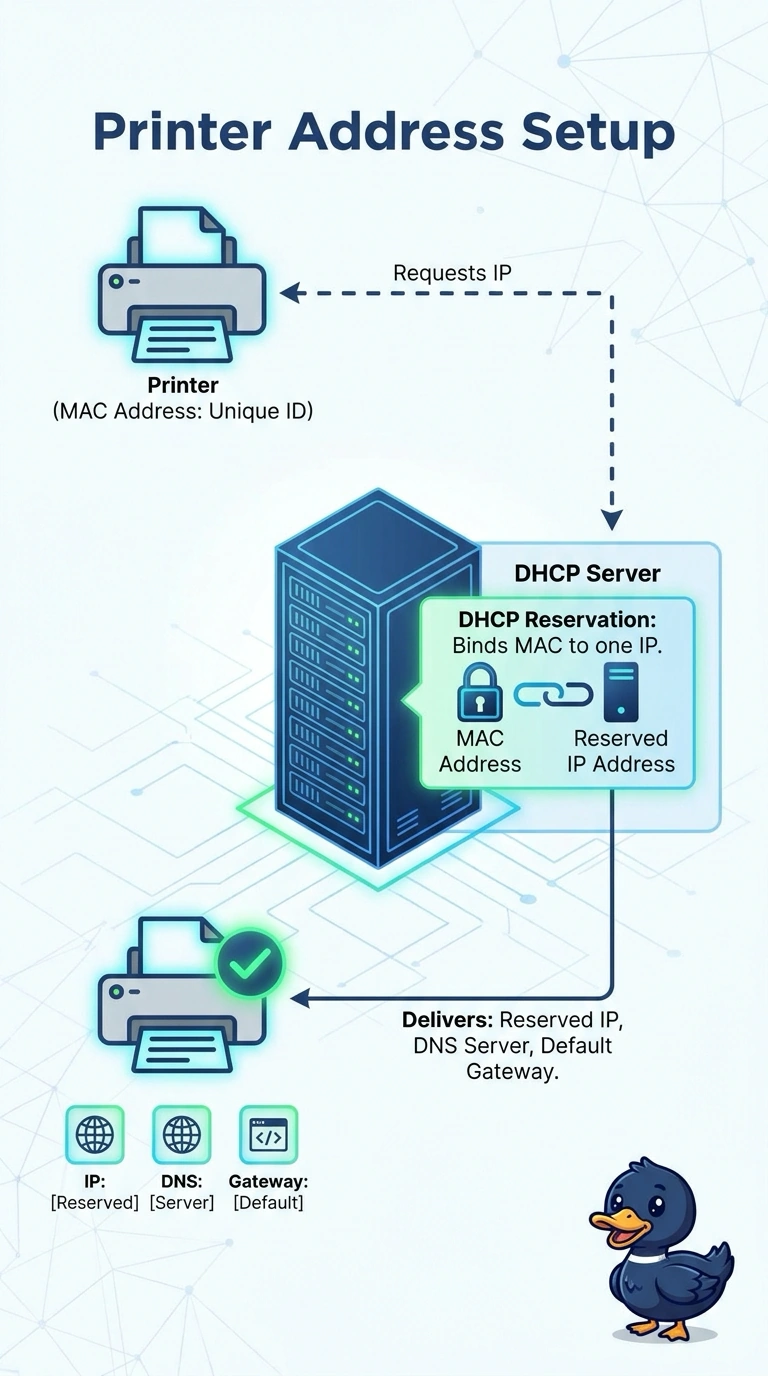
Short Explanation
A reservation is a place card with the printer's name on one seat, while the kitchen still brings the same side dishes everyone else gets. You map the badge printer's MAC address to one address in DHCP, and the lease still carries the DNS server and the gateway. Blocking the address, typing it by hand, or pinning the address while dropping the options keeps only half of the requirement.
Full Explanation
A DHCP reservation ties a MAC address to a chosen IP address inside the scope. When the printer asks for a lease, the server returns that address every time, and the same offer includes the scope options, including the DNS server and the default gateway. The printer keeps a stable address without hard-coded options. An exclusion removes an address from the pool, so the printer never receives it. A static address on the printer keeps the number only if nobody else uses it, and the printer no longer asks DHCP, so the DNS server and gateway are not delivered. A reservation that pins the address and suppresses the options is the near miss. The address stays stable, and the printer still lacks the DNS server and gateway the stem requires. Exam caveat: the reservation must use the MAC address the printer sends in the discover. A wireless interface and a wired interface do not share a MAC. Operational check: renew the lease, confirm the reserved address, and confirm the DNS server and gateway in the lease match the scope options.