
A PC on a campus access port waits through listening and learning before it can request a DHCP lease. The port connects only to that PC. Which change fits?
Select an answer to reveal the explanation.
Short Explanation
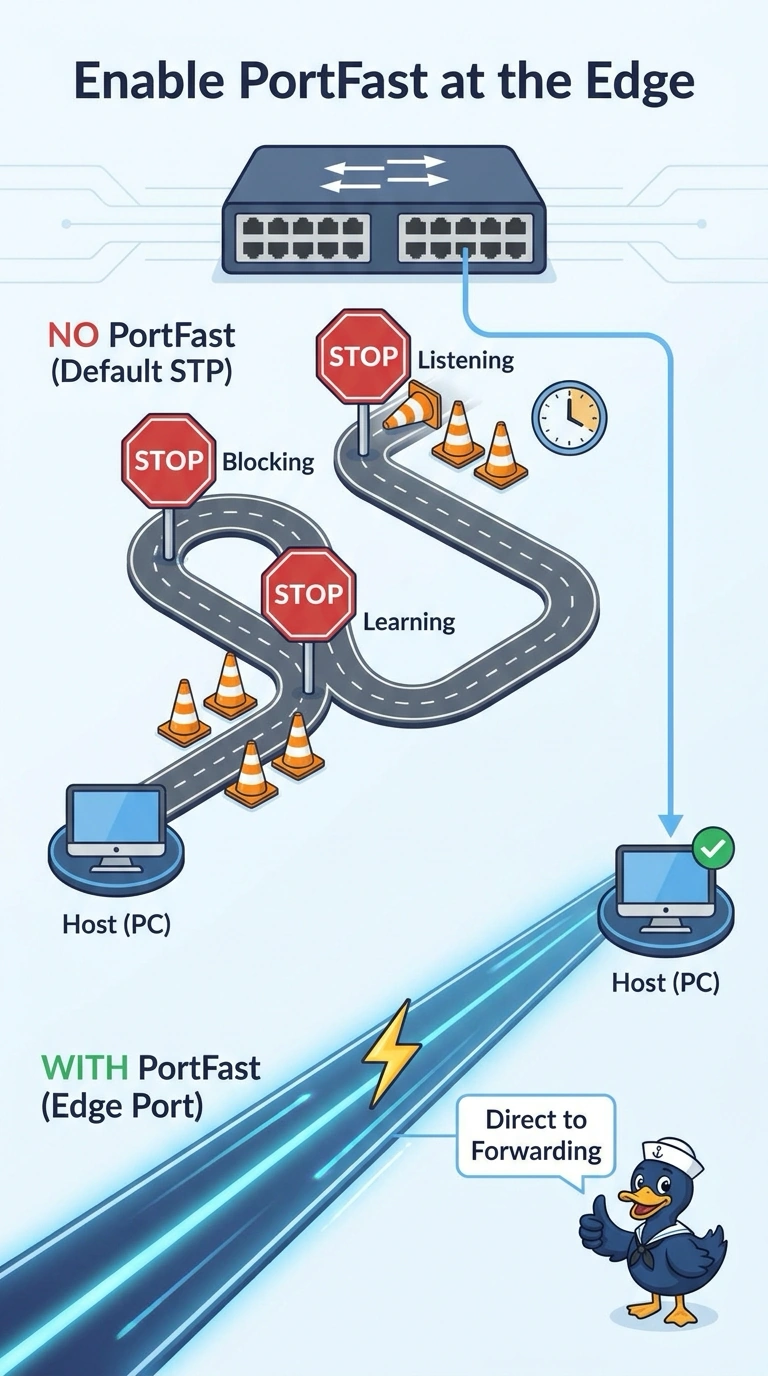
Your PC’s host port is waiting through spanning-tree listening and learning, which can delay its DHCP request. Enable PortFast on that port only; applying it to a switch uplink risks a loop, while disabling spanning tree or making the PC the root does not fit.
Full Explanation
A host port normally spends time in listening and learning before it forwards, and a PC can time out its initial DHCP attempt during that delay. The edge behavior, often called PortFast, lets an access port connected only to an end host begin forwarding immediately. Since this port connects only to the PC, enabling that behavior on this host port is the fitting change. Enabling the same fast behavior on an uplink to another switch is unsafe: a loop between switches could forward before spanning tree blocks it. Disabling spanning tree on the whole switch removes loop protection everywhere, far beyond what is needed to address one PC’s delay. Making the PC the spanning-tree root does not make its access port forward immediately or solve the DHCP delay. Exam caveat: pair the edge setting with a guard that disables the port if it receives a bridge protocol data unit, so connecting a switch later cannot create a loop. Practical check: enable the edge behavior on the PC port only, renew the lease, and confirm the uplink still has a normal spanning-tree role.