
Campus users sit on VLAN 20, and the building uplink still has to have a native VLAN. Which native VLAN setting keeps untagged frames out of the user VLAN?
Select an answer to reveal the explanation.
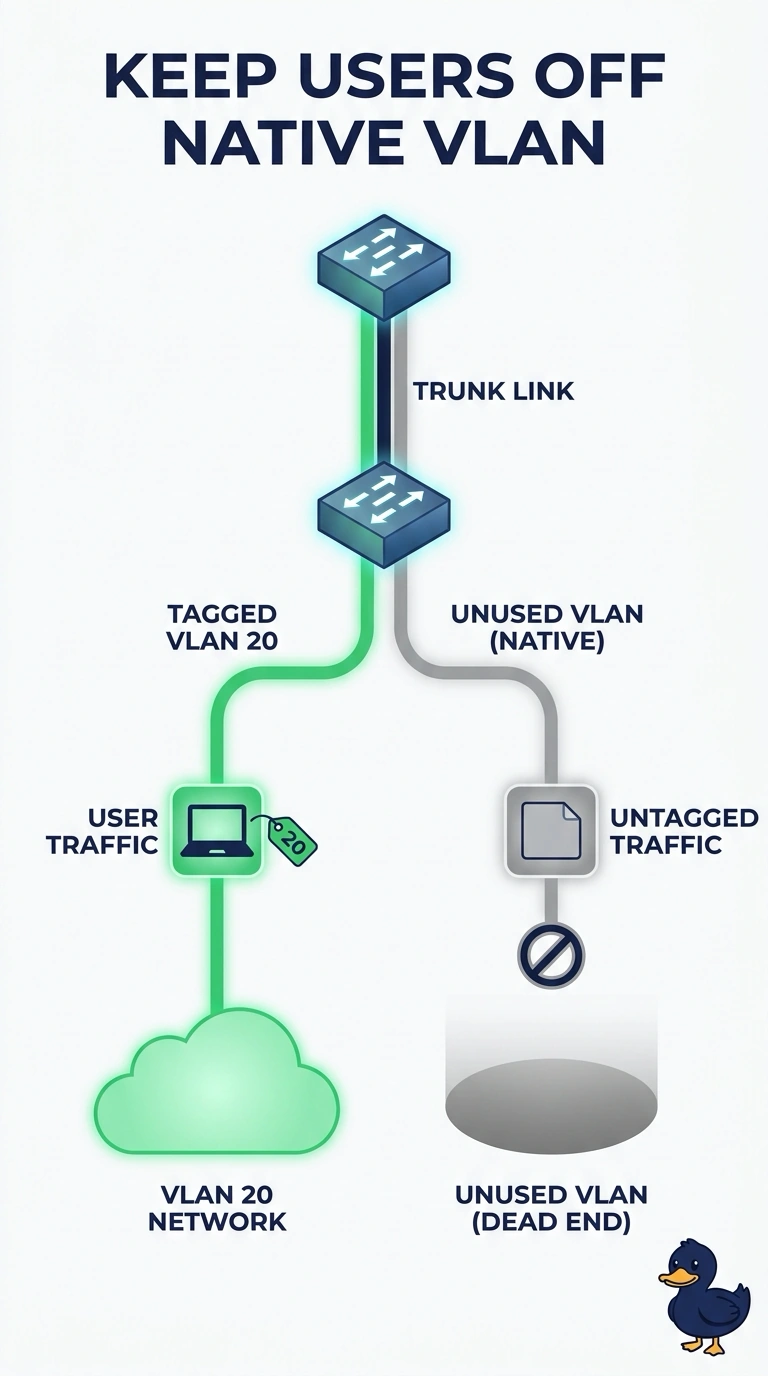
Short Explanation
The native VLAN is the unlabeled lane on a trunk, and you do not want that lane to be the same lane your users ride. You set the native VLAN to an unused VLAN so untagged frames are not dumped into VLAN 20. Making VLAN 20 native, leaving the default VLAN 1 in place while it is still used, or turning off tagging does not keep that separation.
Full Explanation
On an 802.1Q trunk, untagged frames are classified into the native VLAN. Users are on VLAN 20. If VLAN 20 is also native, untagged traffic lands in the user VLAN. An unused native VLAN keeps that unlabeled lane away from the users, and user frames stay tagged. VLAN 1 is the tempting twin because it is the default native VLAN and it is not VLAN 20. Other campus devices still use VLAN 1, so it is not the unused VLAN the design needs. Disabling 802.1Q stops the trunk from carrying the tagged user VLAN at all. Exam caveat: both ends must agree on the native VLAN. A mismatch can blend two VLANs. Operational check: confirm both ends show the same unused native VLAN, confirm VLAN 20 is tagged and allowed, and confirm an untagged test frame does not appear inside VLAN 20. Record the reading before the change and the reading after it so the next shift can see the symptom actually moved. Leave both readings in the ticket with the time, and do not close the item on a guess about which VLAN is native.