
After a new access switch is added, traffic between two floors starts taking a long path through that closet. All switches still use the default bridge priority, and the new switch has the lowest MAC address. Which change puts the core switch back in charge of the topology?
Select an answer to reveal the explanation.
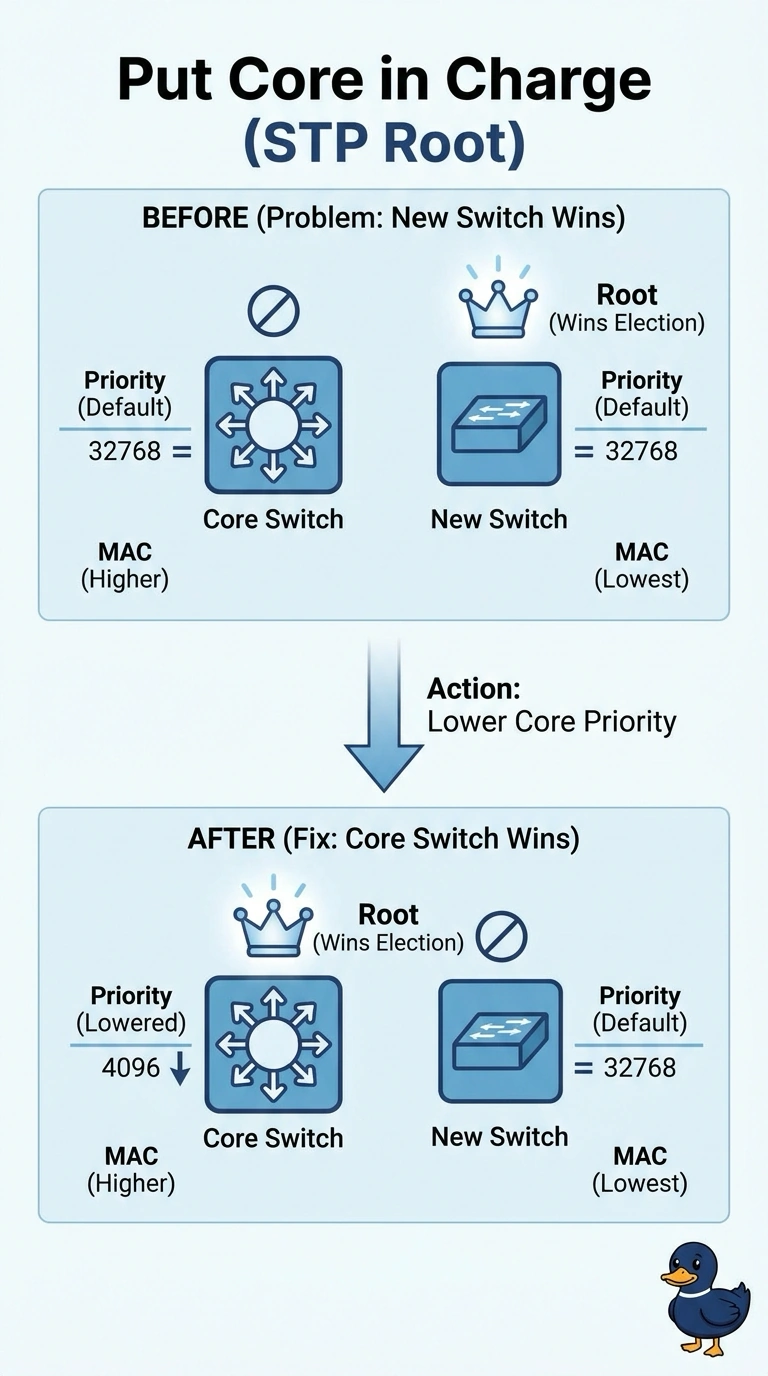
Short Explanation
Spanning tree picks a boss by the lowest bridge ID, and you left everyone at the same priority, so the lowest MAC won and the new closet switch became root. You lower the priority number on the core until its bridge ID wins. Turning the protocol off is how loops come back.
Full Explanation
The root bridge is the switch with the lowest bridge ID. The bridge ID starts with the priority value, and the MAC address breaks the tie when priorities match. Every switch here is still on the default priority, so the new access switch's lower MAC makes it root, and the tree rebuilds around a closet instead of the core. Paths get longer because frames are drawn toward that unexpected root. Lowering the priority value on the core makes its bridge ID smaller than the access switch's, so the core becomes root and the intended topology returns. Raising the core's priority number moves it the wrong direction. A higher priority value loses the election. Disabling spanning tree on the new switch stops it from participating, and it also removes the protection that blocks redundant links. A loop is the likely result if that switch still has more than one path into the network. Setting both priorities equal leaves the MAC address as the tie-breaker, which is the situation that already elected the new switch. Exam caveat: priority is configured per VLAN when a per-VLAN spanning tree is in use. Changing one VLAN and leaving the others alone only fixes part of the traffic. Operational check: after the change, confirm the core is root for the VLANs that carry the two floors and that the access switch's root port points toward the core.