
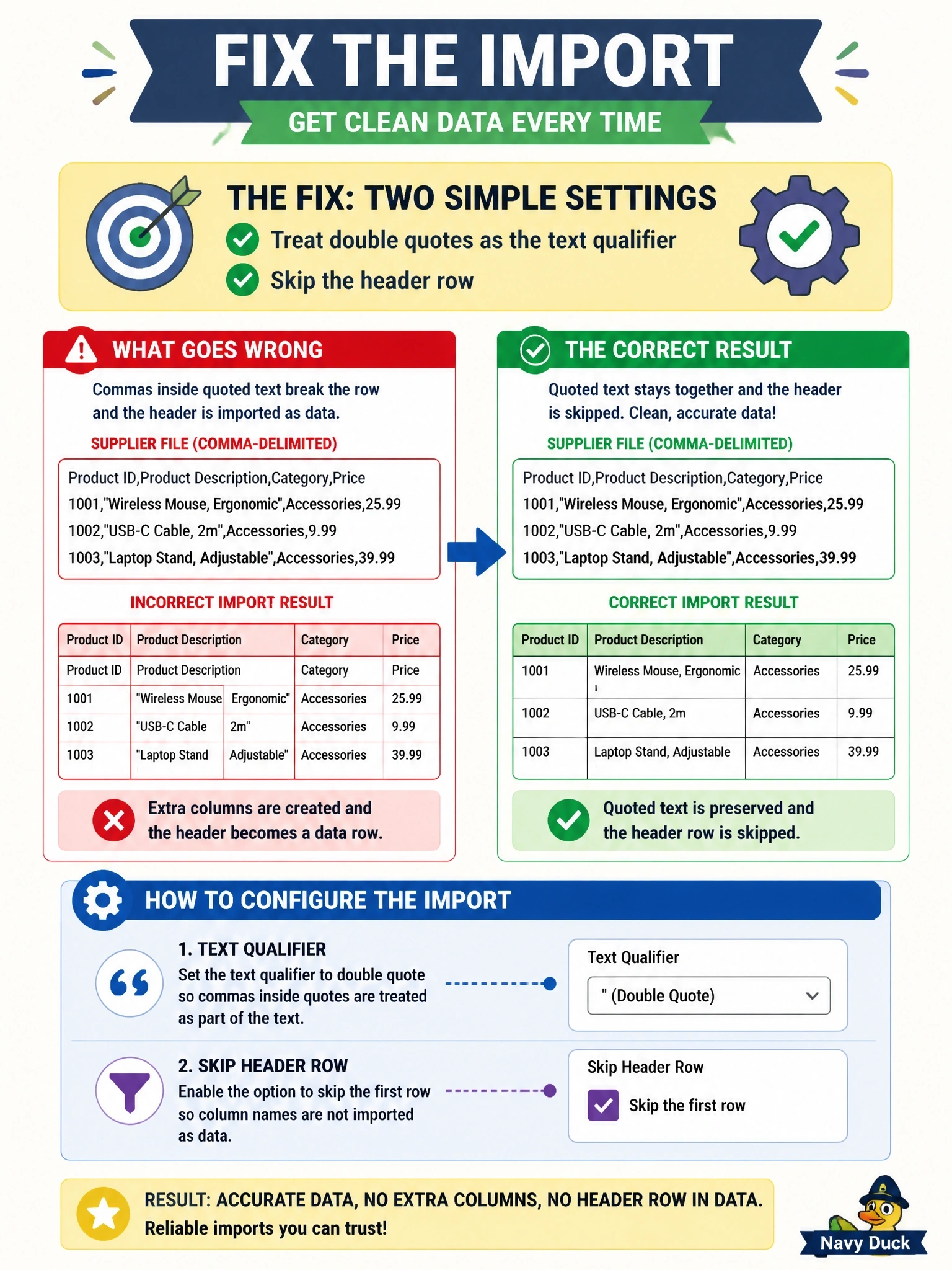
A supplier sends a comma-delimited flat file whose first row holds the column names. Some product descriptions contain commas and are wrapped in double quotes. The import splits those rows into extra columns and loads the header as a data row. Which change fixes the import?
Select an answer to reveal the explanation.
Short Explanation
A flat file is only as good as the rules you read it with. The quotes are the supplier's way of saying "this comma is part of the text, not a new column," so you tell the importer to honor them, and you tell it row one is a header. Changing the delimiter on a comma file just breaks every row instead of a few.
Full Explanation
Delimited flat files rely on a few parsing rules agreed between producer and consumer: the field delimiter, the text qualifier used to wrap values that contain the delimiter or line breaks, whether a header row is present, and the character encoding. Here the supplier correctly wraps descriptions containing commas in double quotes, so an importer that recognizes the double quote as the text qualifier will read each quoted description as one field. Declaring that the first row is a header makes the importer skip it, or use it for column mapping, instead of loading it as data. Changing the delimiter to a semicolon while the file still uses commas means no row splits correctly, turning a partial failure into a total one. Widening the description column does nothing about the parsing error; values are being split across columns before they ever reach the table, and the header row would still load. Converting the encoding to UTF-8 changes how characters are represented, not how delimiters and qualifiers are interpreted, so embedded commas would still split fields. Exam caveat: agree on and document a file specification with the producer, including delimiter, qualifier, escape rules, header and encoding, rather than adjusting the importer by trial and error. Operational check: import the file into a staging table, confirm the column count is consistent on every row, and compare the loaded row count with the file's data row count.