
A DBA notices that a nightly backup job has reported success for the past week, yet each backup file written in that period is zero bytes. The team receives alerts only when a job exits with a failure code. What should the DBA change in the backup reporting and alerting?
Select an answer to reveal the explanation.
Short Explanation
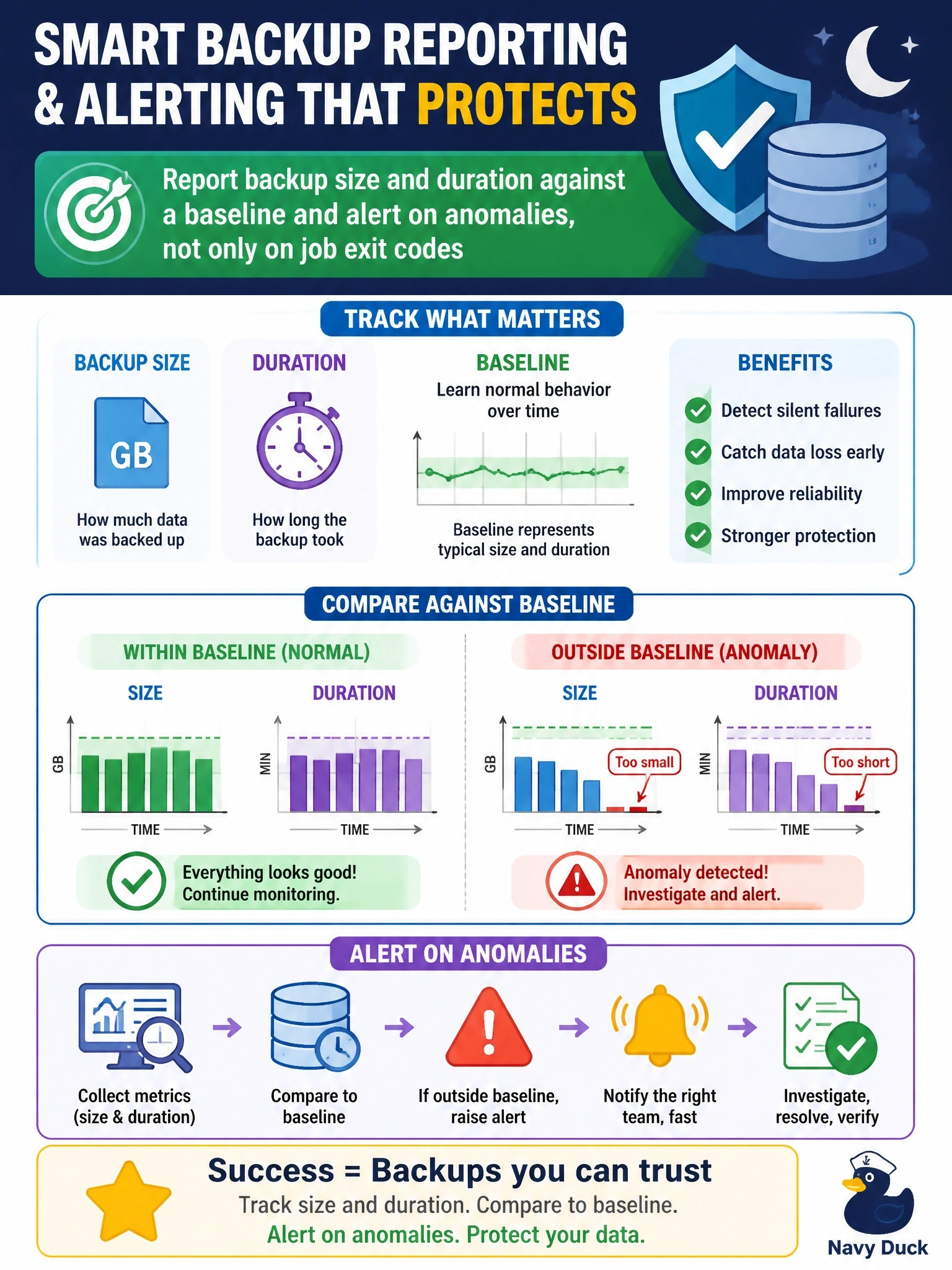
An exit code is the job telling you it finished, not that it did the work right. If you track the file size and run time against what's normal, a zero-byte backup jumps right out. Otherwise you're trusting a smile instead of checking the work.
Full Explanation
Backup reports and alerts should measure the outcome, not just the process status. A job can exit successfully while producing empty or truncated output, for example when it targets the wrong path, backs up an empty database, or a storage layer silently discards writes. Recording each backup's size, duration and file count and comparing them with a baseline makes anomalies visible; alerting when size drops sharply, duration is unusually short, or the expected file is missing turns that visibility into action. Pairing these checks with periodic test restores closes the loop. Rerunning the job manually each morning relies on the same exit code that already reported success, so the empty files would still go unnoticed while adding manual effort. Lengthening retention preserves older good backups for longer, which is helpful while investigating, but it does not detect the fault, and eventually even long retention cycles out the last good file. Switching to differential backups changes what is copied; it does not explain or detect zero-byte output, and expecting smaller files would make the problem harder to spot. Exam caveat: success status is necessary but not sufficient evidence of a usable backup. Operational check: add a size threshold alert, trigger it with a test file, and confirm the notification reaches the on-call DBA.