
Business users must remember separate passwords for the reporting portal, the analytics tool and two database web consoles, and the help desk is overwhelmed with reset requests. What solution best addresses this problem?
Select an answer to reveal the explanation.
Short Explanation
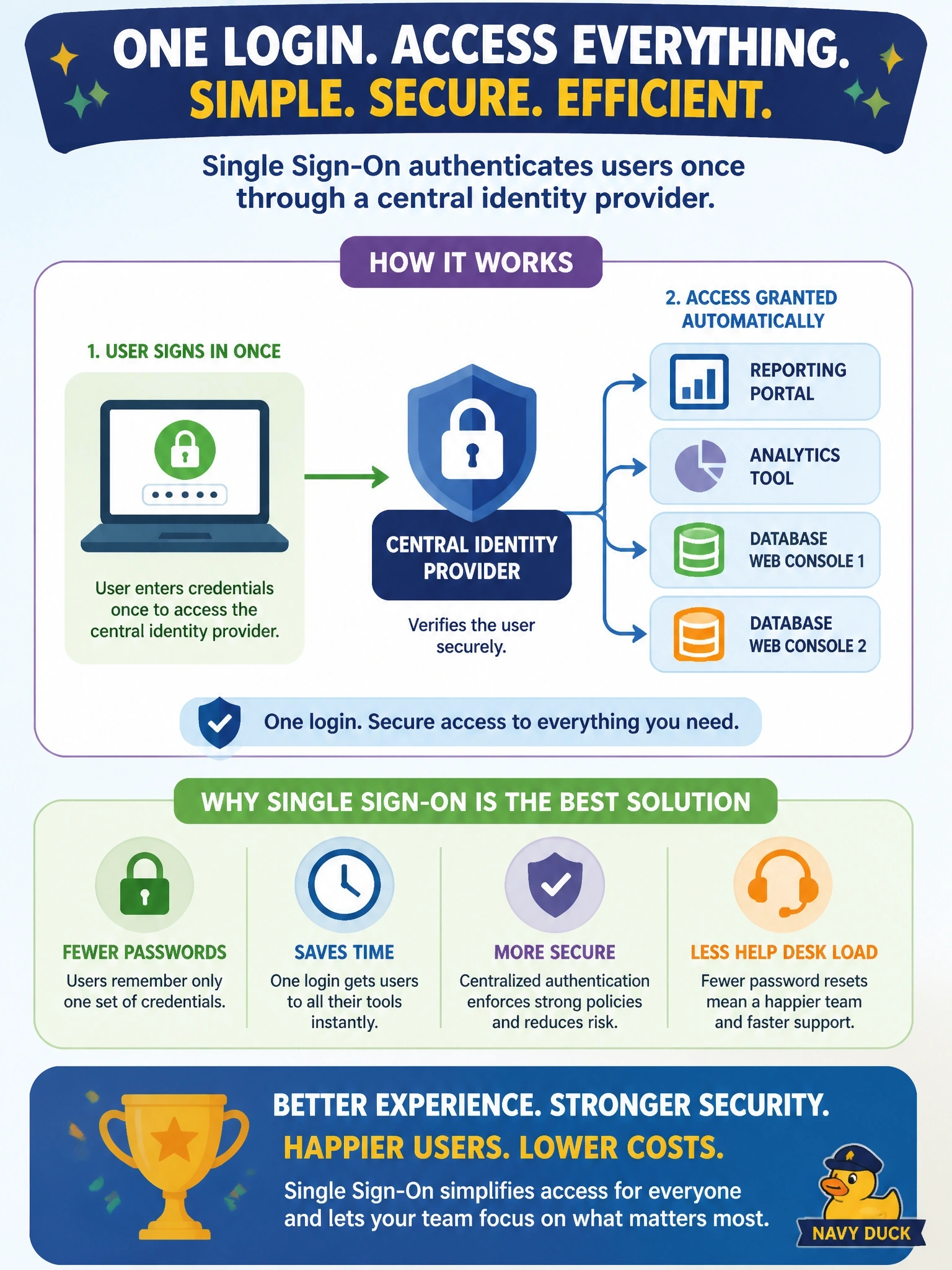
SSO is like a wristband at a festival: you show your ID once at the gate and then walk into every stage. Users authenticate once with the central identity provider and the apps trust that sign-in. Using one shared password everywhere is the trap; it trades the help desk problem for a much worse security problem.
Full Explanation
Single sign-on lets users authenticate once with a central identity provider and then access multiple applications without signing in again, because each application trusts assertions or tokens issued by that provider. Users manage one strong credential, often protected by multifactor authentication, which reduces password fatigue and reset requests, while administrators gain one place to enforce policy and to disable access when someone leaves. Reusing one password across applications is not SSO; each application still stores and checks the credential separately, and a compromise of any one exposes all four. A shared file listing credentials creates a single, easily copied target containing every user's passwords. Local accounts synchronized by a nightly script still give each application its own credential store and authentication flow, and synchronization delays mean a revoked user may keep access until the next run. Exam caveat: SSO concentrates risk at the identity provider, so its availability and protection, including multifactor authentication, become critical; SSO within one organization is distinct from federation, which extends trust across organizations. Operational check: sign in once and confirm access to all four applications without further prompts, then disable a test account at the identity provider and confirm access to every application ends.