
Over several months, administrators made manual changes on individual database servers, and the servers no longer behave consistently. Memory caps, maximum connections and logging settings now differ from the approved build standard. What should the DBA do?
Select an answer to reveal the explanation.
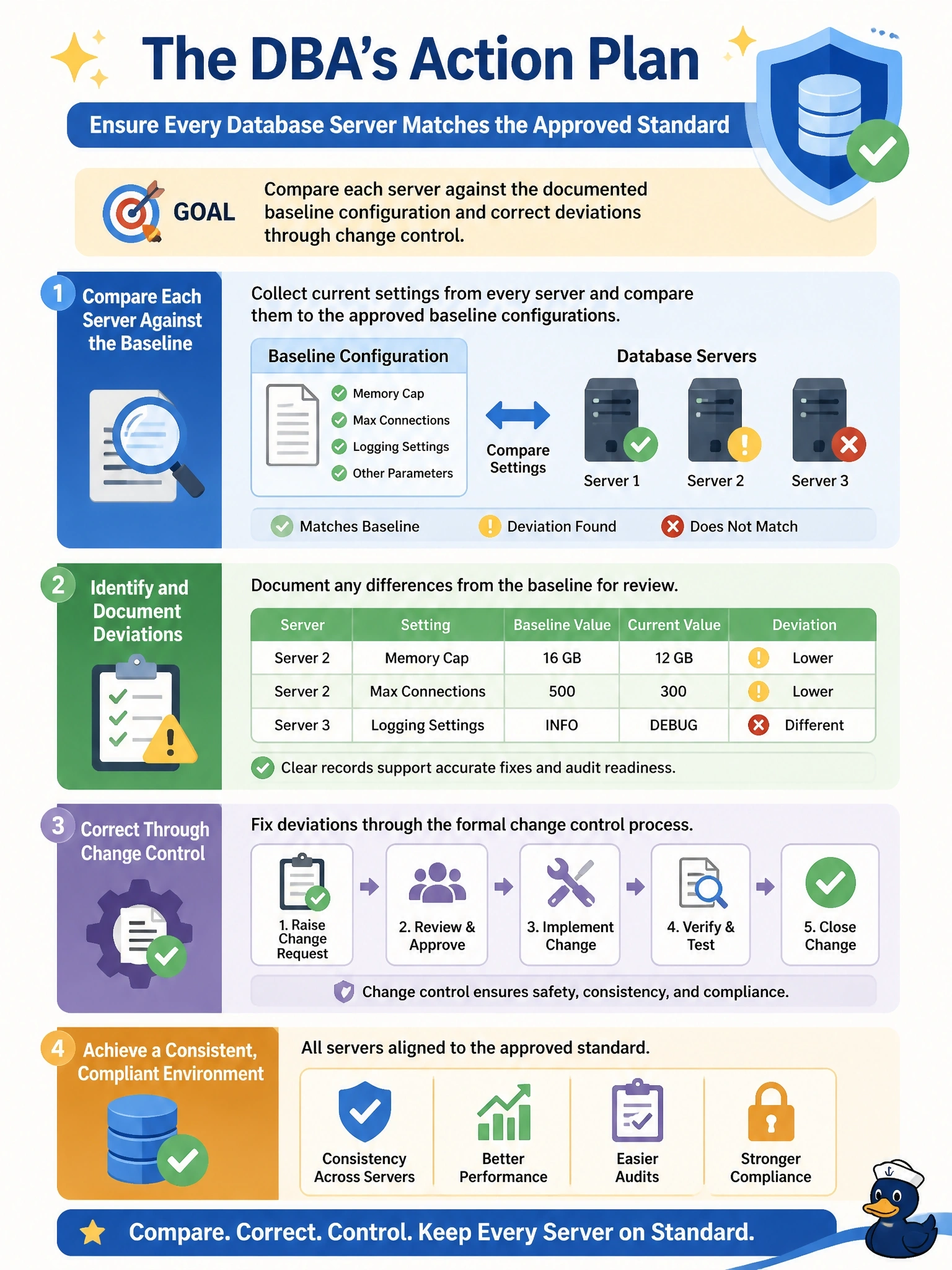
Short Explanation
Configuration drift is like a team of cooks each tweaking the house recipe until no two plates taste the same. You fix it by going back to the written recipe, your approved baseline, and correcting each kitchen through the proper process. Copying the busiest cook's version just spreads one person's undocumented guesswork everywhere.
Full Explanation
A baseline configuration is the documented, approved set of settings for a class of server, such as memory allocation, connection limits, logging, security options and maintenance settings. Comparing each server's current configuration against that baseline identifies drift, and correcting the deviations through change management restores consistency while keeping a record of what changed and why. Justified deviations should be folded into the baseline through the same approval process. Copying settings from the busiest server assumes its undocumented changes are correct and propagates them everywhere, which may spread a misconfiguration and still leaves no approved reference. Reinstalling the engine returns servers to vendor defaults, not to the organization's approved standard; defaults rarely match production requirements, and the operation causes needless downtime and risk. Raising memory caps and connection limits to their maximum values on every server ignores the reasons the limits exist: unbounded memory can starve the operating system and other services, and excessive connections can exhaust resources under load. Exam caveat: a baseline configuration is distinct from a performance baseline; the former describes settings, the latter describes measured behavior. Operational check: export current settings from each server, diff them against the baseline, submit changes for approval, apply them in a window, and schedule recurring automated drift checks.