
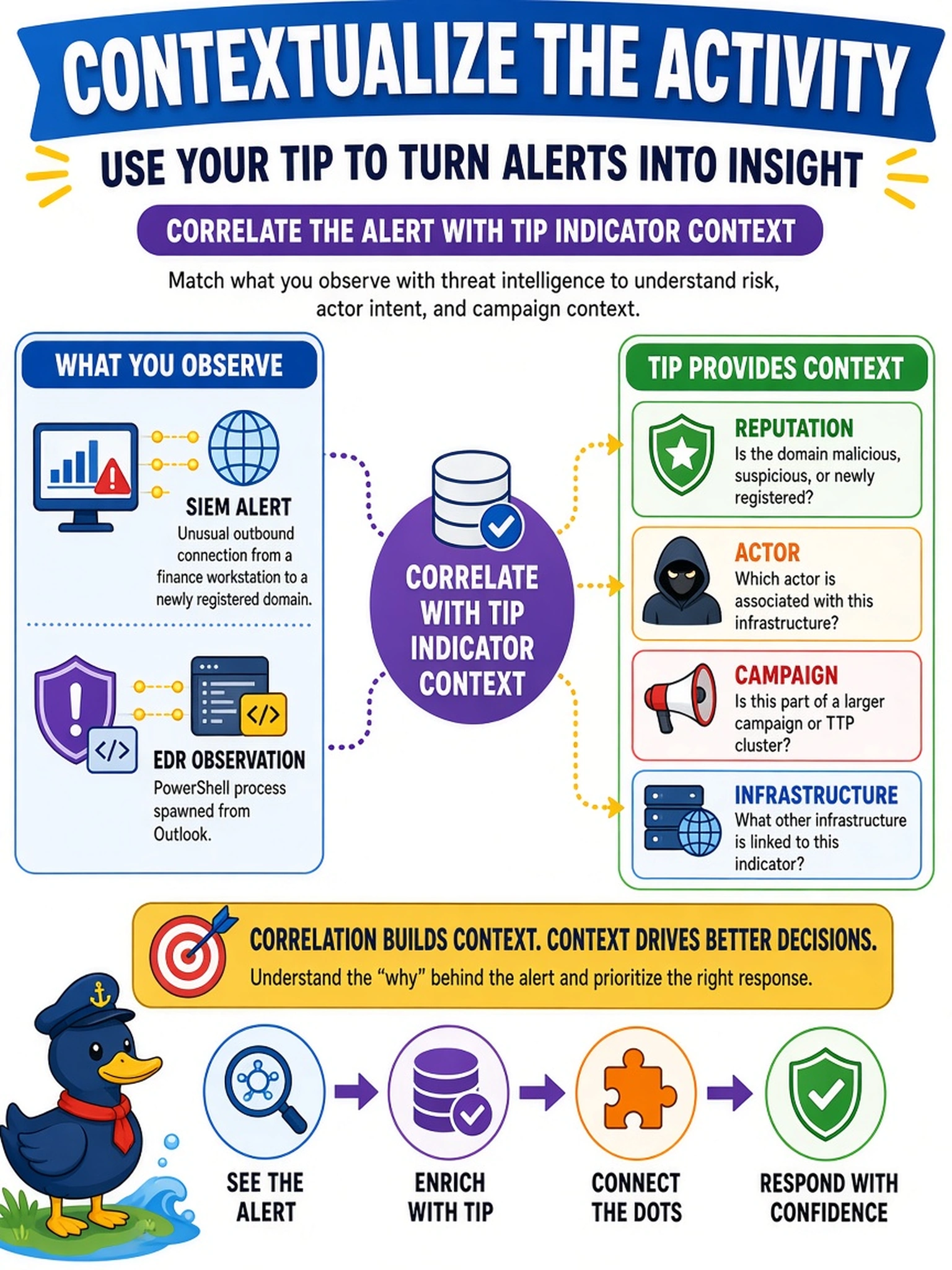
Your SIEM alerts on an unusual outbound connection from a finance workstation to a newly registered domain. EDR shows a PowerShell process spawned from Outlook. You have access to a TIP containing reputation, actor, campaign, and infrastructure indicators. How should you use the TIP to contextualize the activity?
Select an answer to reveal the explanation.
Short Explanation
Think of TIP data like adding a name tag to a suspicious face in a crowd: the IP, domain, and process hash tell you who's been seen where. You use the TIP to line up the alert with known actor, campaign, or infrastructure indicators before you decide what it means. That way you're not just seeing a scary process—you're seeing whether it fits a pattern.
Full Explanation
TIPs aggregate indicators such as domains, IPs, URLs, file hashes, and behavioral indicators, then attach enrichment such as reputation, threat actor, campaign, malware family, and infrastructure relationships. The SIEM and EDR provide suspicious activity, while the TIP helps determine whether the destination or process has been seen in known campaigns. Correlating the alert with TIP indicator context lets the analyst decide whether to escalate, hunt further, or tune detection. Public WHOIS data may reveal registration age or owner, but it is weak evidence and often privacy obscured, so it does not provide actor or campaign context. Blocking the destination and closing as a false positive skips contextual triage and can harm business processes while hiding possible compromise. An authenticated vulnerability scan identifies missing patches or misconfigurations, not whether current telemetry matches known threat activity. Exam caveat: TIP enrichment supports triage and hunting, but a single indicator match is not proof of compromise. Operational check: search the TIP for the destination domain, IP, URL, file hash, and PowerShell command line, then review linked campaigns, confidence, and last-seen timestamps.