
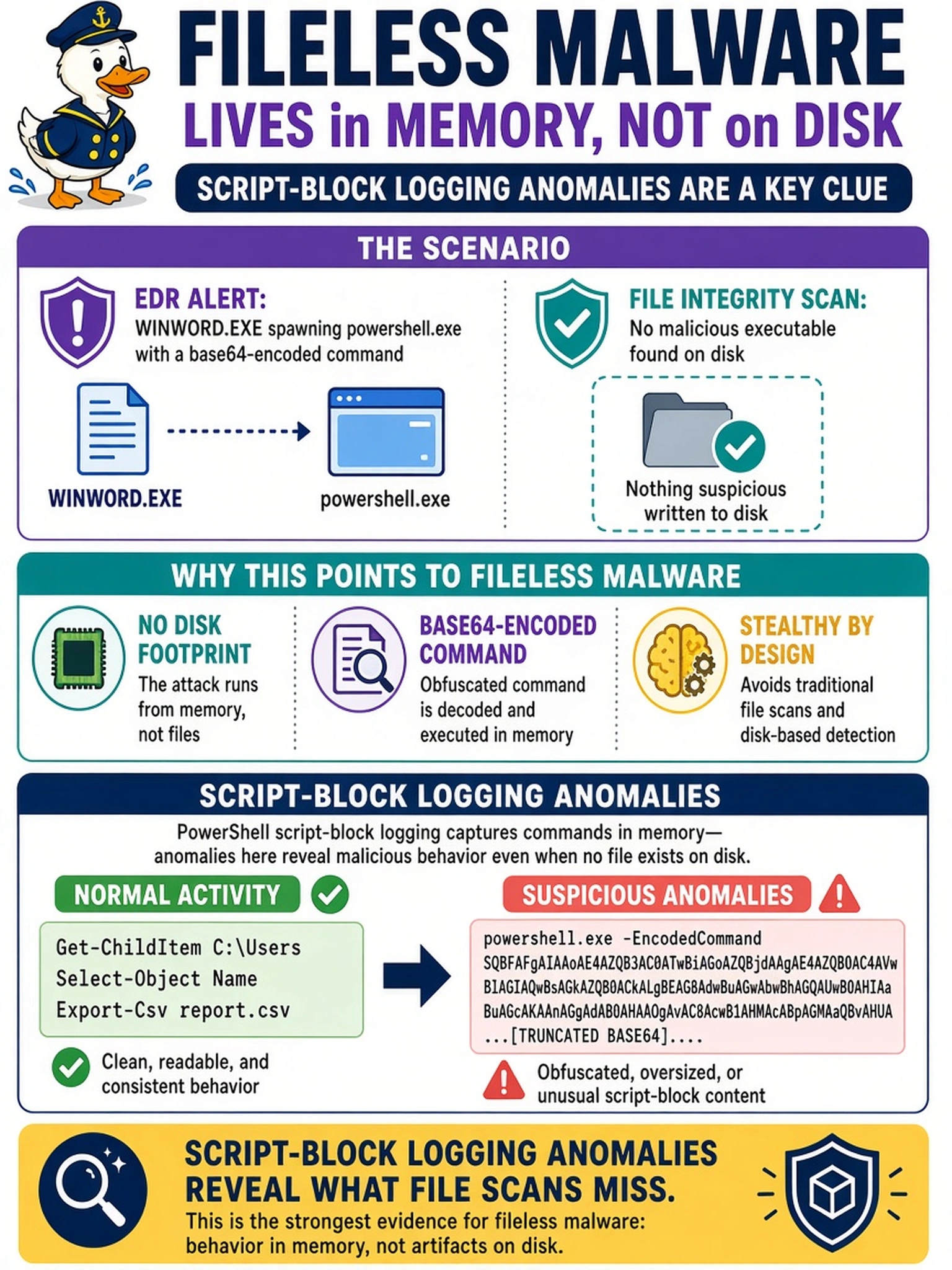
An EDR alert shows WINWORD.EXE spawning powershell.exe with a base64-encoded command, but a file integrity scan finds no malicious executable on disk. Which finding most reliably supports a fileless malware hypothesis?
Select an answer to reveal the explanation.
Short Explanation
Think of fileless malware like a rumor that never gets written down: you can't find the memo, but you can see people whispering. If your endpoint shows PowerShell spawning odd children or script blocks with weird decoded text, that's the whisper you need. Don't get fooled by a clean disk scan; the action is in memory and process telemetry.
Full Explanation
Fileless malware often uses living-off-the-land binaries such as PowerShell, WScript, or Rundll32, so the malicious logic may never be written as a trusted-looking executable on disk. The strongest analyst signal is runtime telemetry: script-block logging can reveal decoded or obfuscated commands, AMSI can flag in-memory script content, and EDR process-tree or memory-injection telemetry can show anomalous parent-child behavior. A signature match on a dropped PE file is a file-based detection concept and may not exist in this scenario. A DNS query to a known command-and-control domain can prove suspicious network activity, but it does not explain whether the malware is fileless. A USB removable-media event is an initial access or physical vector indicator, not evidence of in-memory execution. Exam caveat: when a stem emphasizes little or no disk artifact, choose the telemetry that observes execution, not the artifact that assumes a file. Operational check: enable PowerShell Script Block Logging, AMSI logging, and EDR memory/process monitoring, then correlate suspicious child processes with decoded script blocks.