
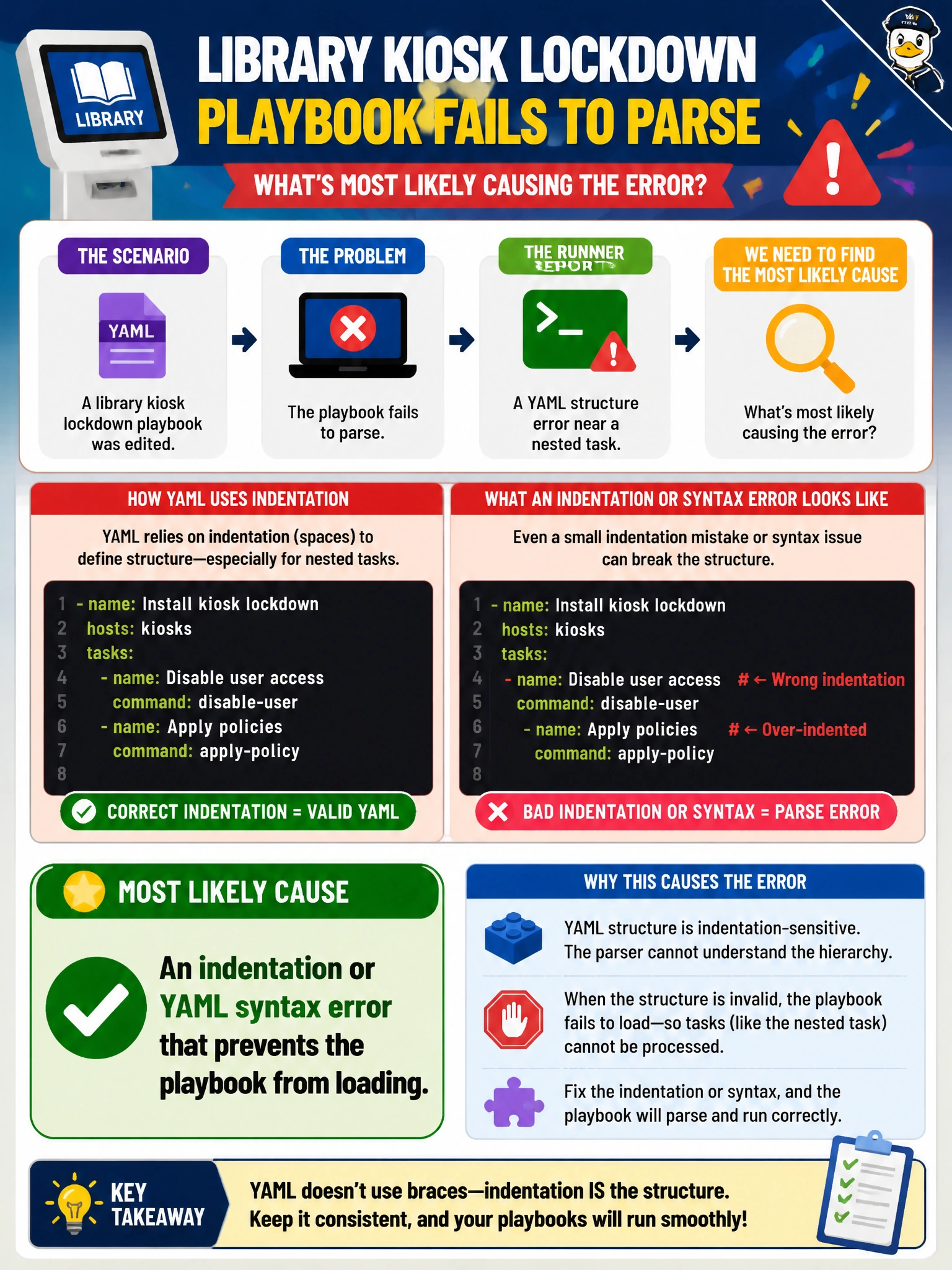
A library kiosk lockdown playbook fails to parse after an edit, and the runner reports a YAML structure error near a nested task. What is the most likely cause?
Select an answer to reveal the explanation.
Short Explanation
YAML is picky about its parking spaces—one wrong indent and your playbook will not even start the car. A parse failure points to structure, not a random TLS certificate or a successful API response, so fix the YAML before chasing runtime issues.
Full Explanation
When your library kiosk lockdown playbook fails to parse after an edit and the runner reports a YAML structure error near a nested task, the most likely cause is an indentation or YAML syntax error that prevents the playbook from loading. YAML structure depends on whitespace: a misaligned list item, incorrect nesting under a task, stray tab, or broken mapping can stop parsing before any kiosk lockdown logic runs. Start at the reported line or column and correct the structure so the runner can load the playbook. An expired TLS certificate on an unrelated public website is not the cause: it might affect an HTTPS request later, but it cannot create a YAML parse error at load time. A correct REST 201 response from the kiosk inventory API is a successful runtime result, not a playbook parsing failure. A clean syntax check indicates that the playbook loaded successfully, so it contradicts the reported YAML parsing failure rather than causing it. Exam caveat: distinguish parse-time YAML errors from runtime task failures; resolve the structure problem before investigating API behavior. Practical check: re-indent the nested task using spaces, run ansible-playbook --syntax-check or the runner’s validation step, and compare with the last known-good playbook. After a clean parse, test the lockdown play on a canary kiosk before applying it fleet-wide.