
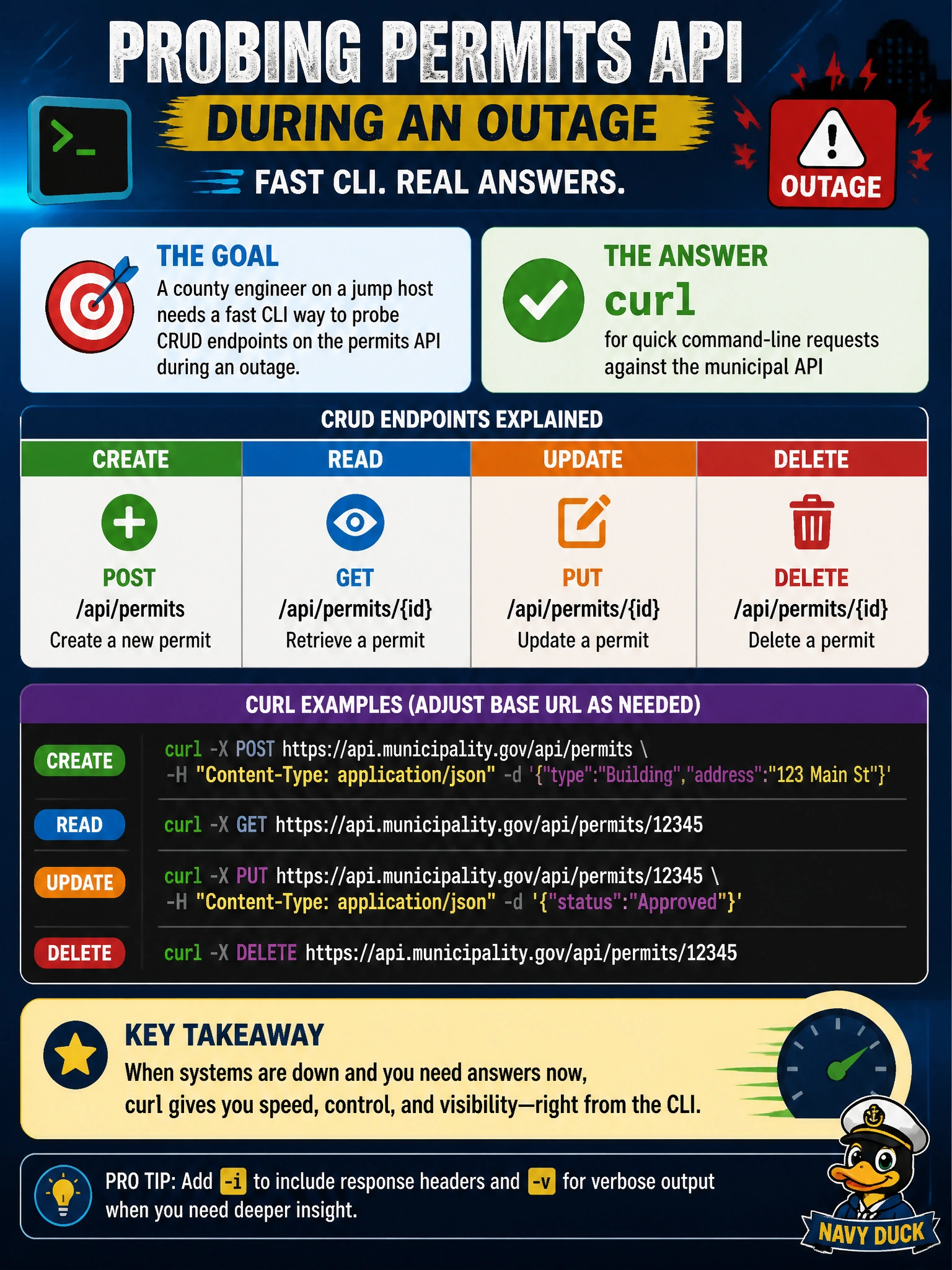
A county engineer on a jump host needs a fast CLI way to probe CRUD endpoints on the permits API during an outage. Which tool fits that need?
Select an answer to reveal the explanation.
Short Explanation
You can use curl as a quick flashlight on the jump host—no desktop setup or ceremony needed. When the permits API wobbles, your live CLI probes tell you more than a spreadsheet or paper checklist can.
Full Explanation
During a permits API outage, you need a fast, scriptable way to exercise CRUD endpoints and inspect live HTTP behavior from the jump host. curl fits: it sends GET, POST, PUT, PATCH, and DELETE requests from the shell, shows status codes and response bodies, and works over SSH without a desktop IDE. You can check whether create, read, update, and delete paths respond, whether authentication headers are accepted, and whether errors appear client-side or server-side, giving you evidence to guide the next response step. A desktop IDE debugger that can inspect requests only from GUI clients fails because it assumes a desktop workflow rather than giving you an immediate CLI probe from the jump host. A spreadsheet pivot table of last week’s permit totals fails because past data does not send live HTTP traffic or establish endpoint health during the outage. A paper checklist of HTTP verbs fails because listing methods is not the same as sending requests; it yields no live status codes, timing, or response payloads. Exam caveat: curl is useful for rapid live probing and triage, but it does not replace full integration testing. Practical check: from the jump host, send authenticated curl requests to permit read and write routes, record status and timing, compare results with and without credentials, and document which CRUD verb fails so you can escalate with evidence.