
A permits portal workflow YAML shows conflict markers after two hotfixes landed on the same lines. What should the engineer do before the pipeline can run again?
Select an answer to reveal the explanation.
Short Explanation
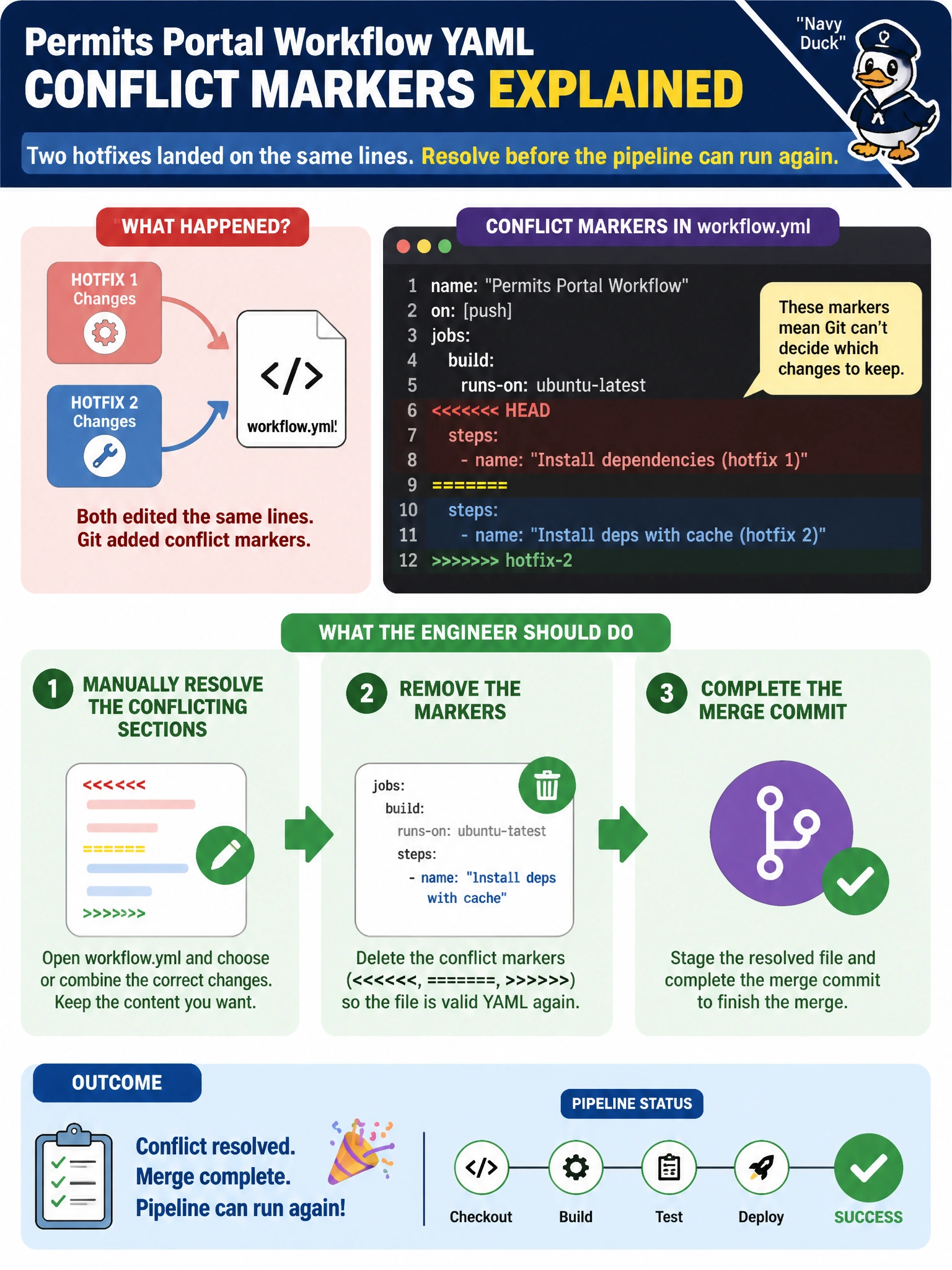
You can treat those conflict markers like overlapping sticky notes on a permit counter: the YAML needs a clear, intentional resolution before the pipeline runs. Resolve the sections, remove the markers, and complete the merge commit; CI won’t guess which version you meant.
Full Explanation
When permits portal workflow YAML contains conflict markers after two hotfixes touched the same lines, you must manually resolve the conflicting sections, remove the markers, and complete the merge commit before the pipeline can reliably run. CI systems will either fail to parse YAML containing Git markers or misinterpret the marker lines as malformed workflow syntax. Clean integration is a prerequisite to automation, not optional polish. Force-pushing both branch tips without inspecting the YAML does not resolve the content; it risks destroying history and still leaves the conflict unresolved. Deleting the repository and recreating it from a laptop tarball would destroy the audit trail and collaborator remotes, an extreme response to a routine merge conflict. Disabling the pipeline permanently until the next fiscal year freeze avoids quality gates instead of fixing the merge. Exam caveat: Manual resolution requires choosing the correct permits workflow logic, including jobs, concurrency, and secrets references. Accepting both sides blindly can duplicate steps or leave contradictory on: triggers. Operational check: search the branch for conflict-marker strings until none remain, run the workflow linter or platform validator, complete the merge, and confirm the permits pipeline starts with valid YAML and the intended hotfix behavior on a non-production workflow dispatch.