
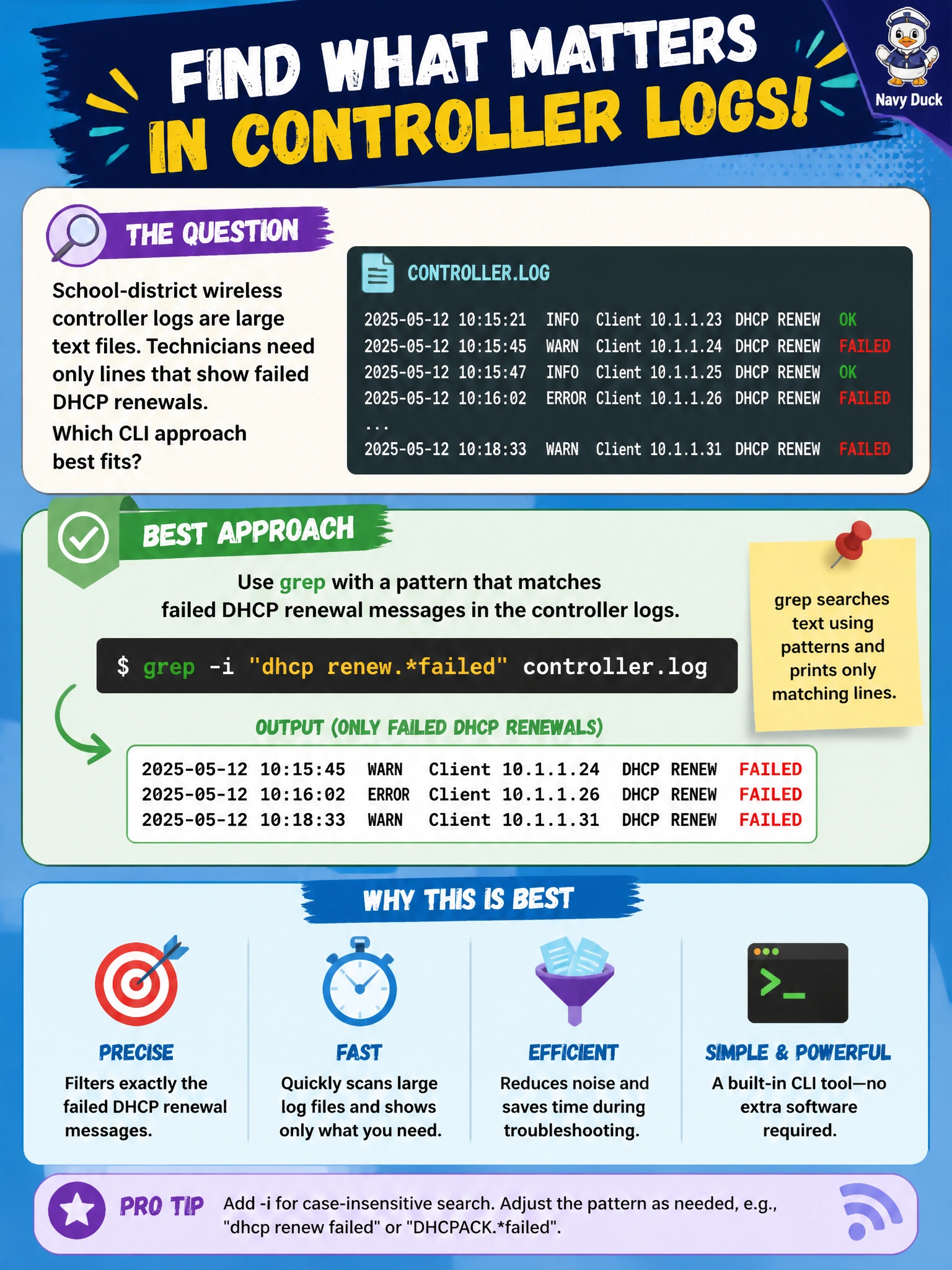
School-district wireless controller logs are large text files. Technicians need only lines that show failed DHCP renewals. Which CLI approach best fits?
Select an answer to reveal the explanation.
Short Explanation
You can use grep to find the failed-DHCP renewal lines in a huge log without scrolling through it by hand. You also avoid deleting useful evidence or turning searchable text into images.
Full Explanation
School-district wireless controller logs are large text files, and technicians need only lines that show failed DHCP renewals. Use grep with a pattern matching the controller’s failed-DHCP renewal messages: it searches the text and emits matching lines, making it suitable for multi-gigabyte logs without loading an entire document into a graphical editor. This supports efficient operational triage. Opening each log in a desktop word processor and scrolling manually is slow, memory-heavy, and error-prone; word processors are not designed for high-volume log searches. Deleting logs older than one hour destroys evidence and may remove the failure lines still needed for diagnosis; retention is not a search strategy. Converting every line into a PNG screenshot multiplies storage, removes text searchability, and adds needless conversion work. Exam caveat: match the controller’s exact failure phrasing, accounting for case and search options as needed. Operational check: test the pattern against a known sample containing both failed and non-failed DHCP renewal lines, confirm that it returns the expected matches, time it on a representative large log, and document it in the district runbook so on-call staff can reproduce the filter during wireless outages.