
A trainer runs a second operating system in a window on a Windows laptop so students can practice on it. Which hypervisor type is that?
Select an answer to reveal the explanation.
Short Explanation
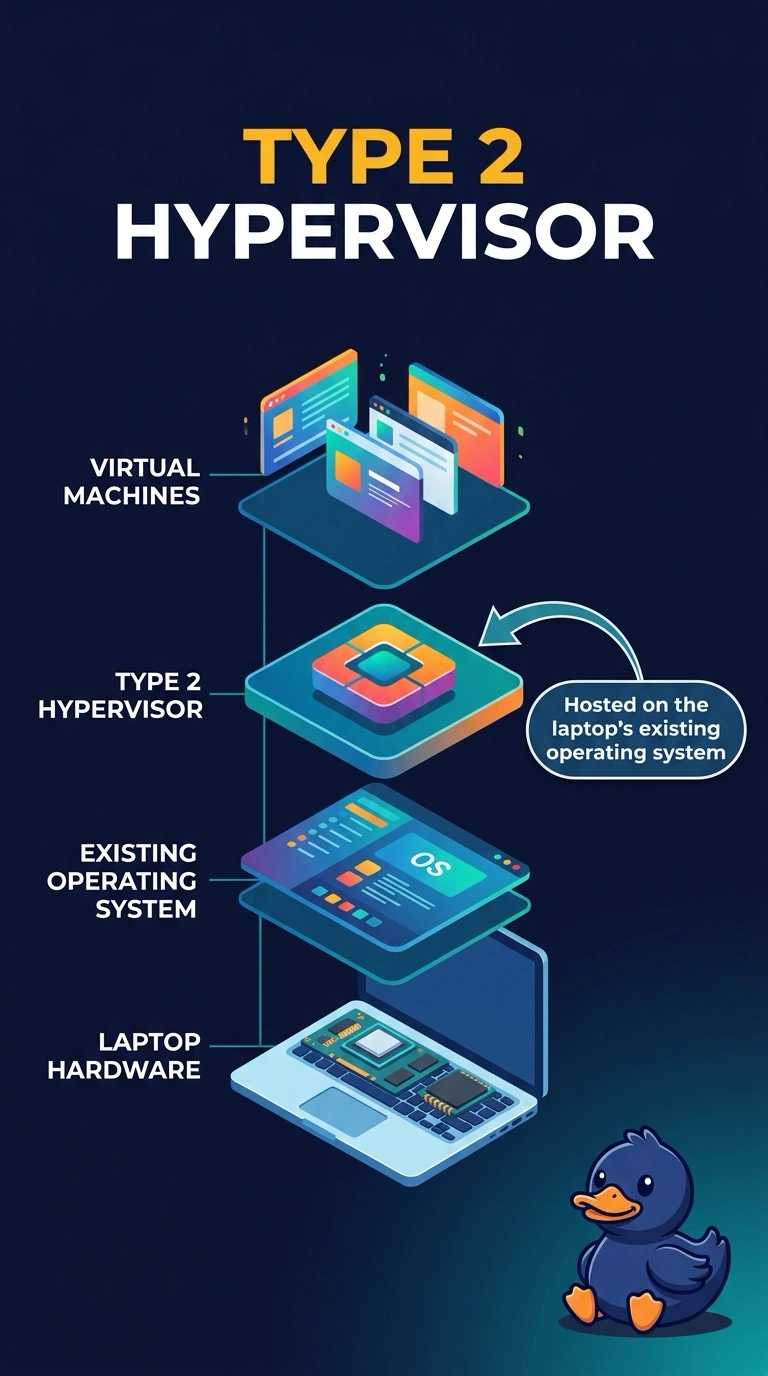
You can tell this is a type 2 hypervisor because the second operating system runs in a window while Windows remains the host. You haven’t replaced Windows, created a community cloud shared by organizations, or used a RAID 1 mirror to host another operating system.
Full Explanation
A type 2 hypervisor is an application that runs on a host operating system. Here, Windows remains the host on the trainer’s laptop, and the second operating system runs in a window, so the hypervisor is type 2. A type 1 hypervisor runs directly on the hardware in place of a general-purpose operating system; that does not describe a laptop still running Windows as its host. A community cloud is shared by a set of organizations, not a second operating system running in one laptop window. RAID 1 mirrors two disks; it does not host a second operating system in a window. Exam caveat: a guest can still affect the laptop if its virtual network is bridged onto the office network, so isolate that network for practice. As a practical check, start the guest and confirm Windows remains the host. Take a snapshot before students change the guest, keep its virtual network off the office LAN so it cannot browse real servers, and restore the snapshot after class so the next group starts with a clean guest.