
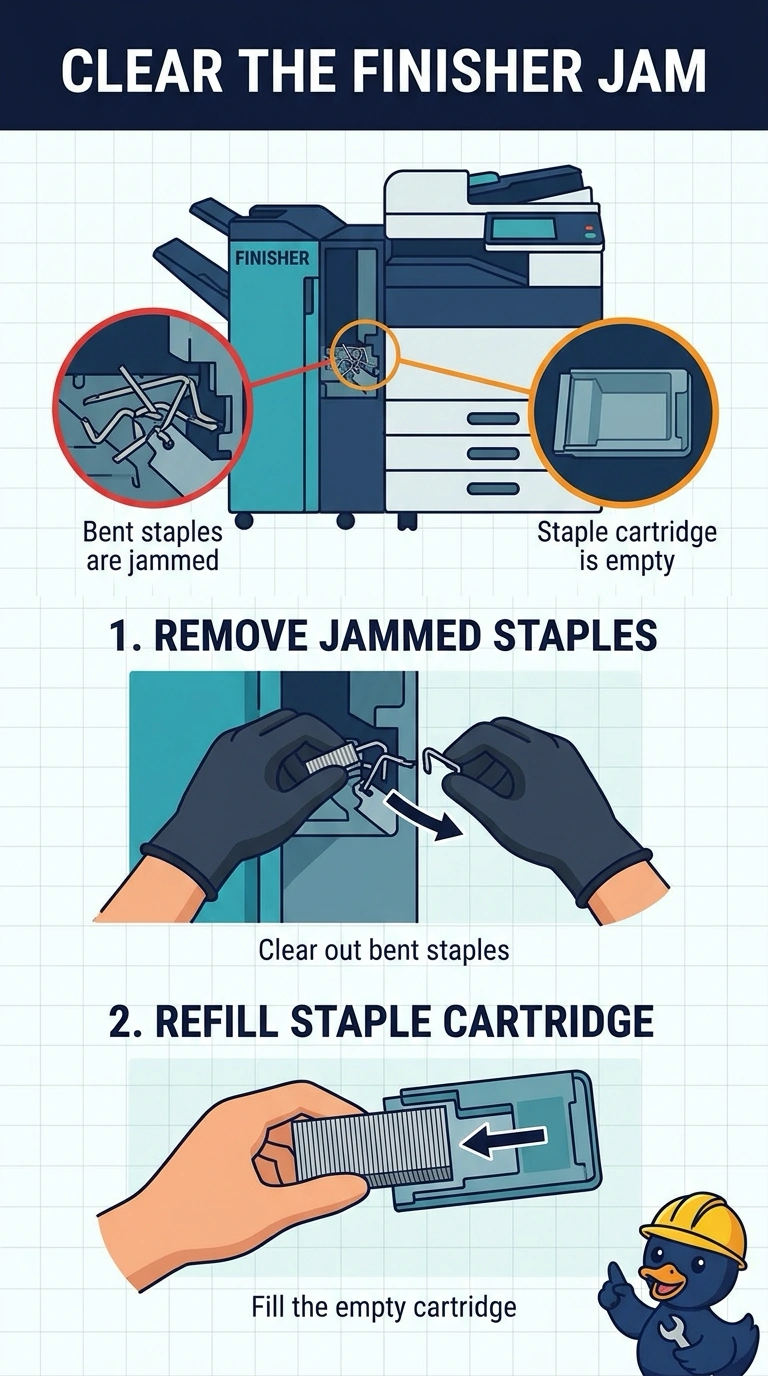
A printer's finisher jams, and the staple cartridge is both empty and jammed with bent staples. Which maintenance clears the finisher?
Select an answer to reveal the explanation.
Short Explanation
The stapler is out of staples and choked on bent ones. You clear that jam and refill the cartridge. The heater that melts toner, the drum that carries the image, and the network card do not load staples.
Full Explanation
A finisher jam with an empty staple cartridge full of bent staples is a staple problem. Clearing the jammed staples and refilling the cartridge is the maintenance that lets the finisher work. The fuser bonds toner. It does not staple pages. The imaging drum transfers the image. It does not feed staples. The network adapter carries jobs to the printer. It cannot clear a mechanical staple jam. Exam caveat: power the finisher down before you pull bent staples, and do not run another stapled job until the path is empty. A leftover staple becomes the next jam. Operational check: refill the cartridge, send a three-page stapled test, and confirm the set is stapled once and the jam message is gone. Send a three-page stapled test only after the staple path is empty. Record the result on the ticket before you close the call. Power the finisher down before you pull bent staples.