
The queue shows a printer offline, so jobs wait. The printer is powered on and its own test page looks normal. What should be done first?
Select an answer to reveal the explanation.
Short Explanation
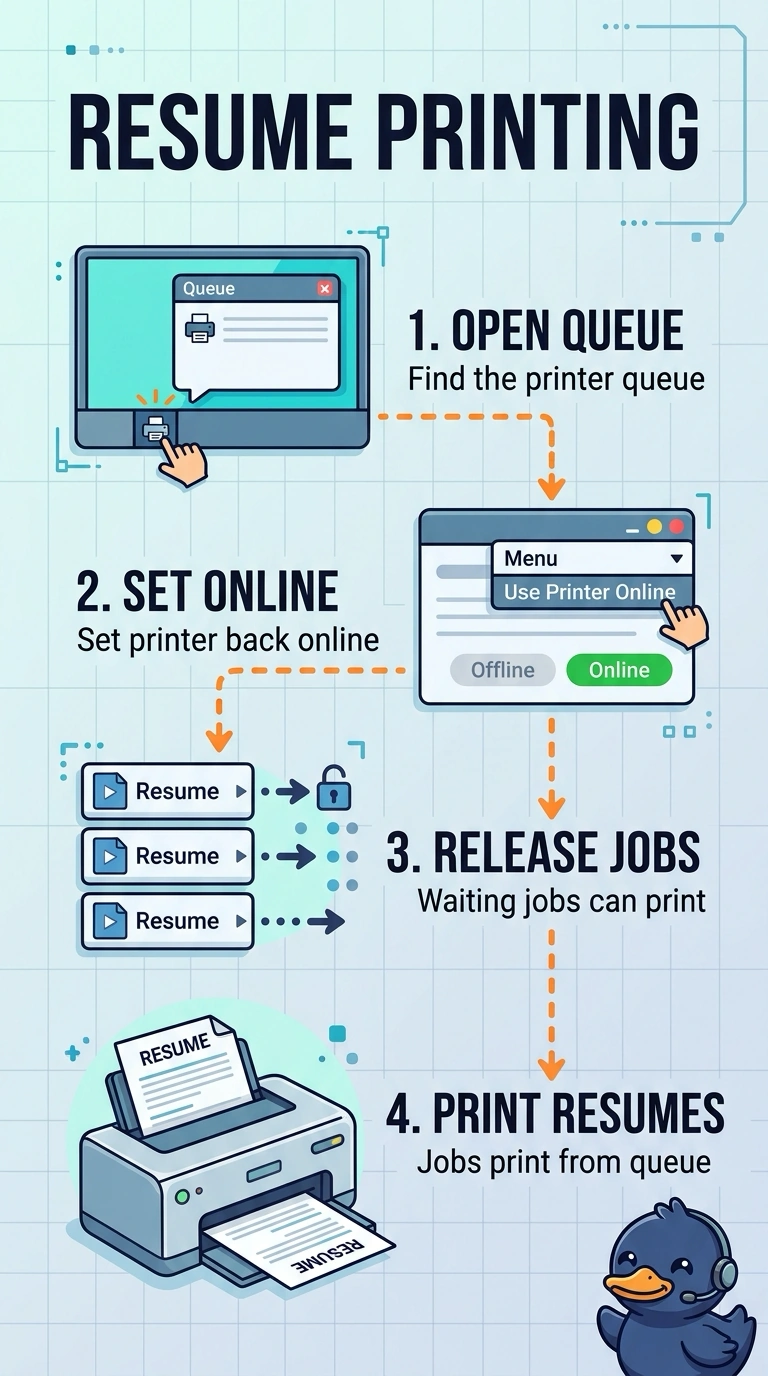
Your printer’s own test page is normal, so you can focus on the queue’s offline state. Set the printer back online in the queue; replacing the imaging drum, changing the subnet mask, or replacing your monitor would not clear that flag.
Full Explanation
An offline queue holds jobs even when the printer is powered on and can print its own test page. Set the printer back online in the queue first so the waiting jobs can print; this directly addresses the state preventing them from proceeding. Replacing the imaging drum is not the right first step: a drum problem would affect the printer’s output, while the normal test page and the queue’s offline status point to different issues. Changing the subnet mask is also not the answer because the mask determines which addresses are local; it does not set the queue’s offline flag. Replacing the user’s monitor would affect the display, not the printer’s queue status. Exam caveat: a normal printer test page confirms local printing, but does not itself change the queue’s status. Practical check: set the printer online in the queue, release one waiting job, and confirm that the job prints and the queue remains online. Record the result before closing the ticket.