
A laser printer in a records office pulls several sheets at once on most jobs. Toner and the fuser were just serviced. Which maintenance fixes a multipage misfeed?
Select an answer to reveal the explanation.
Short Explanation
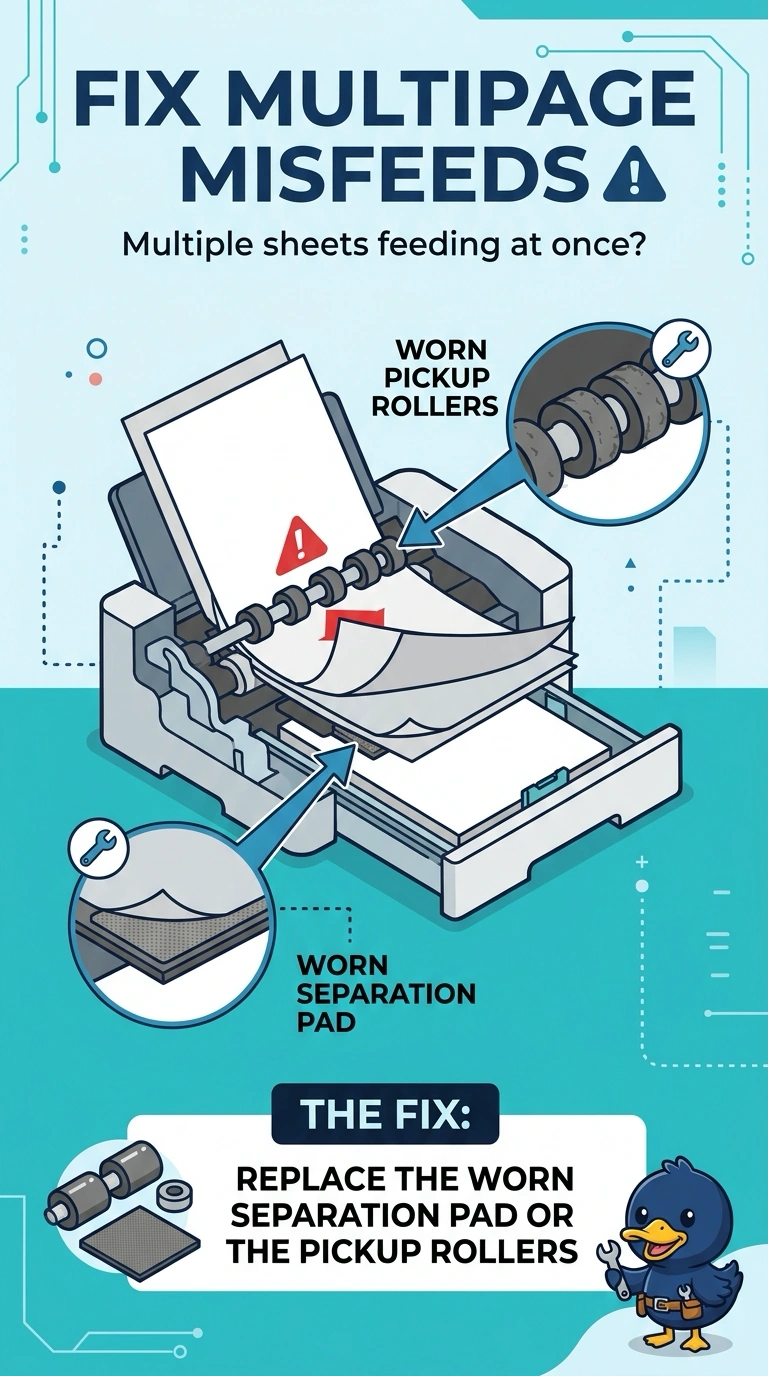
The tray is dealing a whole handful of cards instead of one. The part that should hold the extras back is the separation pad, helped by the pickup rollers. You already serviced the heater that melts toner, and a color tweak or a new driver does not change how many sheets leave the tray.
Full Explanation
A multipage misfeed means more than one sheet enters the path. On a laser printer the separation pad and the pickup rollers are the parts that are supposed to let a single sheet through, and they wear out. Toner and the fuser were just serviced, so the feed mechanism is the remaining maintenance item. The fuser bonds toner with heat and pressure. It does not sit in the tray separating sheets. Color calibration aligns color planes. It does not change the paper feed. A page-description driver tells the printer how to draw the page. It does not retime the pickup rollers when the pad is worn. Exam caveat: humidity and overloaded trays also cause extra feeds, so check the paper stack before you order parts. Operational check: replace the pad or rollers, load a normal stack, and print twenty pages without a double feed. If the pad is the wear item in the maintenance kit, replace the kit's feed rollers at the same time so the next misfeed is not the partner part. Run a twenty-page test after the parts are in, and stop if a second sheet still feeds.