
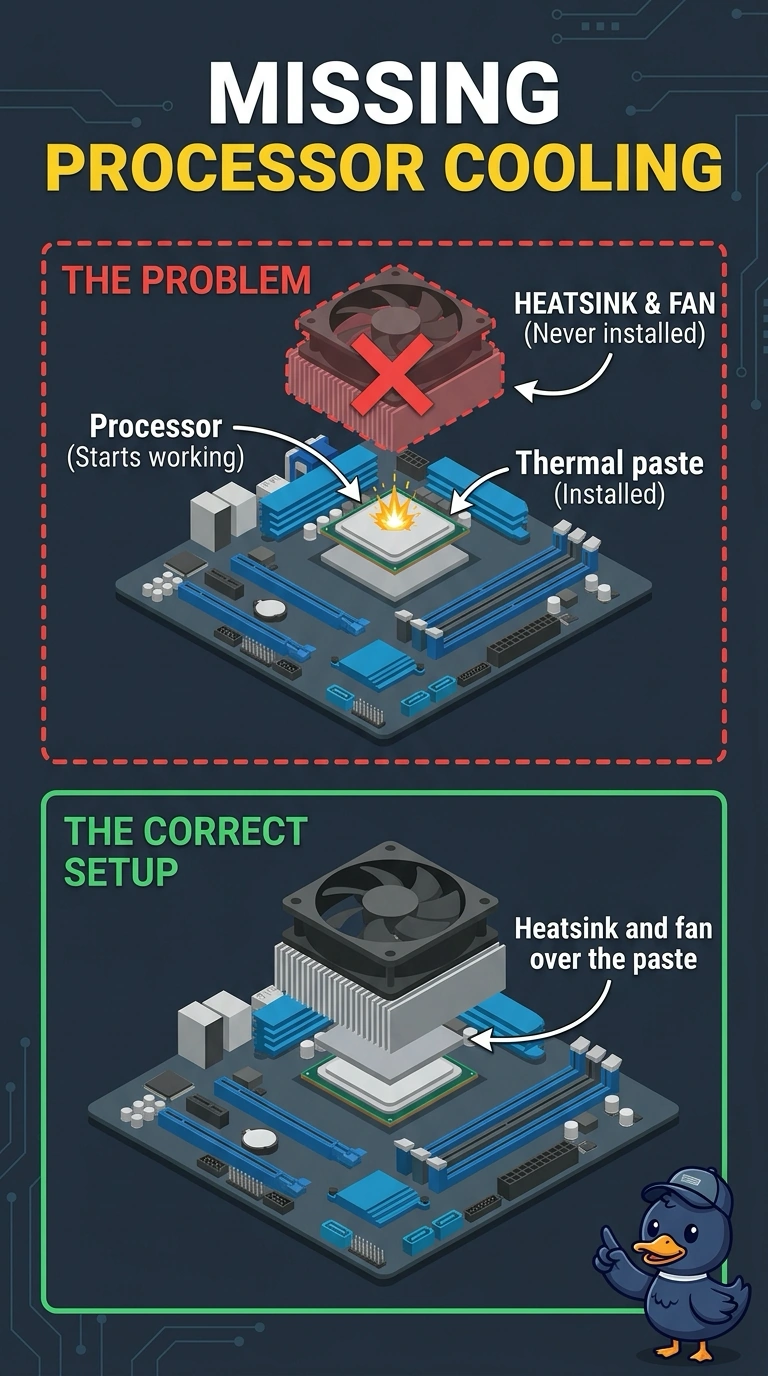
A processor was installed with thermal paste and no heatsink or fan. The desktop shuts down as soon as the processor starts working. Which part is missing?
Select an answer to reveal the explanation.
Short Explanation
Paste without a heatsink is glue on a stove with the pot missing. You install the heatsink and fan. A boot check, a network card, and a screen setting do not carry heat off the processor.
Full Explanation
Thermal paste only improves contact with a cooler. A processor installed with paste and no heatsink or fan has nowhere to send its heat, so it shuts down as soon as it works. The missing part is the heatsink and fan. Secure Boot checks signatures. It does not cool a processor. A network adapter moves frames. It is not a heat sink. Refresh rate is a display timing. It does not replace a CPU fan. Exam caveat: install the cooler before you let the processor run. Another power-on without it risks damage. Seat the cooler evenly and connect the fan header. Operational check: install the heatsink and fan, boot, and confirm the desktop stays up under a short load without an immediate shutdown. Connect the fan header and do not power the processor on again until the heatsink is seated. Record the result on the ticket before you close the call. Watch the temperature for a minute under load before you close the case.