
A video desk has four disks. The array should mirror and stripe, and it must keep working after one disk fails. Which RAID level fits?
Select an answer to reveal the explanation.
Short Explanation
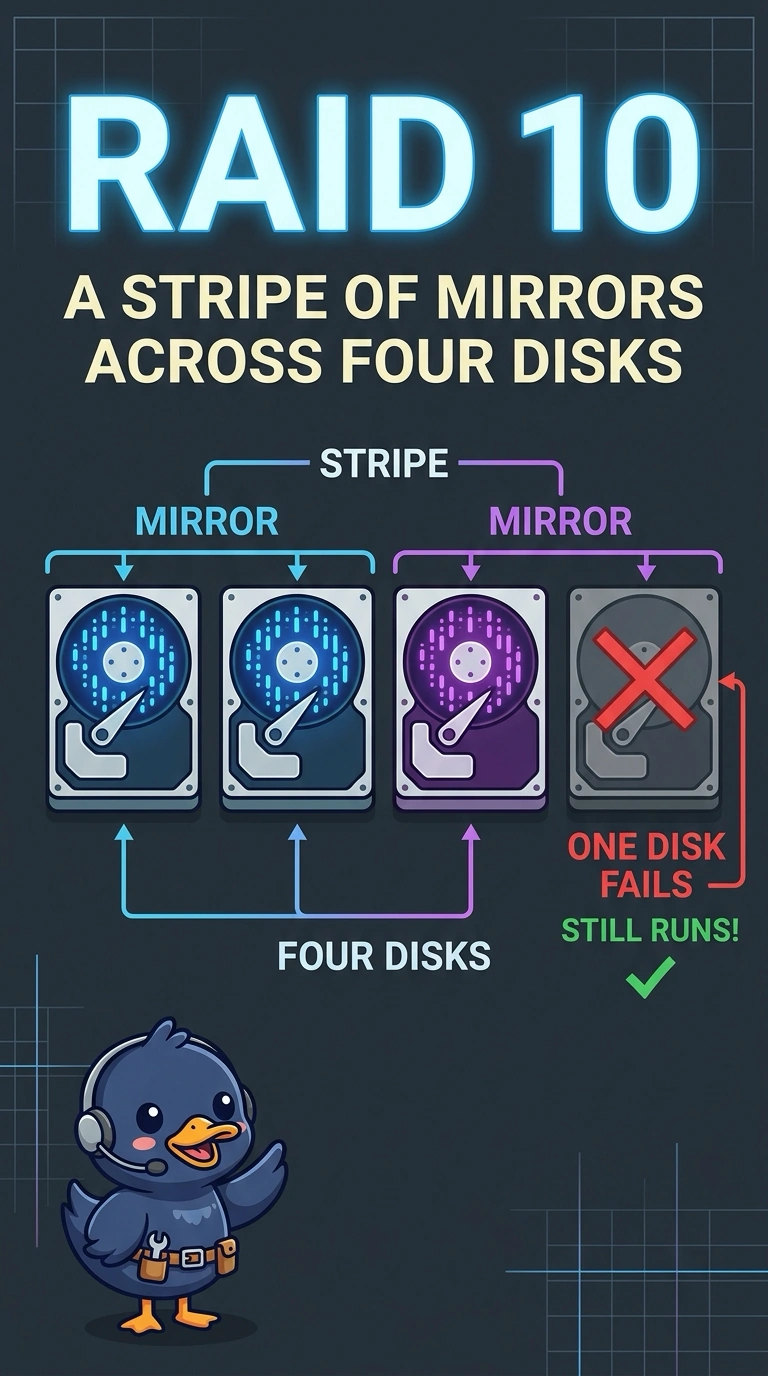
You need copies of your data and a way to spread it across disks, and RAID 10 gives you both with four disks. RAID 10 keeps working after one disk fails; RAID 0, a two-disk RAID 1 mirror, and independent disks do not meet all those needs.
Full Explanation
RAID 10 mirrors disks into pairs and stripes across those pairs, so four disks are enough to provide both mirroring and striping. The array keeps working after any one disk fails because its mirror partner still has the data, which fits the video desk’s requirement. RAID 0 does not mirror: it stripes data across disks, so one disk failure can lose the array; describing it as mirroring pairs does not make it RAID 10. RAID 1 using only two of the four disks is a single mirror, not a stripe across four disks, and the other two disks are not part of that set. A bunch of disks with no RAID consists of separate volumes, so losing the disk that holds a file loses that file. Exam caveat: in RAID 10, which second disk you can lose depends on whether it is the mirror partner of the disk already down. RAID 10 is not a reason to skip backups. Practical check: pull one disk in a test and confirm the volume stays online, then rebuild onto a replacement. Put the pulled disk back or replace it, and rebuild the pulled disk before the desk returns to editing; confirm the volume stays online while one disk is out and do not call the test finished until the disk is restored or replaced.