
A desktop with a manual input selector was set for a 110-120 VAC office and then plugged into a 220-240 VAC circuit. It will not power on. Which setting should be checked first?
Select an answer to reveal the explanation.
Short Explanation
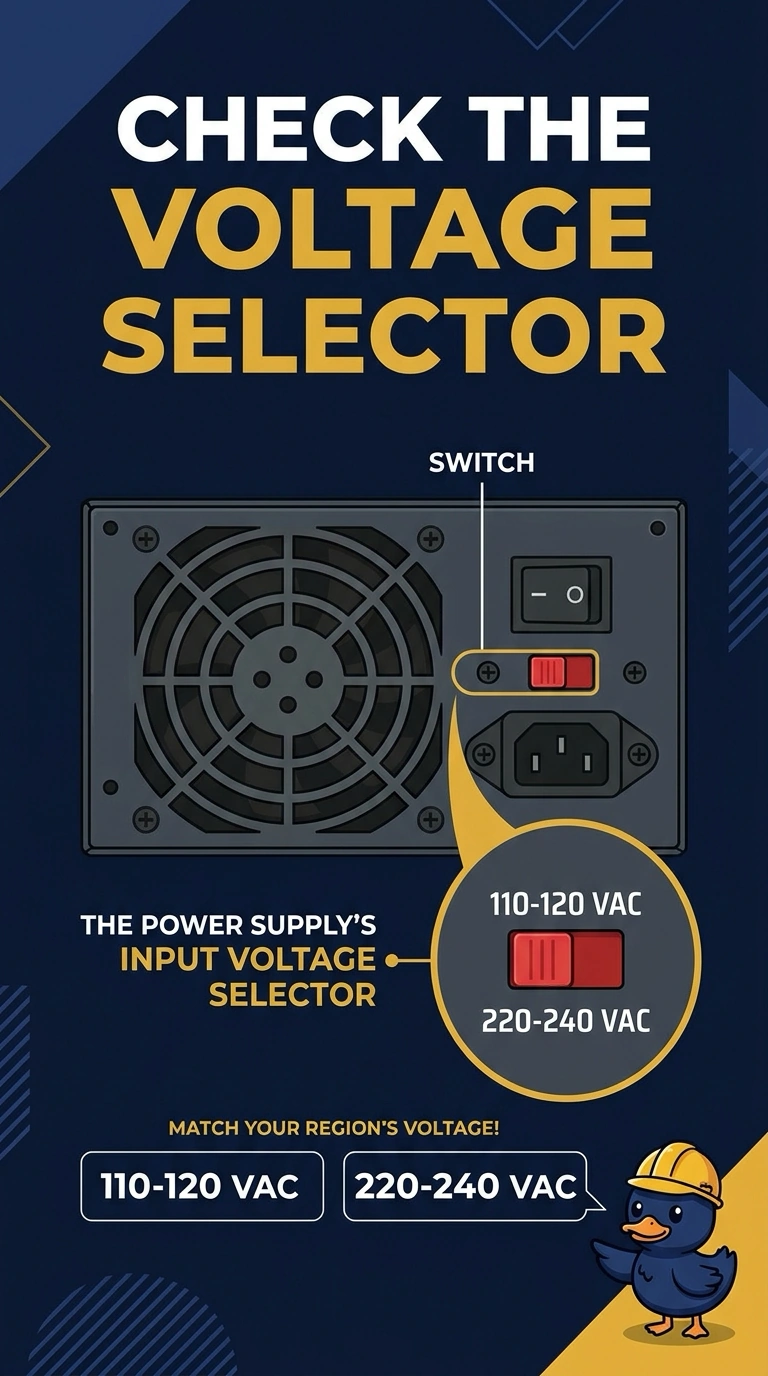
You left the supply set for the low-voltage range and plugged it into the high-voltage circuit, so check the input voltage selector first. Unplug the cord before moving it; the memory rail, SATA data cable, and monitor refresh rate do not select wall voltage.
Full Explanation
A manual input voltage selector tells the power supply whether to expect about 110-120 VAC or 220-240 VAC. Here, the supply was left on the low setting and connected to the high-voltage circuit, so it will not start safely; check the power supply’s input voltage selector first. The 3.3 volt memory rail is an output to components, not a control for choosing wall voltage. A SATA data cable carries disk data; reversing it cannot make the supply accept 220 volts, and its connector is keyed. A monitor refresh rate is a display timing and has no bearing on the supply’s input voltage. Exam caveat: many current supplies sense input voltage automatically and have no selector, but this scenario specifies a manual selector. Practical check: unplug the cord, set the selector to the 220-240 range, confirm the fuse if the supply has one, and only then reconnect power. Keep the cord unplugged while moving the selector, read the silkscreen to confirm the selected range, and note the selector position on the service ticket so it is not later left on the wrong setting.