
After applying an egress default-deny NetworkPolicy, Pods can no longer resolve Service DNS names. What allow is missing?
Select an answer to reveal the explanation.
Short Explanation
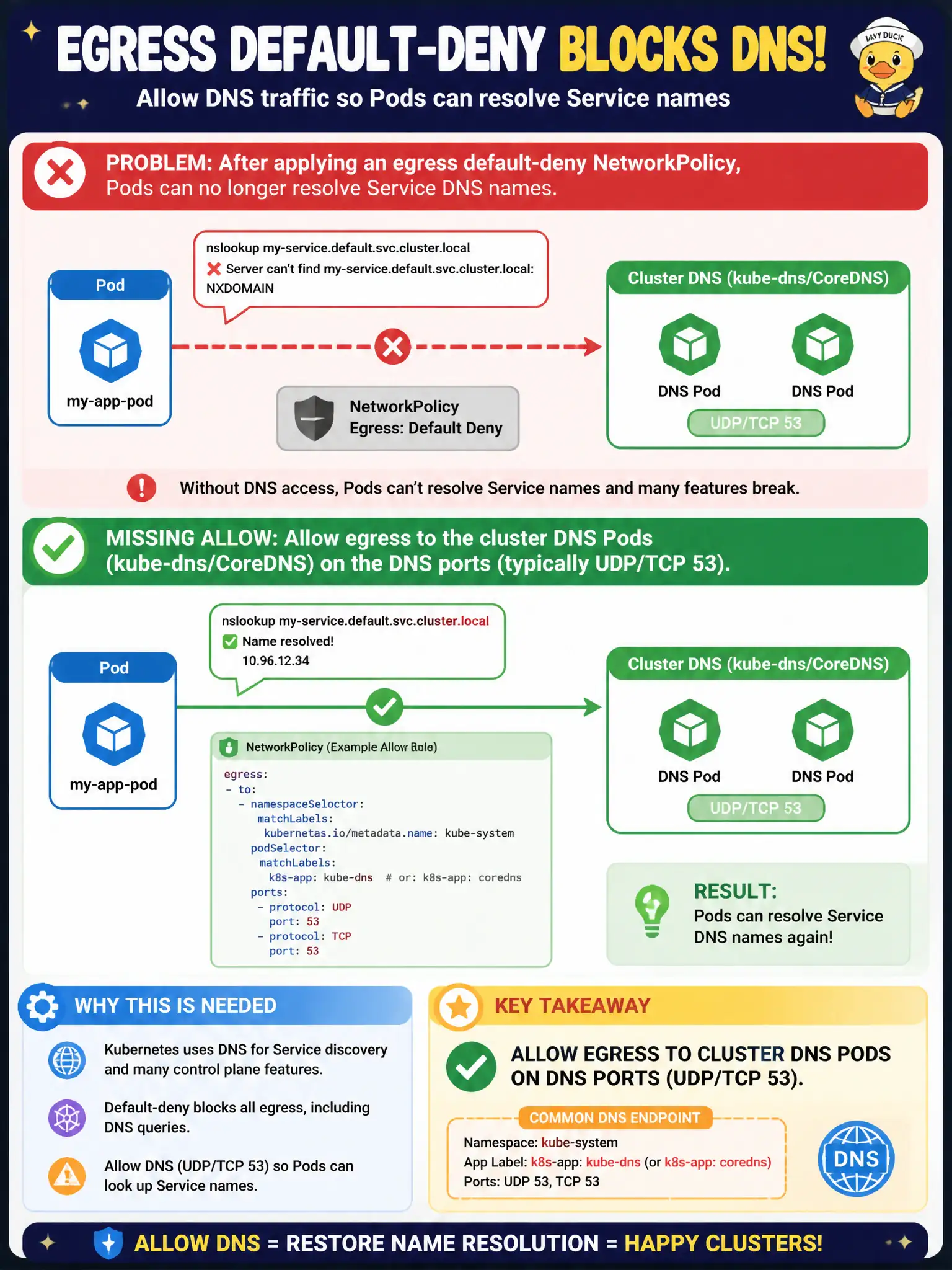
Egress deny without a DNS hole is like sealing the phone book cabinet—Pods can't look up names. Open egress to CoreDNS/kube-dns on port 53. RBAC and random ingress port 80 won't restore resolution.
Full Explanation
After applying an egress default-deny NetworkPolicy, Pods that can no longer resolve Service DNS names are almost always missing an allow to cluster DNS. Pods must send egress to kube-dns/CoreDNS on the DNS ports (typically UDP/TCP 53). Allow that path—commonly via a namespaceSelector for kube-system combined with a podSelector for the DNS Pods, or another platform-approved DNS allow. Without the DNS hole, name lookups fail even when a destination IP allow would otherwise work.
Allowing ingress from 0.0.0.0/0 on port 80 does not restore DNS resolution. Setting dnsPolicy to Default and hostNetwork true to bypass CoreDNS is a blunt, isolation-weakening workaround inappropriate for ordinary city apps. Adding a ClusterRole with get on services confuses RBAC authorization with packet filtering—DNS breakage after egress deny is a NetworkPolicy/DNS path issue, not an RBAC failure.
Exam caveat: always pair egress default-deny with DNS allows on CKAD tasks; many scenarios are written specifically to catch the omission. Operational check: demonstrate nslookup/dig failure after deny, add DNS egress allow, demonstrate Service name resolution success, then add application egress allows as required. Record the DNS exception in municipal network policy documentation so on-call knows the hole is intentional and required.