
helm install fails because the chart cannot be found; the team never configured chart repositories. What should they do first to consume published charts?
Select an answer to reveal the explanation.
Short Explanation
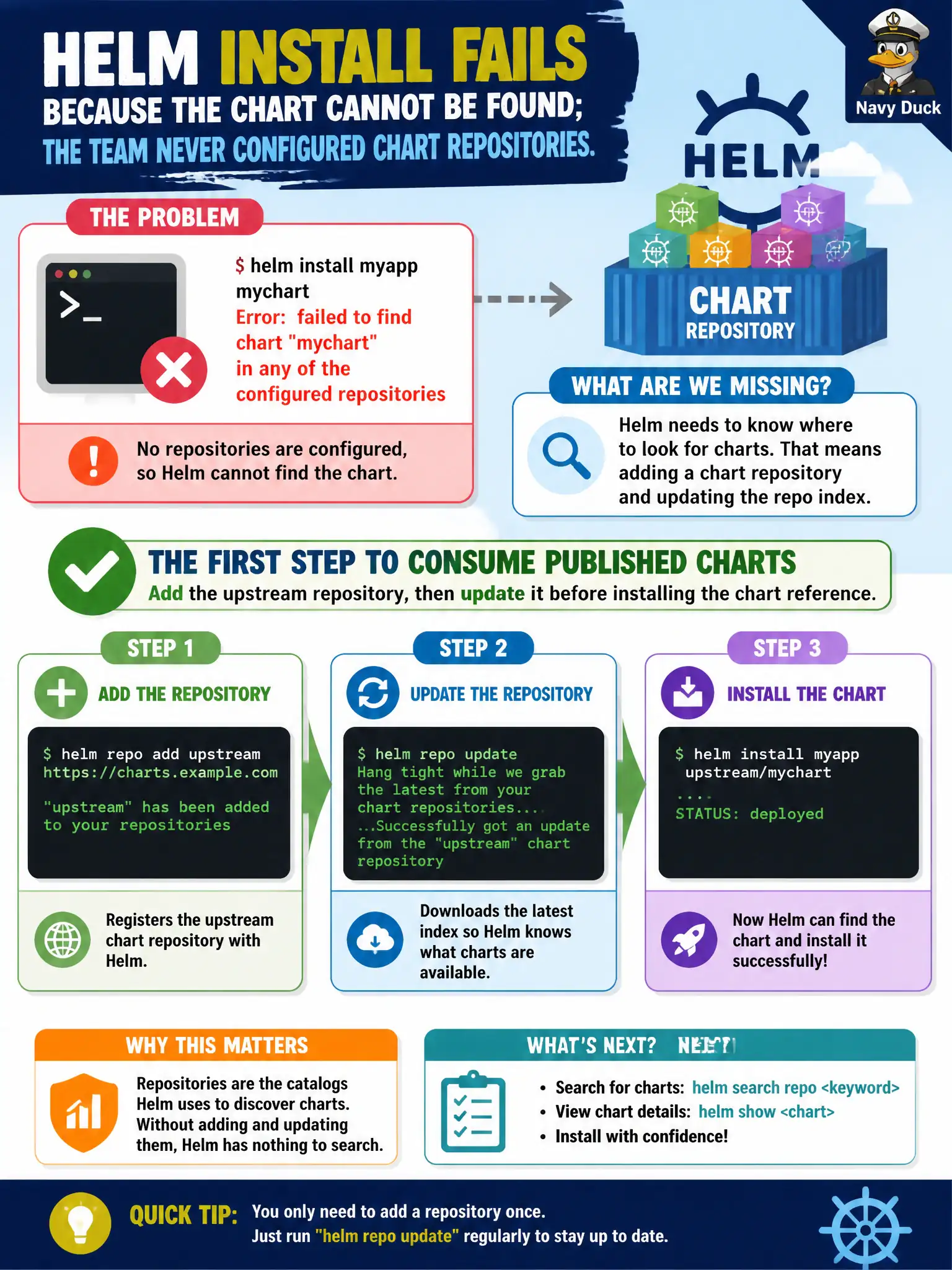
No map to the chart store, no package. helm repo add points Helm at the repository; helm repo update refreshes the index so install can find the chart.
Full Explanation
If helm install fails because the chart cannot be found and chart repositories were never configured, the first corrective step is helm repo add for the upstream repository followed by helm repo update so the local Helm client refreshes its chart indexes. Only after the index knows the chart can helm install <repo>/<chart> resolve published packages. Municipal platform teams treating Helm as a package manager must wire repositories before expecting installs to succeed—exactly like adding an apt/yum repo before installing software.
Why the other options fail by concept: Disabling the Kubernetes API server is destructive and unrelated to chart discovery. Labeling nodes does not register Helm chart repositories with the Helm client. Setting imagePullPolicy to Never affects how kubelet pulls container images, not how Helm resolves chart archives from repositories.
Exam caveat: Traditional HTTPS Helm repos and OCI registries use slightly different reference syntax—follow the chart provider’s documented install line. Corporate proxies and private CA trusts commonly block repo add/update on locked-down city networks; fix trust stores rather than skipping repos. After update, verify the chart name with helm search repo because the index spelling may differ from marketing names.
Operational check: helm repo add <name> <url> && helm repo update && helm search repo <keyword>, then helm install with the fully qualified chart reference. If discovery still fails, run helm repo list and confirm the repo name prefix matches what you pass on the install command line.