
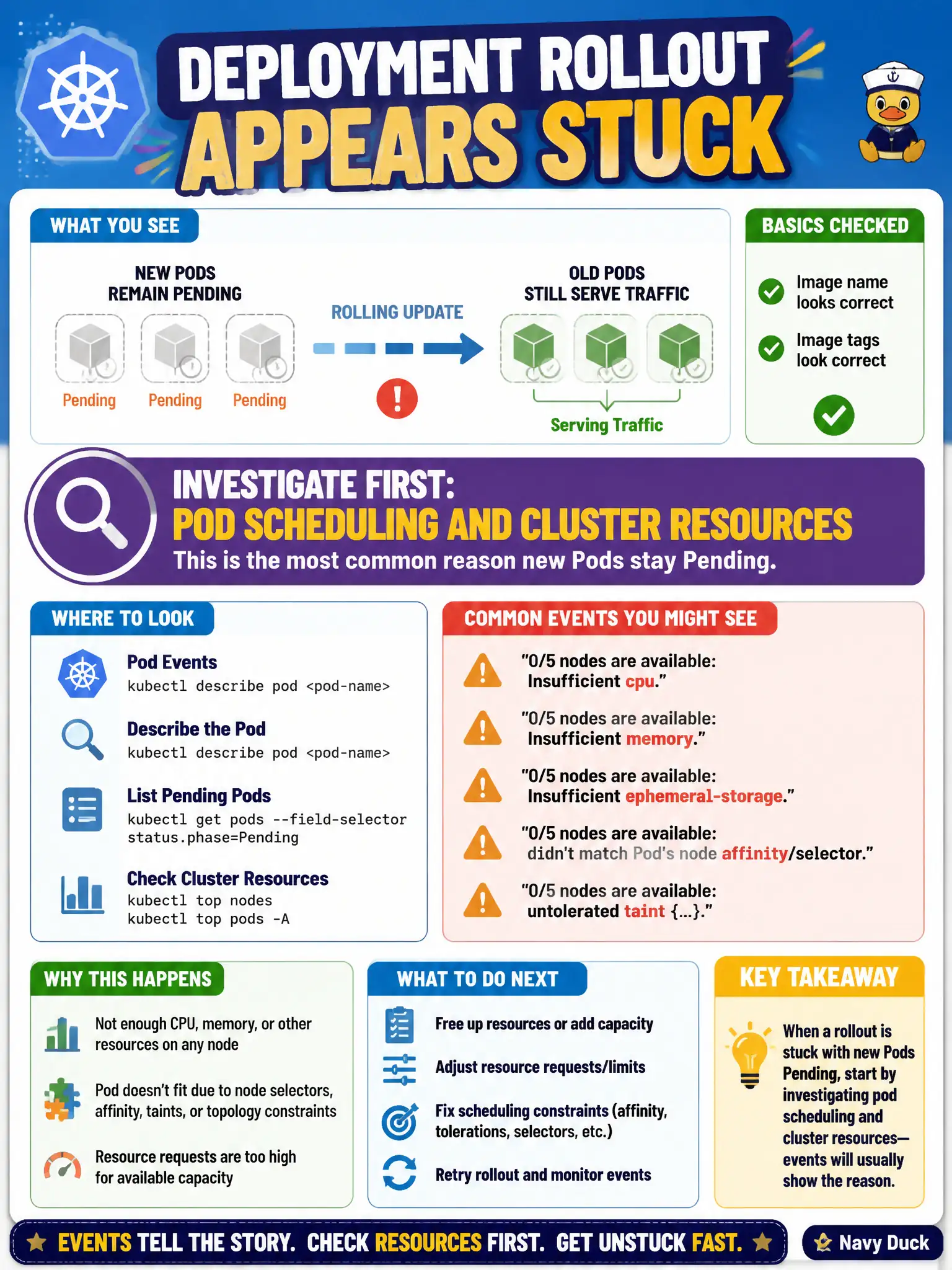
A Deployment rollout appears stuck: new Pods remain Pending while old Pods still serve traffic. Image name and tags look correct. What should the candidate investigate first for this failure mode?
Select an answer to reveal the explanation.
Short Explanation
Sometimes the movers can’t even get into the building—no parking, no elevator—not because the furniture is wrong. Pending usually means scheduling/resources; check events before blaming the image tag again.
Full Explanation
When a Deployment rollout appears stuck with new Pods Pending while old Pods still serve traffic, and image names look correct, investigate scheduling and cluster resources first. Pending usually means the scheduler cannot place the Pod—Insufficient cpu/memory, affinity/taints, PVC constraints, or similar Events—rather than a bad revisionHistoryLimit or Service type issue. For city clusters under load, capacity and placement failures are the common Pending story during surges.
Why the other options fail by concept: Raising revisionHistoryLimit only retains more old ReplicaSets; it does not make Pending Pods schedule. Deleting CoreDNS damages cluster DNS and does not fix Pending placement. Switching a Service to headless changes endpoint publishing semantics; it does not clear Pending.
Exam caveat: ImagePullBackOff is a different failure mode (Running/Waiting with pull errors) than Pending—read Events carefully. maxSurge creates extra Pods that need headroom; surge-heavy rollouts can Pending in tight ResourceQuota environments even when steady-state fit before. Also check priorityClass and preemption.
Operational check: kubectl describe pod <pending-pod> and read Events for FailedScheduling messages; kubectl top nodes and kubectl describe nodes for allocatable versus requests. Free capacity or lower requests, then confirm the new ReplicaSet becomes Ready and rollout status completes for the civic Deployment.