
A developer needs a quick, valid way to change one container image on a Deployment and start a rolling update without hand-editing the full manifest. Which approach is appropriate?
Select an answer to reveal the explanation.
Short Explanation
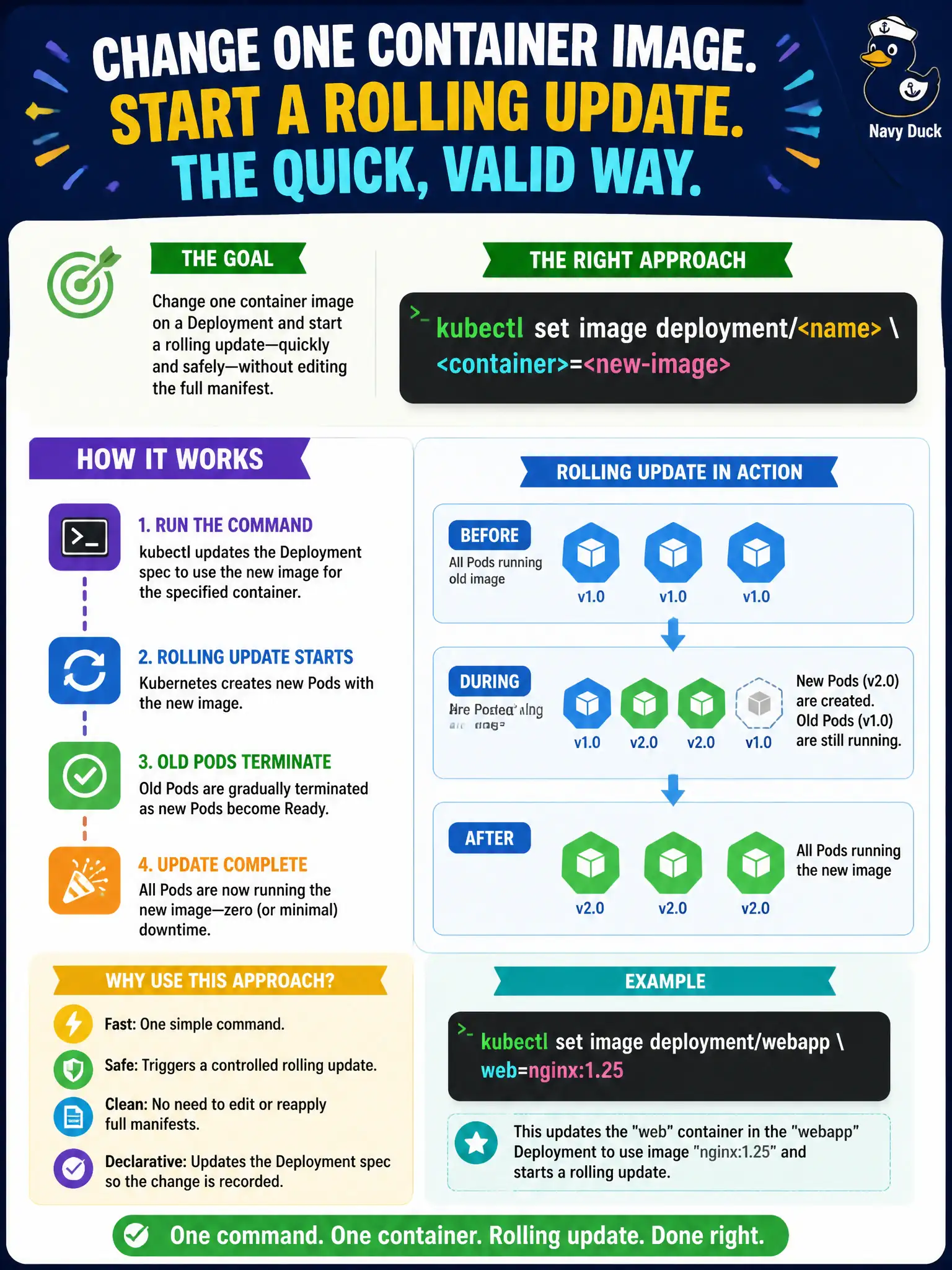
Need a new container image without rewriting the whole YAML novel? kubectl set image patches the Deployment container image and kicks off the rolling replacement for you.
Full Explanation
To change one container image on a Deployment and start a rolling update without hand-editing the full manifest, kubectl set image deployment/<name> <container>=<new-image> patches the Pod template’s image field. That template change creates a new ReplicaSet and begins the configured rolling strategy—ideal for quick, valid CKAD-style updates on city workloads when the rest of the spec should stay untouched.
Why the other options fail by concept: kubectl label pod --all image=<...> labels live Pods and does not update the Deployment template (labels named “image” are not container images). kubectl taint nodes affects scheduling, not Deployment container images. kubectl attach attaches to a running container’s I/O; it has no --image flag to mutate Deployments.
Exam caveat: set image must use the correct container name inside the Pod template when multiple containers exist (sidecars). Tag mutability (latest) can hide whether nodes pulled what you expect—prefer digests in production municipal clusters. After set image, still wait with rollout status rather than assuming success.
Operational check: kubectl set image deployment/<name> <container>=<repo>:<tag> -n <ns>, then kubectl rollout status and kubectl get pods -o jsonpath to verify every Ready Pod shows the new image. If the rollout sticks, describe Pods for pull errors before undo.