
A slow-starting civic reporting app passes its Ready condition quickly but still flakes under load for a few seconds. How does setting minReadySeconds on the Deployment help during a rolling update?
Select an answer to reveal the explanation.
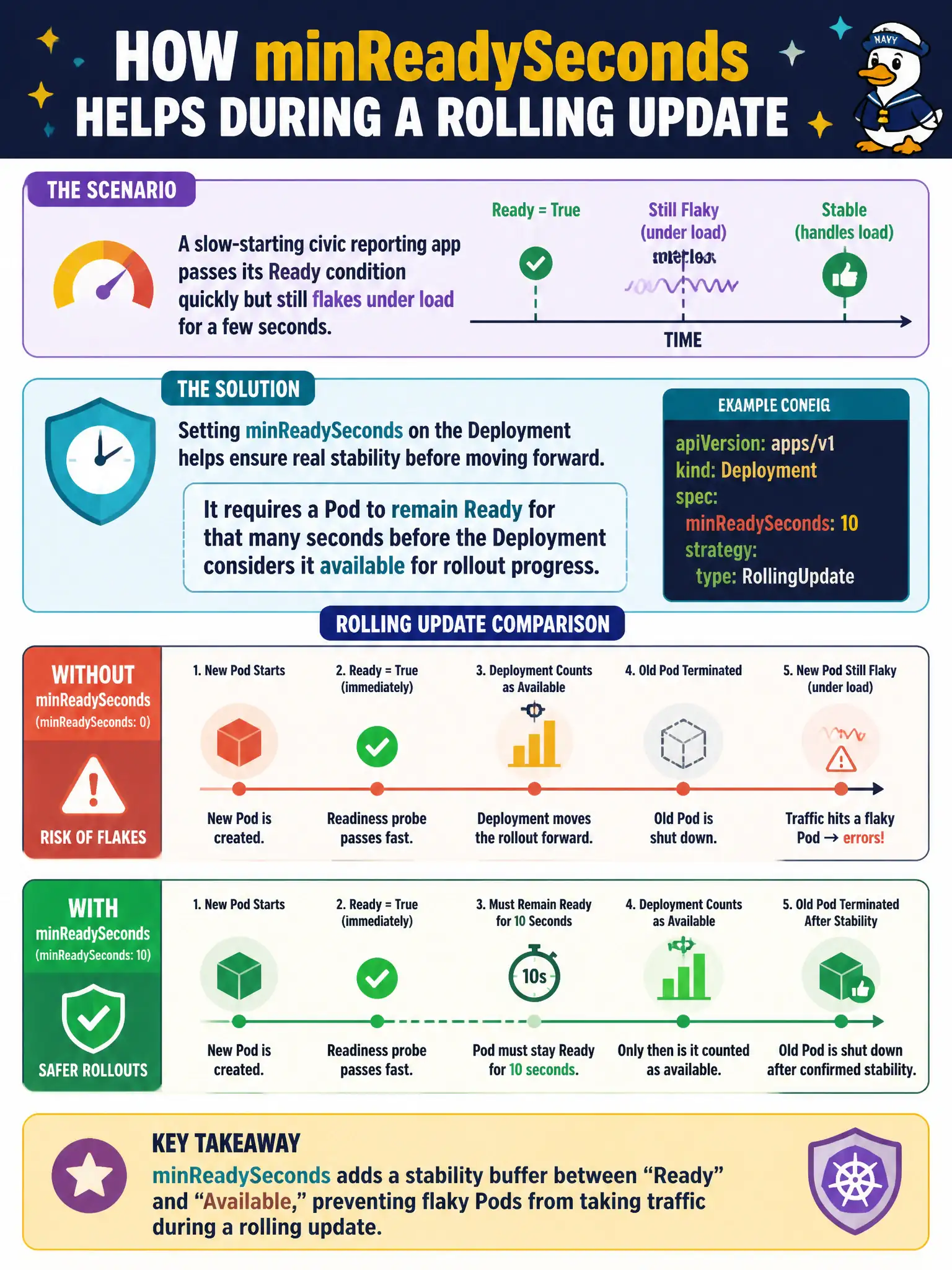
Short Explanation
Passing a smoke test once isn’t the same as staying steady for a bit. minReadySeconds tells the Deployment to wait that long after Ready before counting the Pod as available, which slows the rollout just enough for flaky warm-ups.
Full Explanation
When a slow-starting civic reporting app becomes Ready quickly but still flakes under load for a few seconds, minReadySeconds on the Deployment requires each Pod to remain Ready continuously for that duration before the controller treats it as available for rollout progress. That delay prevents the rolling update from advancing too fast—surging ahead and terminating old reporters—while a freshly Ready Pod is still in a fragile warm-up window. City dashboards thus keep stabler capacity during updates.
Why the other options fail by concept: minReadySeconds does not increase CPU requests. It does not disable readiness probes; probes still run, and the Pod must stay Ready. It does not force kubectl rollout undo when readiness is slow—that is governed by progress and failure handling, not minReadySeconds.
Exam caveat: Available replicas for Deployment status consider both readiness and minReadySeconds; a Pod can be Ready yet not yet Available. Pair with realistic readiness probes that reflect true serving ability—minReadySeconds is not a substitute for fixing an app that falsely reports Ready. Very large minReadySeconds can slow rollouts and interact with progressDeadlineSeconds.
Operational check: Set minReadySeconds to cover the observed flake window, roll the reporting Deployment, and watch kubectl get deploy -o yaml for availableReplicas versus readyReplicas during the update. Confirm the controller does not scale down old Pods until new ones have stayed Ready for the configured seconds.