
A team calls every Deployment rolling update a “canary.” What distinction should they learn?
Select an answer to reveal the explanation.
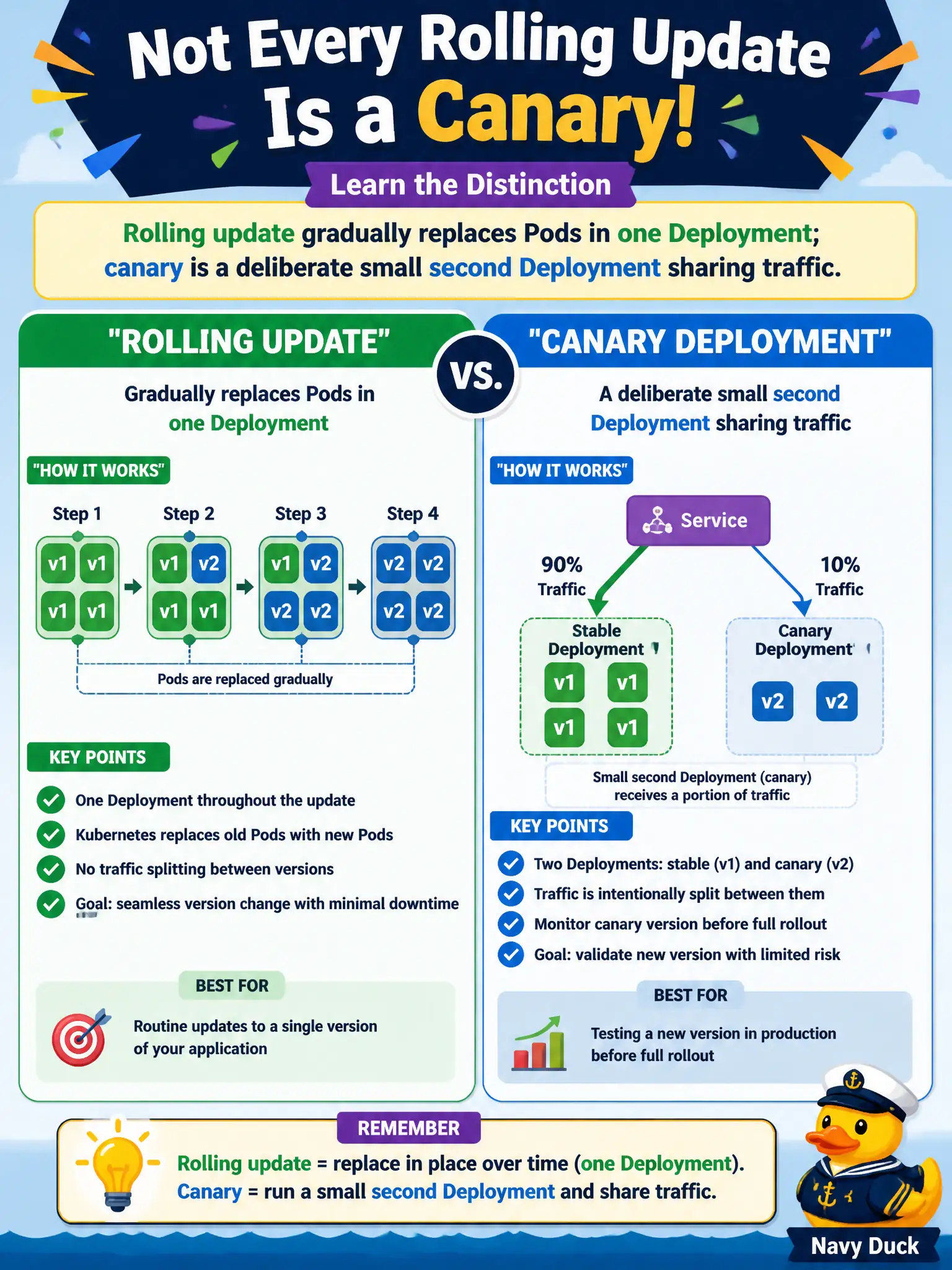
Short Explanation
Rolling update is swapping seats row by row in one theater. Canary is opening a tiny second theater and sending a few patrons there on purpose. Same building (Kubernetes), different show plans—don’t mash the words together.
Full Explanation
Teams that call every Deployment rolling update a “canary” need a clearer distinction: a rolling update gradually replaces Pods inside one Deployment’s ReplicaSets, while a canary is a deliberate small second Deployment (or replica set of a new version) sharing traffic with stable via a Service. Rolling is a strategy field; canary is a release pattern using extra workload objects and traffic weighting.
Rolling and canary are not identical merely because both change Pod templates. Canary does not mean simply setting maxUnavailable to 1. Canary is not only valid when using Jobs instead of Deployments—Jobs are the wrong shape for long-lived traffic splitting.
Exam caveat: CKAD expects precise vocabulary: rollingUpdate maxSurge/maxUnavailable versus blue/green versus canary replica weighting.
Operational check: inspect deploy.spec.strategy for rolling; for canary, kubectl get deploy | grep -E 'stable|canary' and shared Service selectors; do not rename a normal roll as canary in runbooks. In municipal environments, document the chosen pattern in the service runbook so on-call engineers apply the same kubectl checks during incidents, and keep the change tied to the application Deployment or Job rather than ad-hoc node mutation.