
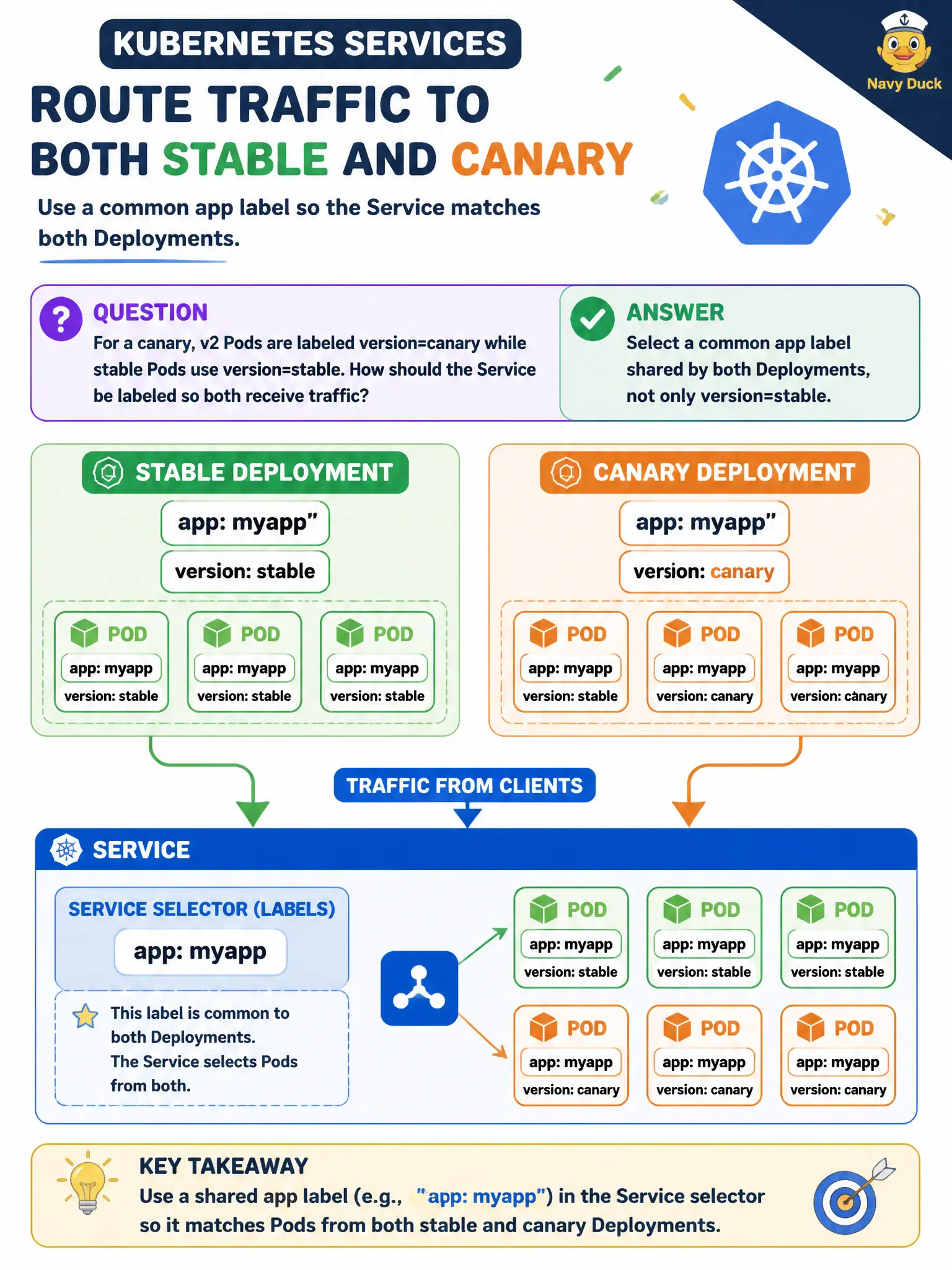
For a canary, v2 Pods are labeled version=canary while stable Pods use version=stable. How should the Service be labeled so both receive traffic?
Select an answer to reveal the explanation.
Short Explanation
The Service is the club bouncer’s list—if it only says “stable,” canary never gets in. Put a shared app label on both Deployments and select that, while version labels keep the two replica sets distinct.
Full Explanation
For a canary where v2 Pods are labeled version=canary and stable Pods use version=stable, the Service should select a common app label shared by both Deployments, not only version=stable. If the Service keeps selecting only stable, canary Pods never enter Endpoints and residents never exercise v2—defeating the municipal canary.
Selecting only version=canary and relying on DNS to reach stable Pods excludes stable capacity. Omitting the selector so the Service load-balances all namespace Pods is invalid/unsafe. Selecting the ReplicaSet hash label from the stable Deployment only pins to one ReplicaSet and ignores canary.
Exam caveat: Design labels with a stable app key plus a version key. Service selects app; Deployments differ on version. Avoid coupling Services to pod-template-hash.
Operational check: kubectl get pods --show-labels; kubectl describe svc for Selector; kubectl get endpoints and confirm both version sets appear when intended. In municipal environments, document the chosen pattern in the service runbook so on-call engineers apply the same kubectl checks during incidents, and keep the change tied to the application Deployment or Job rather than ad-hoc node mutation. In municipal environments, document the chosen pattern in the service runbook so on-call engineers apply the same kubectl checks during incidents, and keep the change tied to the application Deployment or Job rather than ad-hoc node mutation.