
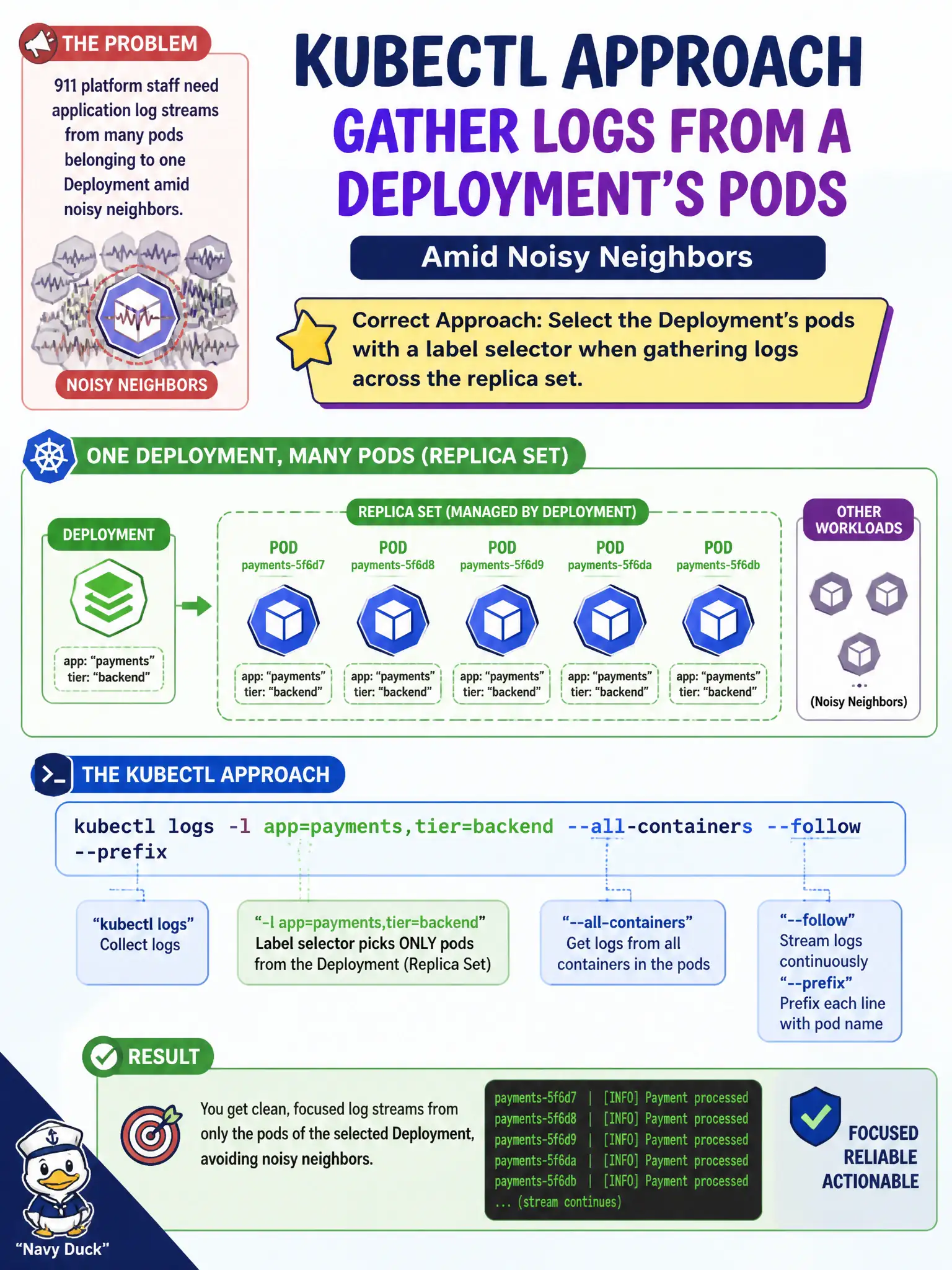
911 platform staff need application log streams from many pods belonging to one Deployment amid noisy neighbors. What is an appropriate kubectl approach?
Select an answer to reveal the explanation.
Short Explanation
Deployments stamp shared labels on their pods—use those labels to scoop the right logs and ignore the noisy crowd. Selectors beat hunting UIDs one by one.
Full Explanation
When 911 platform staff need application log streams from many pods belonging to one Deployment amid noisy neighbors, an appropriate kubectl approach is to select the Deployment's pods with a label selector while gathering logs across the replica set. Shared labels stamped by the Deployment are the roster numbers that keep you from hunting random UIDs. Passing a random UID without labels and hoping for the best does not systematically gather the Deployment's replicas. Only describing the Deployment object prints object status and events; it does not print every replica's stdout. Deleting all namespaces except kube-system to reduce noise is catastrophic and unrelated to selective log collection. Exam caveat: kubectl logs with a label selector can target multiple pods depending on kubectl version and flags; know label selection even if you also loop over pod names under pressure. Operational check: Identify the Deployment selector labels, fetch logs with that selector in the 911 namespace, correlate timestamps across replicas, and ignore unrelated noisy pods. In municipal production practice, record the finding in the incident ticket with command output snippets, confirm the fix under change control, and re-validate the user-facing civic service before closing the change window.