
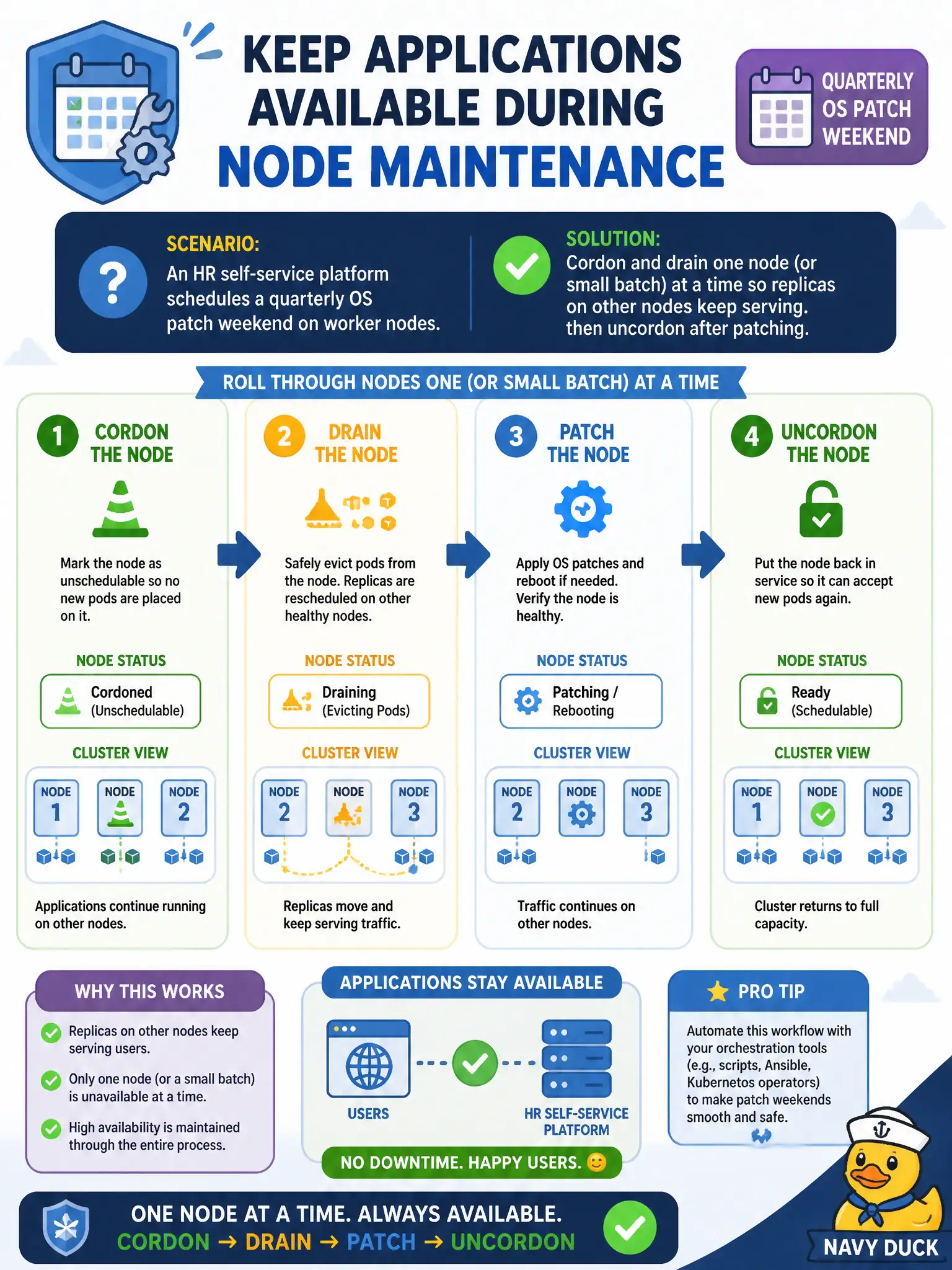
An HR self-service platform schedules a quarterly OS patch weekend on worker nodes. How should ops keep applications available during node maintenance?
Select an answer to reveal the explanation.
Short Explanation
Maintenance windows are like fixing elevators one at a time in a busy building—you don’t shut every car at once. Cordon and drain a worker, patch it, bring it back, then move on, while replicas elsewhere keep the app alive. Big-bang patching every node together is how you invent an outage.
Full Explanation
During a quarterly OS patch weekend on HR self-service workers, ops keep applications available by cordoning and draining one node or a small batch at a time so replicas on other nodes keep serving, then uncordoning after patching. Fix elevators one at a time in a busy building—do not shut every car at once. Stopping the API server for the weekend blocks all rescheduling and creates a platform outage. Patching all workers simultaneously without cordon removes capacity and risks downtime despite shorter wall-clock minutes. Deleting all Deployments before patching and recreating Monday from backups is unnecessary application destruction. Exam caveat: Rolling node maintenance depends on replicated workloads and enough spare capacity. Operational check: Confirm PDB/replica headroom, drain a worker, patch/reboot, wait Ready, uncordon, watch Service endpoints, then proceed to the next municipal worker. In municipal platform operations, record the rationale in the change ticket so future on-call staff know which control was chosen and which failure modes the rejected options would create for city services. Re-validate after the next maintenance window that the same control still holds under the cluster’s current minor version and addon revisions used by the civic platform team.