
A water-utility platform runs kubeadm on a dual-homed control-plane host and must make the API advertise on the correct NIC while including that address in the API server certificate. Which ClusterConfiguration approach should the admin use?
Select an answer to reveal the explanation.
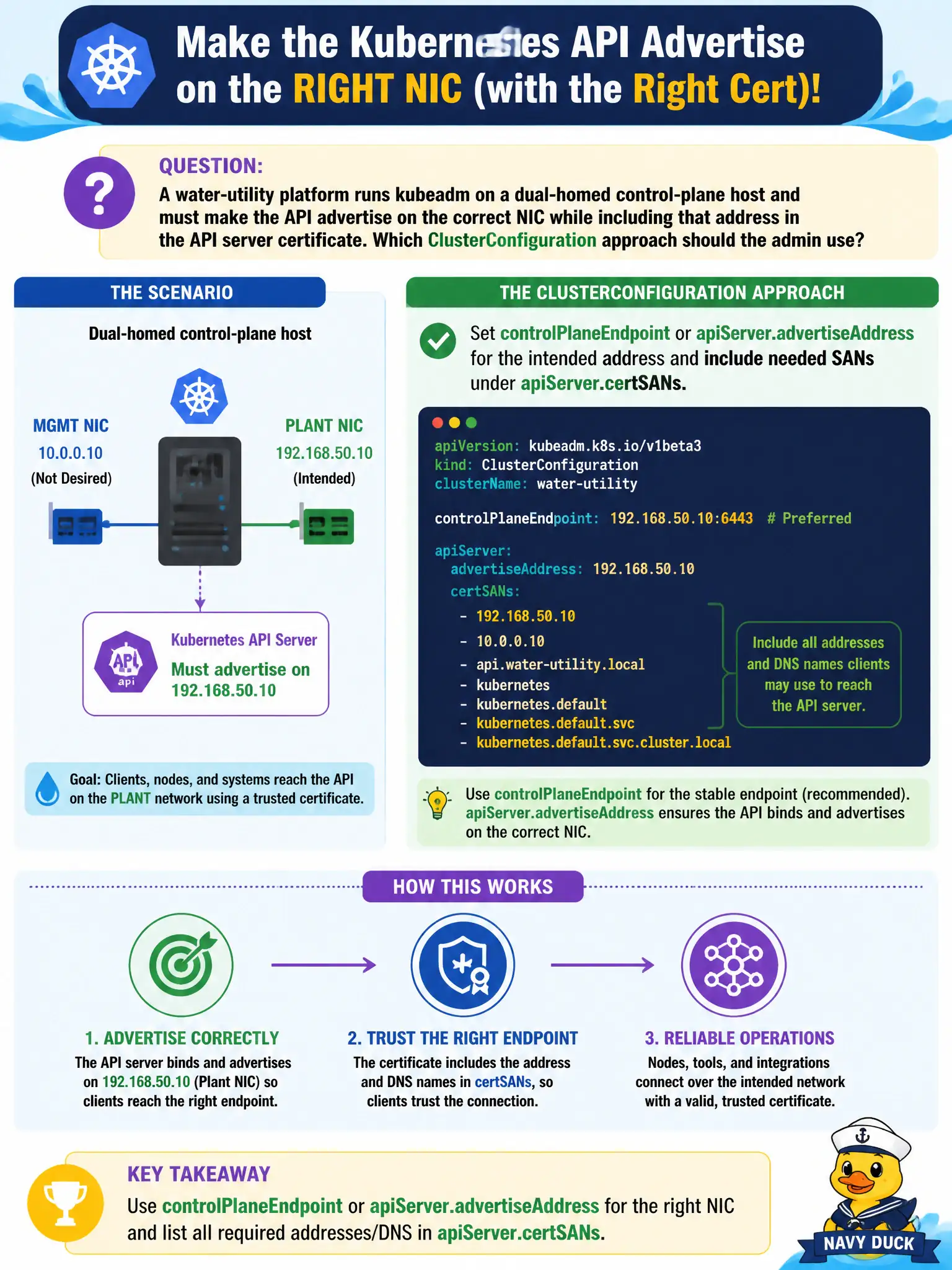
Short Explanation
Picture the API like a storefront address on a two-street building—you have to put the right street on the sign and on the certificate, or half the town never finds the door. In kubeadm’s ClusterConfiguration, that means pointing advertiseAddress or controlPlaneEndpoint at the NIC you want, and listing needed names/IPs under apiServer.certSANs. Skipping SANs is how you get scary certificate mismatch errors later.
Full Explanation
On a dual-homed water-utility control-plane host, kubeadm’s ClusterConfiguration must advertise the intended API address and include needed names or IPs under apiServer.certSANs so the serving certificate matches how civic clients and kubelets reach the API. Set controlPlaneEndpoint or apiServer advertiseAddress for the NIC you want on the storefront sign, and extend certSANs accordingly—skipping SANs is how certificate mismatch errors appear later. Setting only networking.podSubnet while leaving advertiseAddress blank risks wrong auto-detection on multi-homed hosts and does not guarantee SANs for the management address clients use. Putting the management NIC IP only in kubeletExtraArgs does not configure apiserver advertisement or certificate SANs in ClusterConfiguration. Disabling TLS for kube-apiserver so clients can reach either NIC without SANs abandons required API transport security. Exam caveat: Advertise address and certSANs must agree with the address clients actually dial. Operational check: Set advertiseAddress/controlPlaneEndpoint and certSANs for the chosen NIC/DNS, run init or renew as appropriate, then openssl-s_client or kubectl against that name/IP and confirm the certificate lists it.